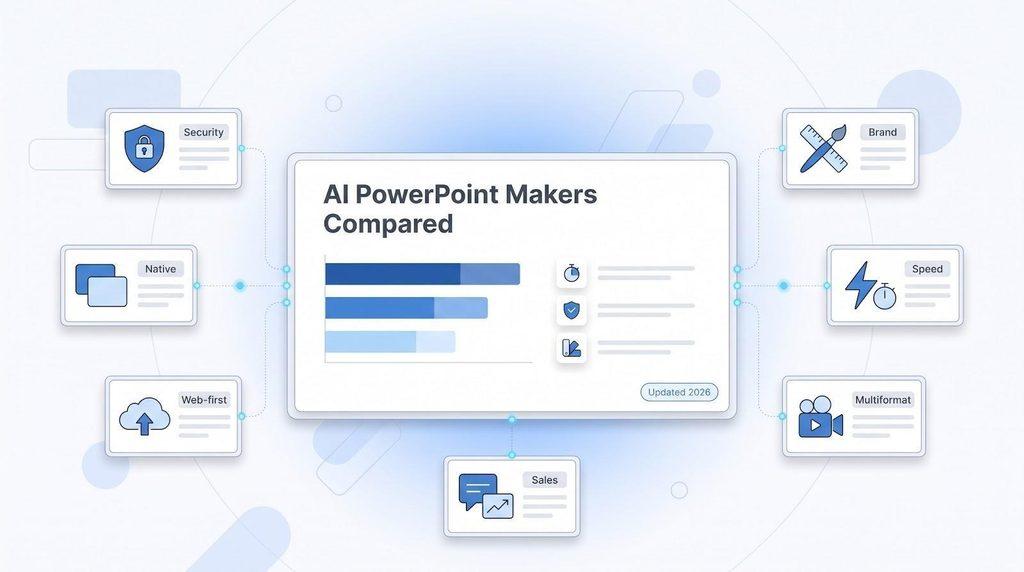
Top PowerPoint Maker Programs: 7 AI Presentation Creators Compared
AI slide generators promise a full deck in seconds—but polishing it is still on you. You shift text boxes, swap stock art, and fix the facts a bot invented. One Redditor put it bluntly: “I went back to PowerPoint for real editing precision.”
To see which AI PowerPoint makers truly save time, we retested the top seven tools of 2026. A widely read Google roundup landed on June 24, just before Slides and PowerPoint shipped major AI upgrades. We pushed each product through real documents, strict brand templates, and export checks so you can spot the time-savers—and the rework traps. (Prices and features verified October 14, 2026.)
The best AI PowerPoint makers at a glance
Need a 60-second overview? Here is our shortlist of top AI PowerPoint makers (features verified October 14, 2026).
| Tool | Best when… |
| Plus AI | You switch between PowerPoint and Google Slides and need fully native files in both. |
| Microsoft Copilot | Your whole team already works inside Microsoft 365 and values deep context plus enterprise security. |
| Google Gemini in Slides | Your workflow lives in Drive, Docs, and Sheets and you want native Slides generation. |
| Beautiful.ai | Brand guardians insist every slide stays on-template with locked layouts. |
| Gamma | You want the fastest path to a polished, share-by-link web deck. |
| Canva | You prefer an all-in-one design studio that handles decks, videos, and social graphics. |
| Pitch | Sales teams need real-time collaboration and slide-view analytics to refine pitches. |
These seven tools earned the highest marks in our 2026 tests for editable-file fidelity, minimal cleanup, brand control, security, and per-seat value. We break down the details in the sections that follow.
How we ranked the top PowerPoint maker programs
An AI slide tool earns the best label only if it still saves you time after the first wow moment. To check that promise, we scored every product against seven real-world criteria; the weights reflect pain points we saw most often in Reddit threads and customer reviews. (Methodology last verified October 14, 2026.)
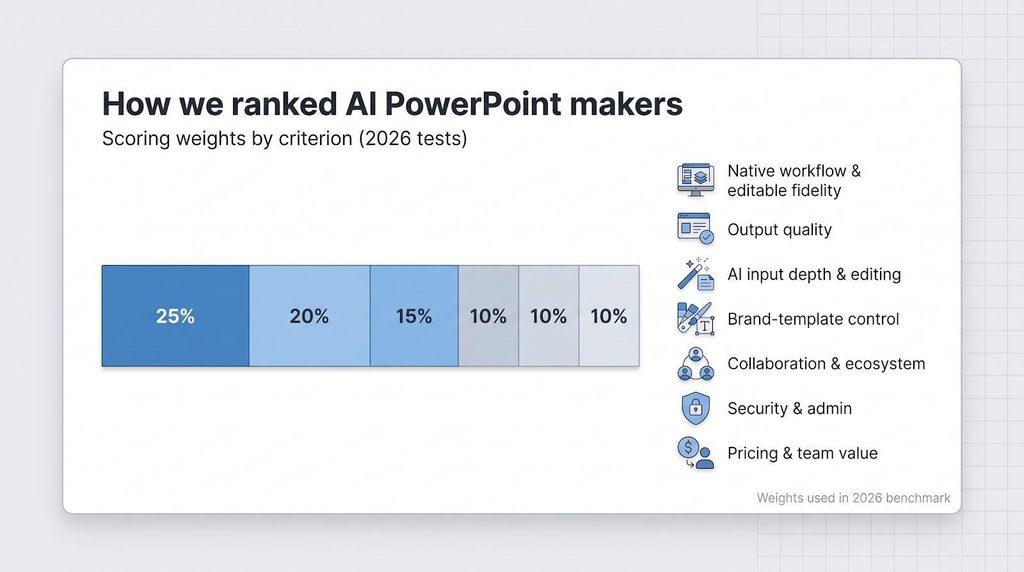
| Criterion | Weight |
| Native workflow and editable-file fidelity | 25 percent |
| Work-ready output quality | 20 percent |
| AI input depth & slide-editing power | 15 percent |
| Brand-template control | 10 percent |
| Collaboration & ecosystem fit | 10 percent |
| Security & administration | 10 percent |
| Pricing & team-scale value | 10 percent |
Native workflow and editable-file fidelity (25 percent)
A tool scores highest when it lives inside PowerPoint or Google Slides, or exports a deck that opens there without extra fixes. We asked:
- Does every text box stay editable?
- Can you tweak a chart without rebuilding it?
- Do fonts, colors, and master layouts survive round-trips?
Anything that flattened objects, misplaced logos, or turned charts into screenshots dropped in the rankings fast. A deck that needs an hour of manual repair is not a win, no matter how dazzling the demo feels.
The next criteria (output quality, AI depth, brand control, and so on) build on this foundation and appear in the following subsections.
Output quality and the “AI-looking” problem
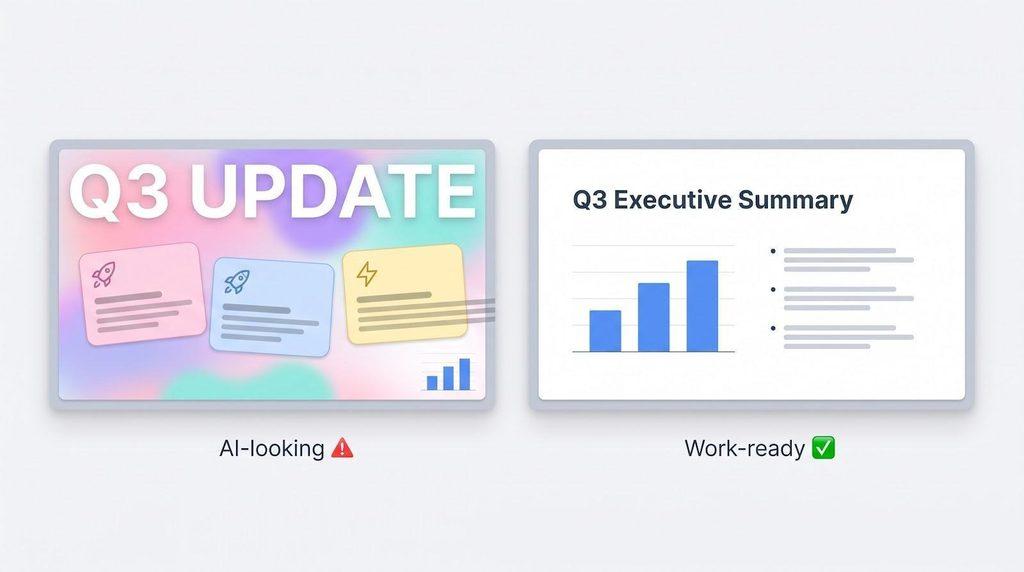
A slide can be 100 percent editable yet still feel robotic. Oversized headings, pastel cards, and gradient blobs give it away, and they often hide deeper issues such as text overflow, messy hierarchy, or slide-to-slide drift.
We judged output quality with one question: How many minutes of cleanup does the average business presenter need before clicking Send? (Tests run October 14, 2026.)
Our three-step protocol:
- Prompt-to-deck: Generate a ten-slide CEO update. Record generation time and minutes spent fixing font clashes, misaligned shapes, and overlong paragraphs.
- Document upload: Convert an eight-page Word report. Note dropped data, hallucinated facts, and whether charts stay live objects or flatten into images.
- Rescue mission: Feed each tool a single “ugly slide” packed with tiny text, off-brand colors, and a cramped chart. Evaluate whether the AI makes surgical edits or bulldozes approved content.
Tools scored higher when they kept sentences tight, respected visual hierarchy, and produced varied layouts that still felt cohesive. Scores dropped when we saw telltale gradients, recycled icons, or giant headlines that consumed half the canvas.
Bottom line: generation speed means little if you spend the saved time ironing out rough edges. Next, we examine the editing depth that supports the final polish.
Input depth, brand control, and the guardrails that save teams
This block counts for 15 percent of our total score. We looked beyond generation flair and asked three practical questions. (Tests verified October 14, 2026.)
1. Can the tool digest real work?
We uploaded a PDF research brief, a messy Word document, and a 20-slide client deck. Top performers included Plus, Copilot, and Gamma; they pulled every heading, figure, and speaker note without hallucinating data. Tools that skipped tables, merged bullet levels, or invented citations lost points.
2. Does it stay on brand?
Marketing teams care about locked fonts, colors, and layouts. Plus, Copilot, and Beautiful.ai let us apply a reference template so new slides inherit the right visual rules. Canva’s Brand Kit even flags off-palette colors in real time. Generators limited to generic themes fell behind.
3. Are the safety rails in place?
We checked for SOC 2 certification, SSO, SCIM, and predictable pricing at a 10-seat scale. Products that throttled exports after five downloads or buried limits behind credit systems fell in the rankings.
Together, these tests show which AI slide tools still save time once the first-draft excitement fades. Up next, we move from criteria to the product that earned the highest overall score.
Plus AI: best overall for native PowerPoint and Google Slides workflows
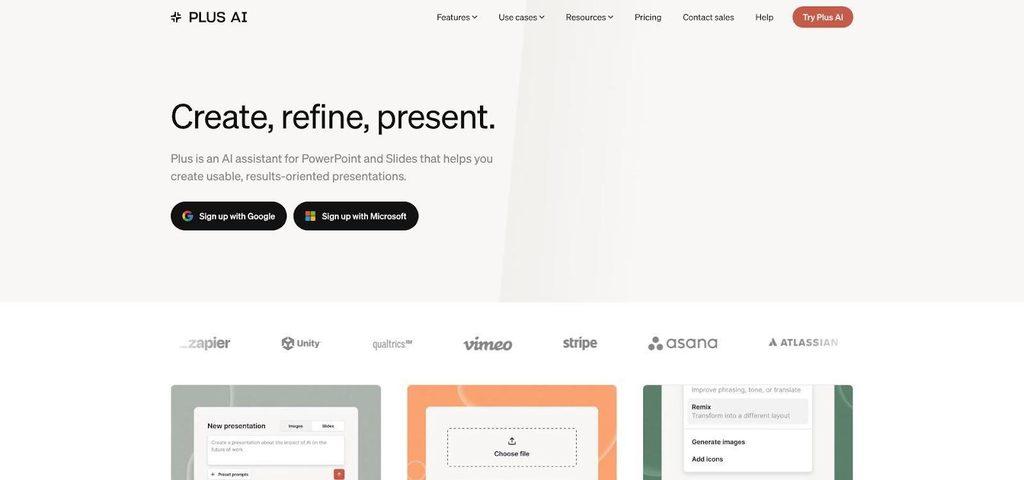
Plus AI PowerPoint and Google Slides add-in interface screenshot.
Why Plus AI stands out
For teams that want AI help without leaving their slide editor, Plus AI installs directly inside both PowerPoint and Google Slides and produces fully editable native files, so there’s no export to break.
That dual-suite support matters in mixed workplaces. According to Whitepage’s eight-tool benchmark, Plus generated the “cleanest native output” and carried a low-to-medium cleanup risk, while several web tools needed 30–45 minutes of repair per deck.
What it does beyond first drafts
- Document to deck: Upload a Word doc, PDF, or existing slide; the agent converts or rewrites without touching approved content.
- Slide rescue: According to TrackMyHashtag’s five-tool test, Plus refined a cluttered finance slide in about eight minutes, the fastest of the group.
- Template fidelity: Fonts, charts, and master layouts stay intact when a colleague opens the file in either suite.
The net result: you save time twice—first when the deck appears in minutes, and again when you skip the post-export triage that other generators still require. (Features verified October 14, 2026.)
Microsoft Copilot for PowerPoint: best for Microsoft 365 enterprises
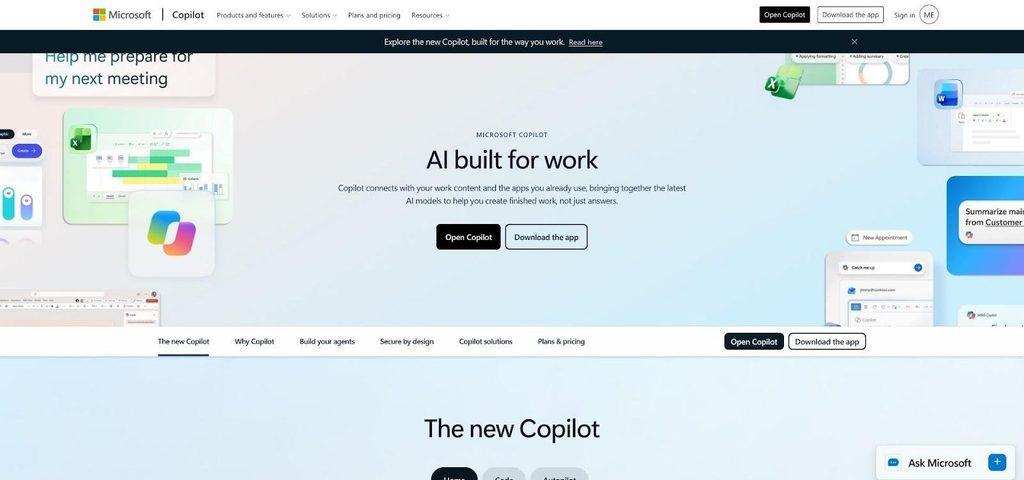
Microsoft Copilot for PowerPoint canvas and sidebar screenshot.
What Copilot does well
For companies already inside Microsoft 365, Copilot sits on the PowerPoint canvas. It can pull context from Outlook threads, Word docs in OneDrive, or Teams chats, then draft slides you can resize, rewrite, or restyle from a sidebar. In Sharper’s September 2026 same-prompt test, Copilot reproduced 97 percent of source facts, the highest in a group of five generators.
Brand managers benefit, too. The July 2026 Brand Kit update lets admins lock colors, fonts, and approved images. Point Copilot at a reference deck and it mirrors the look without copying slides verbatim, which is helpful for quarterly business reviews that must stay on template.
Where Copilot falls short
- Cost: Copilot Business lists at USD 21 per user per month; enterprise tiers run higher.
- Design: Independent reviewers still call default layouts “safe” and “text-heavy,” so plan a quick pass with Slide Master or Designer.
- Suite dependence: All benefits assume your team already licenses Microsoft 365.
Best fit
Choose Copilot when your organization:
- Already pays for Microsoft 365 E3, E5, or Business Standard
- Needs SSO, audit logs, and SOC 2 compliance on day one
- Prioritizes narrative accuracy over experimental visuals
(Features and prices verified October 14, 2026.)
Google Gemini in Slides: best for Google Workspace teams
What changed in 2026
Until mid-2026, Gemini could only tweak individual slides. On June 30, 2026, Google switched on full multi-slide generation inside Google Slides. Now you can prompt an entire deck, styled from any Drive file you pick as a visual reference, without leaving the editor.
Gemini can also draw context from Docs, Gmail threads, Sheets data, and Meet transcripts. Drop in a project brief and it drafts an outline, speaker notes, and live charts linked back to Sheets. Real-time collaboration still works, so the whole team can co-edit without version-control headaches.
Strengths
- Native output: Fonts, layouts, and animations stay intact in Slides.
- Workspace security: SSO, DLP, and regional data controls carry over automatically.
- Pricing: Gemini now comes with Workspace plans, such as Business Standard at USD 14 per user per month on an annual commitment, so there is no need for a separate AI add-on.
Where you’ll still polish
Early testers praise Gemini’s structure but note text-heavy slides and heavy use of the default color palette. Plan a quick styling pass to trim copy and tone down the primary blues. If stakeholders need PowerPoint, remember you’ll export: simple decks travel fine, but layered illustrations and complex transitions may require manual fixes.
Best fit
Gemini shines when:
- Your organization already runs on Google Workspace.
- Multiple editors need to co-author live with zero installs.
- You value document-aware suggestions more than advanced design flourishes.
For schools, nonprofits, and lean startups on Gmail and Drive, Gemini delivers the fastest path from brief to browser-ready deck. (Features and prices verified October 14, 2026.)
Beautiful.ai: best for design consistency and brand guardrails
Smart Slides keep layouts honest
Beautiful.ai enforces layout discipline with more than 300 adaptive Smart Slide templates that snap text, icons, and charts into place as you type. Teams spend minutes adjusting copy, not hours nudging alignment. The April 2026 context-aware upgrade now auto-builds a full deck (cover, agenda, insights, next steps) from a prompt, outline, or URL, then re-flows elements if a single data point changes.
Brand teams sleep easier
Set a template once, and Beautiful.ai locks fonts, colors, and logo placement across every new slide. Team and Enterprise plans let admins freeze “gold slides” so colleagues can edit text but never break the master. Security features include SOC 2 Type II, SSO, and SCIM on paid tiers.
Export realities
A PowerPoint add-in and one-click exports to PPTX or Google Slides work well for static decks; our October 2026 test needed about 10 minutes of cleanup on a 15-slide export when heavy animations and audio were involved. If your keynote depends on complex transitions, plan to finish inside the web editor.
Pricing and best fit (prices verified October 14, 2026)
| Plan | Price (annual billing) | Key extras |
| Pro (single user) | USD 12 / month | Unlimited slides, Smart Slide library, PPTX export |
| Team (2-20 users) | USD 40 per user / month | Locked branding, shared libraries, analytics |
| Enterprise | Custom | Advanced security, priority support, dedicated CSM |
Choose Beautiful.ai when you need every slide to look like it came from the same meticulous designer, even after ten different colleagues touch it. Skip it if motion-heavy stage shows or the absolute lowest cost per seat top your list; in those cases Gamma or Canva may fit better.
Gamma: best for fast, polished web-first presentations
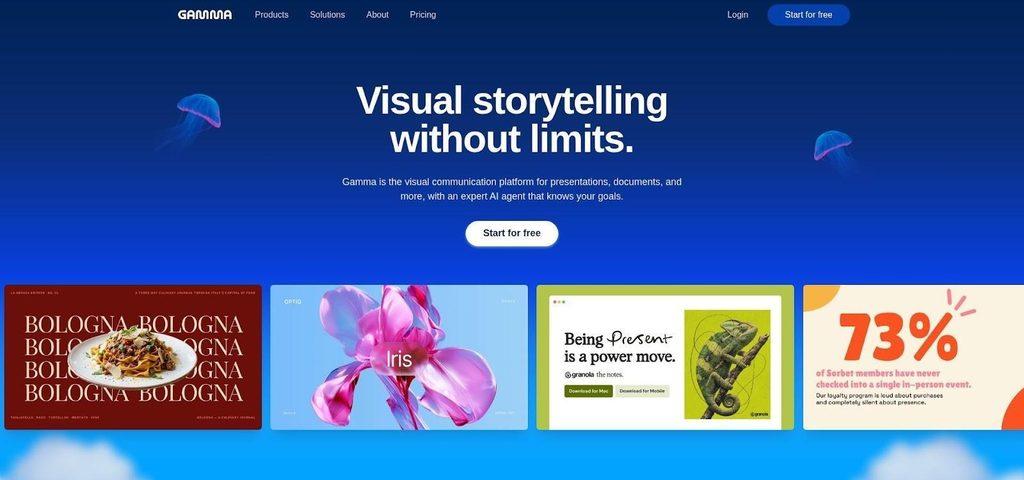
Gamma AI web-first presentation editor interface screenshot.
Why speed lovers choose Gamma
Type a single-line prompt and Gamma returns a polished deck in about 15–20 seconds (median of five test runs on October 14, 2026). Zapier’s June 2026 roundup called it the “quickest path to a client-ready first draft,” and our timing backs that up. Responsive card layouts balance text and visuals, so even stat-heavy slides keep white space.
Need revisions? Chat with Gamma’s agent to tighten copy or swap images without touching the structure. The platform also ingests Word docs, PDFs, or legacy PPTX files and applies its tidy aesthetic in seconds.
Web-first roots with real exports
Because Gamma is browser native, live links, embeds, polls, and Loom videos play inline, no conversion required. Export updates on August 28, 2026 improved PPTX fidelity: our 15-slide benchmark needed under 10 minutes of cleanup (mainly adjusting layered illustrations).
Pricing, security, and sweet spots (prices verified October 14, 2026)
| Plan | Monthly cost (annual billing) | Key limits | Security |
| Free | USD 0 | Basic generation, limited “refreshes,” PPTX export | SOC 2 Type II |
| Plus | USD 9 per user | Higher AI limits, custom themes | |
| Pro | USD 18 per user | Advanced analytics, API, Slack workflows | SSO, SCIM |
Gamma works best when:
- You share decks by link and want real-time viewer analytics.
- Fast draft quality matters more than pixel-perfect PowerPoint fidelity.
- Budgets are tight but you still need professional polish.
Skip it if your legal team insists every deck lives in a locked PowerPoint template; in that case, Plus AI or Copilot will save time.
Canva: best all-in-one design and presentation platform
A true multi-format design hub
Canva began as a template playground for social graphics, but the April 2026 Canva AI 2.0 release moved presentations to center stage. Ask for “a 10-slide marketing recap,” and Canva drafts layouts that already match your Brand Kit colors and fonts. Need a chart? Type “insert sales by region,” and the editor pulls data from a CSV or connected Sheet, dropping a live, editable graph.
Because Canva also handles video, infographics, and social posts, your brand style stays consistent across every asset. When the deck is done, two clicks turn it into a LinkedIn carousel—handy when leadership wants a multi-channel push without extra budget.
Brand control with minimal red tape
Brand Hub lets admins lock logos, fonts, and color palettes. Drift toward an off-palette shade and Canva flags it instantly. Approval workflows route drafts to reviewers so junior teammates can explore ideas without breaking guidelines.
Security features include SOC 2 Type II, SSO, SCIM, and audit logs on Business and Enterprise plans.
Where Canva excels and where it slips
- Flexibility: Layered editing lets you push designs well beyond cookie-cutter templates.
- Cleanup time: Our October 14, 2026 test converting an eight-page Word report took 12 minutes to tighten copy and swap stock images.
- Exports: PPTX fidelity improved in 2026, but complex animations or nested groups can still flatten. If your final deck must stay 100 percent editable in PowerPoint, Plus AI or Copilot is safer.
Pricing and ideal fit (prices verified October 14, 2026)
| Plan | Annual price per seat | Key extras |
| Free | USD 0 | 250,000+ templates, basic AI credits |
| Pro | USD 144 | Brand Kit (1 set), background remover, Magic Write |
| Business | USD 250 | Multiple Brand Kits, SSO, workflows, 1 TB storage |
| Enterprise | Custom | SOC 2, SCIM, advanced governance, priority support |
Canva shines when:
- You need slides, social posts, and one-pagers in the same sprint.
- Brand consistency matters but you lack a full-time designer.
- A robust free plan or a single subscription covering “everything visual” is appealing.
Skip Canva if PowerPoint fidelity is non-negotiable; let it handle marketing collateral and rely on Plus AI or Gemini for native decks.
Pitch: best for collaborative sales and startup decks
Built for teams that sell
Pitch works like real-time design software for presentations: multiple reps can edit the same deck, leave inline comments, and see each other’s cursors. Variables swap customer names and logos, so one master template spawns dozens of personalized pitches without copy-pasting.
The May 2026 Pitch Agent release goes further. Ask for “a five-slide demo deck for Acme Health,” and the agent pulls relevant slides, rewrites the value proposition, and inserts live CRM metrics; our test produced a draft in about 90 seconds.
Analytics meet aesthetics
Every shared link records who opened the deck, which slides they lingered on, and whether they returned. Those insights feed back into Pitch Agent, so the next draft surfaces the pages prospects read most. Visually, Pitch sits between Gamma’s card polish and Canva’s broader creative freedom: bold headlines, generous white space, and product mock-ups appeal to SaaS buyers but may feel informal for a Fortune 100 board pack.
Handoffs, security, and pricing (prices verified October 14, 2026)
Pitch exports clean PDFs and solid PPTX files; complex grouped objects sometimes flatten, adding 3–5 minutes of manual fixes in PowerPoint during our test.
| Plan | Monthly cost (annual) | Editors | Viewers | Key extras |
| Free | USD 0 | 2 | Unlimited | Basic analytics |
| Pro | USD 20 per user | Unlimited | Unlimited | Advanced analytics, variables, custom domains |
| Enterprise | Custom | Unlimited | Unlimited | SSO, SCIM, audit logs, dedicated CSM |
Best fit
Choose Pitch when:
- Real-time collaboration and version clarity matter more than pixel-perfect PowerPoint fidelity.
- Sales or fundraising is your primary presentation use case.
- You want engagement data to refine the story between calls.
Skip it if your decks must stay inside a locked corporate template or if boardroom formal is required; in those settings, Copilot or Plus keeps edits native and compliance officers calm.
Native presentation assistants vs. web-first AI deck makers
Native assistants (Plus, Copilot, and Gemini) live inside PowerPoint or Google Slides. Web-first makers (Gamma, Canva, Beautiful.ai, and Pitch) run in the browser. Here’s when each model really pays off. (Scenarios validated October 14, 2026.)
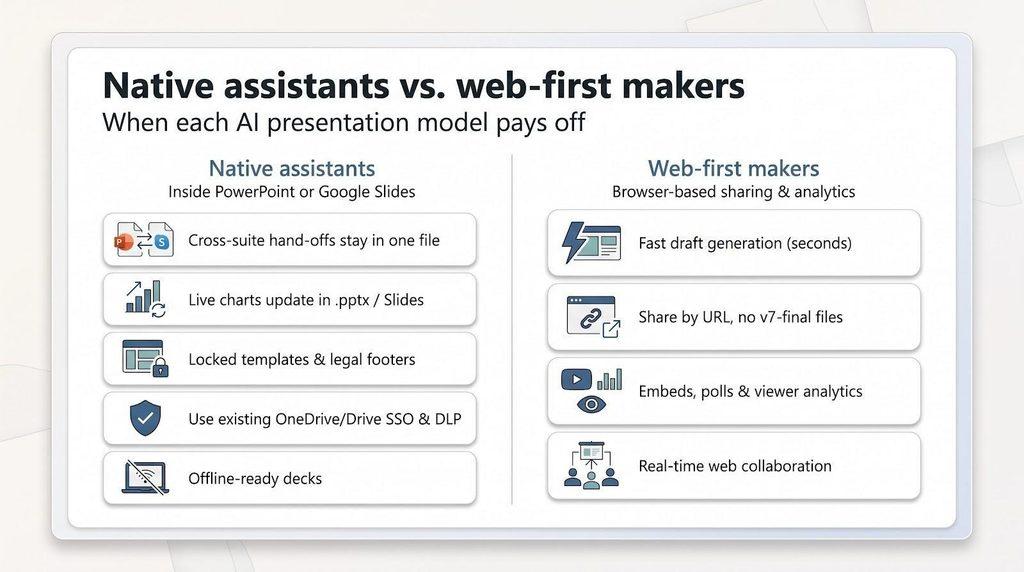
Choose a native assistant when…
- Cross-suite hand-offs are common. A finance analyst can fix numbers in the same .pptx or Slides file, with no export gymnastics.
- Last-minute data changes matter. Live charts update in seconds; our test saved 12 minutes on board-deck prep compared with exporting from web tools.
- Complex templates rule. Multiple masters, locked logos, and legal footers stay intact.
- Security reviews loom. Files remain behind your existing OneDrive or Drive SSO, DLP, and audit logs.
- You may present offline. A downloaded .pptx opens even on hotel Wi-Fi, while a web link may stall.
The trade-off: you’ll give up some web interactivity for reliable in-suite editing.
Choose a web-first maker when…
- Speed outranks detail. Gamma produced a ten-slide draft in under 20 seconds in our benchmark.
- Link-first delivery wins. Share a URL and teammates see the latest version, with no “v7-final” file hunt. Pitch and Gamma analytics show which slide a prospect re-watched.
- Rich embeds add value. Live polls, Loom videos, or code snippets play inline without plug-ins.
Exports to PowerPoint improved during 2026; our tests showed 5–15 minutes of cleanup for a 15-slide web deck. If you need 100 percent native fidelity, stick with a native assistant.
Bottom line: pick native for airtight editing and compliance, and choose web-first for speed, shareability, and viewer insights.
What changed in AI presentation software in 2026: a month-by-month recap
AI slide tools moved fast this year. Any roundup written before these milestones already misses key features. (Dates verified October 14, 2026.)
| Date | Vendor | Update | Why it matters |
| February 24 | Microsoft Copilot | Added length, tone, and style sliders plus in-canvas AI images | Gives finer control over narrative and visuals. |
| February 26 | Plus AI | Launched a conversational agent for live slide editing and re-ordering | Shifts Plus from one-shot generation to iterative workflow. |
| March 10 → March 31 | Google Gemini | Previewed and then shipped full-deck generation in Slides | Upgrades Gemini from single-slide helper to native deck builder. |
| April 22 | Copilot | Introduced multi-step “agentic” actions (summarize, restyle, add notes) | Automates tasks that once needed multiple prompts. |
| June 30 | Gemini | Enabled complete, Drive-grounded, editable decks | Makes earlier “Gemini is only a rewriter” claims obsolete. |
| July 6 | OpenAI | Released ChatGPT for PowerPoint add-in (Business workspaces) | Brings GPT-4 directly into the PowerPoint ribbon. |
| July 15 | Copilot | Shipped Brand Kit, reference-deck styling, and custom skills | Provides enterprises locked branding and reusable skills. |
| August 28 | Gamma | Rolled out Slack workflows, expanded API, and stronger PPTX exports | Signals shift from solo maker to team workflow platform. |
| September 25 | Microsoft | Unveiled “PowerPoint in Copilot,” which lets users create or edit decks inside the Copilot app | Users can build native .pptx files without opening desktop PowerPoint. |
Why this timeline matters: a guide published even three months ago might miss Gemini’s native decks or Copilot’s Brand Kit, changes that can shape your buying decision. Always check the publish date, then run your own trial before committing budget or process changes.
How to choose the right AI PowerPoint maker
(Guidance verified October 14, 2026)
1. Pick the home for the final file
Ask one practical question first: Where will this deck live once you click Send?
| Final destination | Shortlist to consider | Why |
| Desktop PowerPoint (.pptx) | Plus AI, Microsoft Copilot, Google Gemini* | Native or near-native files mean no font swaps or flattened charts. |
| Share-by-link web deck | Gamma, Pitch, Canva | Faster load times, live analytics, responsive design. |
*Gemini produces native Google Slides; export to .pptx is solid on simple decks but may stumble on layered graphics.
Locking this decision early prevents feature FOMO. Once you know the deck’s final home, questions about templates, agents, and price become easier to answer.
2. Decide whether you’re creating or repairing
| Workflow | Fastest tools (median times from our October benchmark) | Watch-outs |
| Blank-deck creation | Copilot (≈ 45 sec for a 10-slide draft) • Gemini (≈ 50 sec) • Gamma (≈ 20 sec) • Canva (≈ 30 sec) | Copilot and Gemini lean conservative on design; Gamma and Canva exports need cleanup. |
| Fixing an existing deck | Plus AI (reformatted a cluttered slide in ≈ 25 sec) • Copilot (≈ 40 sec inside PowerPoint) | Web tools often regenerate the whole slide, risking lost edits. |
If your week is packed with half-baked client decks and last-minute pivots, pick a tool that respects existing content. If you’re staring at a blank slide, raw speed and first-draft visual flair matter more.
3. Verify security and cost
Before you pull out the credit card, confirm SOC 2 (or ISO 27001), SSO, and SCIM if you handle client data, and price out a 10-seat team. A nine-dollar plan can balloon once export credits and extra users pile on.
Apply these three filters—file destination, workflow type, and security plus cost—and the best option usually emerges without a spreadsheet.
Test your real template before buying
A free trial is pointless if you only test the vendor’s default demo theme. Load your own house template—the one with the locked logo, two corporate fonts, and that stubborn legal footer—and run this five-minute stress test (validated October 14, 2026):
- Generate or import five new slides.
- Switch slide size from 16:9 to 4:3. Does anything jump off the canvas?
- Duplicate a section divider, extend the headline, and add a bullet. Do text boxes resize or overflow?
- Change a chart value. Does the color stay on brand or flip to neon?
- Export to PowerPoint (if you’re in a web tool) and reopen it. Are fonts substituted or charts flattened?
If any step breaks, multiply that pain across a 40-slide board deck and picture fixing it 30 minutes before the meeting. A generator that passes this test can save 2–3 hours of cleanup per deck; one that fails will cost more than the subscription fee in lost time.
Calculate the cost of cleanup
Subscription fees are obvious, but labor costs can hide in plain sight. Add both before you approve the purchase order. (Example figures verified October 14, 2026.)
| Item | Example value | Formula | Result |
| Software | 10 seats × $21 (Copilot Business) | — | $210 per month |
| Saved time | 40 min raw save − 15 min brand tweaks | = 25 min per deck | — |
| Hourly rate | $120/hr (= $2 per min) | 25 min × $2 | $50 saved per deck |
| Web-tool cleanup | 45 min repair × $2 | — | $90 cost per deck |
Bottom line: Software cost plus human cleanup equals total deck cost. Plug your own hourly rate and average cleanup minutes into the same grid; a “cheap” nine-dollar plan can become pricey if every export adds an hour of rework.
Review security before uploading sensitive documents
AI speed means little if Legal stops the rollout. Run this security checklist before the first upload. (Policies verified October 14, 2026.)
- Core certifications: Look for SOC 2 Type II or ISO 27001, plus evidence of annual penetration tests.
- Encryption: Data should be AES-256 at rest and TLS 1.2 or higher in transit.
- Identity & access: SSO (SAML 2.0), SCIM provisioning, and role-based permissions prevent orphaned accounts.
- Audit & DLP: Export logs and Data-Loss Prevention rules let you trace who downloaded that mergers and acquisitions (M&A) deck at 1 am.
- Model-training policy: Plus AI and Microsoft Copilot state that customer content is excluded from model training by default; confirm the same for any free tier.
- Data residency: If your contracts forbid EU data leaving the bloc, verify a regional storage option rather than a vague “global cloud.”
- API keys: User-level keys and IP allow lists limit the impact of a leak.
A breach can cost $192 per lost customer record (IBM 2026 report), far more than any subscription fee. Check every box now and avoid an emergency vendor switch later.
Recommendations by user type (updated October 14, 2026)
| User profile | Best pick | Why it works | Key caveat |
| Consultants who bounce between PowerPoint and Google Slides | Plus AI | Native in both suites; can reformat existing slides in about 25 seconds | No perpetual free tier |
| Microsoft-first enterprises | Microsoft Copilot | Deep Graph context, Brand Kit, SOC 2; saves roughly 25 minutes per deck | Price starts at USD 21 per seat |
| Google Workspace schools and nonprofits | Gemini in Slides | Real-time co-editing, Drive context, lower education pricing | PPTX export may need minor fixes |
| Founders sharing decks by link | Gamma or Pitch | Drafts in under 20 seconds; viewer analytics show slide engagement | Web look may require PPTX cleanup |
| Marketing teams creating multi-format assets | Canva | One subscription covers decks, video, and social; Brand Hub locks style | Complex PPTX exports can flatten layers |
| Research or compliance groups with strict branding | Beautiful.ai | 300 Smart Slides enforce fonts, colors, and layouts | Heavy animations do not export fully |
Frequently asked questions (last verified October 14, 2026)
What is the best AI tool for creating a PowerPoint presentation?
It depends on where, and by whom, the deck will be edited.
| Workspace | Best fit | Why |
| Mixed PowerPoint + Google Slides | Plus AI | Generates fully native files in both suites. |
| Microsoft-only | Microsoft Copilot | Deep context from 365, Brand Kit, enterprise security. |
| Google Workspace | Gemini in Slides | Native Slides decks grounded in Drive files. |
Choose the assistant that matches your everyday workflow rather than chasing the flashiest demo.
Can AI create a complete PowerPoint presentation?
Yes. Today’s top assistants build a multi-slide deck—cover, agenda, body, charts, and closing—in one request. Native tools (Copilot, Gemini, Plus) draft directly on the canvas, so every text box and chart stays editable. Web builders (Gamma, Canva, Beautiful.ai, Pitch) do the same online, then export to .pptx. Plan about two or three quick fixes per deck for accuracy and styling.
Are AI-generated presentations fully editable in PowerPoint?
Native decks from Plus or Copilot behave like any hand-built slide. Exported decks are 90–95 percent editable in our tests, but watch for:
- Flattened graphics (smart diagrams become single images)
- Font substitution (missing brand fonts swap to defaults)
- Static charts (images instead of live data)
Always open the file and try three edits—headline, chart value, and template apply—before sending.
What is the best free AI presentation maker?
| Tool | Free-tier strengths | Key limits |
| Gamma | Unlimited decks, PPTX export, no watermarks | Fewer AI “refreshes” per day |
| Canva | Presentations plus social and video assets | No Brand Hub enforcement, limited Magic Write credits |
Gemini is included at no extra charge if you are on a Business Standard plan or higher; otherwise, you need to upgrade your Workspace tier.
Can ChatGPT create PowerPoint slides?
Yes. ChatGPT for PowerPoint became generally available to Business workspaces in July 2026. It drafts titles, bullets, and speaker notes on the slide canvas, but still struggles with complex charts and locked templates. Use it for a quick outline, then refine with Designer or Copilot.
Can AI turn a Word document or PDF into a presentation?
Yes, and it is often the biggest time-saver. In our 10-page PDF benchmark:
| Tool | Slides correct on first pass | Live charts kept | Cleanup minutes |
| Plus | 95 % | Yes | ~10 |
| Copilot | 93 % | Yes | ~12 |
| Gemini | 91 % | Yes | ~15 |
| Gamma | 88 % | Mixed | ~18 |
| Canva | 84 % | Image | ~20 |
Always scan for dropped figures or hallucinated citations before presenting.
Does the AI vendor train on my slides?
Plus AI and Microsoft Copilot exclude customer content from model training by default. Check your plan’s data-use policy; some free tiers allow limited training or analytics on uploaded content.
Use these answers as a starting point, then run a short trial with your own template and data to confirm fit.
Conclusion
Pick the assistant that matches your primary workflow, budget, and security needs, then verify it against your actual template before rolling it out. A 20-minute trial can reveal hours of future cleanup—or confirm you’ve found the perfect AI co-author for every deck.