Top 4 Platforms Offering a Comprehensive Excel Course for Beginners Online (2027)
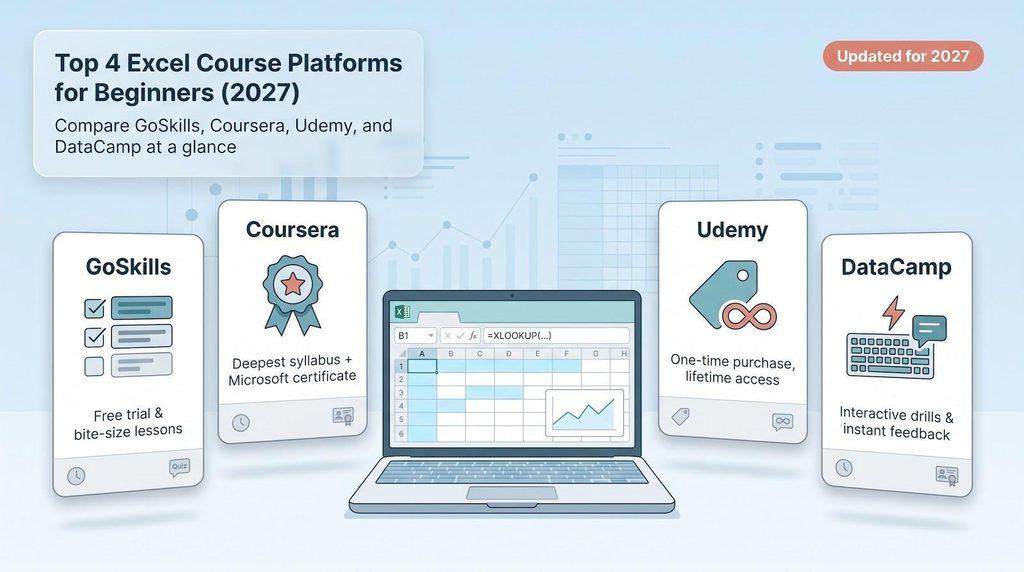
Choosing a comprehensive online Excel course for beginners shouldn’t feel like guesswork. We reviewed more than 20 platforms on October 13, 2026 and found four standouts: Coursera for depth and a Microsoft certificate, GoSkills for free bite-size lessons, Udemy for a single lifetime purchase, and DataCamp for hands-on drills. In this guide, we compare syllabus freshness, practice quality, credential clout, and real cost so you can choose the path that fits your budget and study style—without the marketing fog.
The four platforms at a glance
Want the quick rundown? Check the table, then scroll for the full breakdown.
| Platform | Best for | Advertised hours* | Practice style | Credential | Typical cost† | Our score |
| GoSkills | Free test drive & bite-size pacing | ~6 video hrs | Micro-quizzes, downloadable workbooks | CPD-accredited course cert | $39 / month or $249 / year | 88.2 |
| Coursera (Microsoft) | Deepest 365-era syllabus + provider cert | ~56 mixed-media hrs | Cloud labs, graded quizzes, capstone | Microsoft Professional Certificate | $59 / month with Plus | 93.1 |
| Udemy (Kyle Pew) | One-time purchase, lifetime replays | 22 h 53 m video | 60+ files, section quizzes, VBA demos | Completion certificate | $19.99 sale‡ / $139 list | 87.0 |
| DataCamp | Interactive drills & data-analysis track | ~16 interactive hrs | In-browser tasks, real-time grading | Statement of Accomplishment | $165 promo-price/year§ | 86.3 |
*Hours exclude rewinds and personal project time.
†Prices checked October 13 2026; taxes and regional promos vary.
‡Udemy’s lowest price appears during frequent flash sales; list price applies outside promo windows.
§DataCamp’s promo is an upfront annual charge, not month to month.
At a glance, Coursera offers the deepest curriculum, GoSkills the low-risk entry, Udemy the pay-once freedom, and DataCamp the most interactive practice. Keep this snapshot handy as we explore each platform next.
1. GoSkills: best for bite-size lessons and a low-risk start
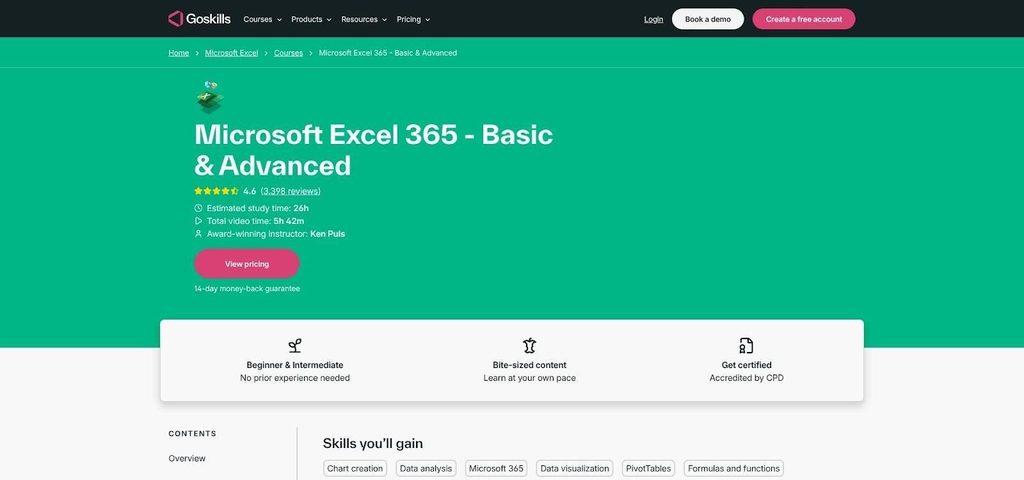
GoSkills Excel 365 Basic & Advanced course page screenshot
Course structure and syllabus
Absolute beginners can sample the free GoSkills “Excel in an Hour” preview. If the pace fits, you can unlock a 61-lesson, 5 h 42 m Excel 365 Basic & Advanced path with videos under six minutes each. The sequence mirrors real work: formatting → functions → tables → PivotTables → dashboards. Modern must-knows (XLOOKUP, dynamic arrays, Mac vs. Windows shortcuts) receive dedicated call-outs. When you need additional depth, a dashboard links to micro-courses on Power Query, Power Pivot, macros/VBA, and Python-in-Excel in the same building-block format.
Practice, pacing, and instructor model
Every lesson ends with a quick quiz or workbook you download, tweak, and re-upload for instant feedback. That sprint-style rhythm (two lessons over coffee, another at lunch) makes daily study manageable. Instructor Mike Thomas keeps explanations tight, then points you to the exercise file, so you are never waiting for a grader.
Certificate and pricing
A seven-day free trial lets you explore hundreds of courses. After the trial, pricing is $39 per month or $249 per year (checked October 13 2026). Complete the core course to earn a CPD-accredited certificate, verifiable through GoSkills’ public lookup but not the proctored MOS MO-210 exam.
Most learners who schedule an hour a day finish the core path within one billing cycle; even stretching to two months keeps the cost under $80, less than a live workshop that omits Power Query.
Who GoSkills suits and who should skip it
Choose GoSkills if you like micro-learning, want a risk-free trial, or may need to pause without breaking your budget. Skip it if you require a Microsoft-branded credential or prefer a single extended course that rolls straight into Python; Coursera and Udemy meet those needs.
Verdict: best low-risk, bite-size path. Score 88.2 / 100
2. Coursera: best overall curriculum and Microsoft professional certificate
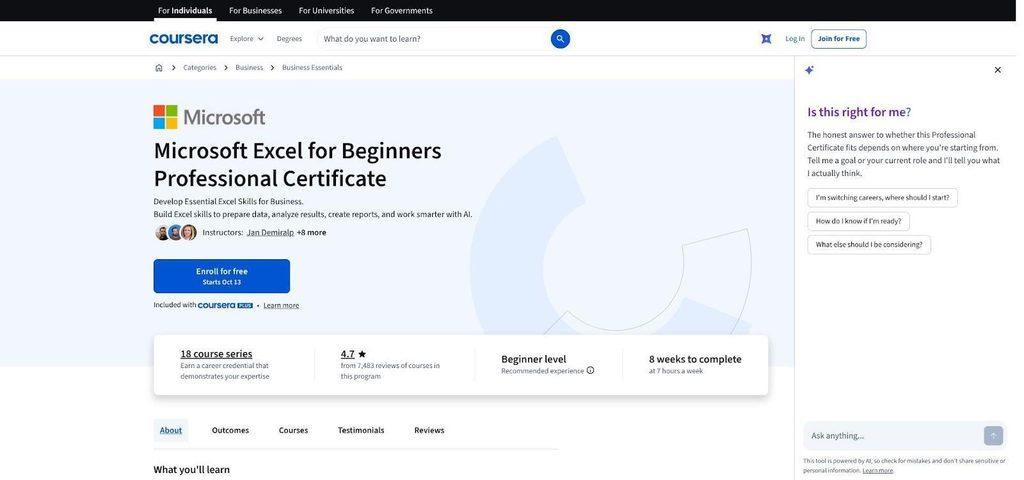
Coursera Microsoft Excel for Beginners Professional Certificate landing page
Course structure and syllabus
Microsoft’s 18-course Excel for Beginners Professional Certificate feels like a structured semester, not a loose playlist. In ~56 guided hours you progress from rows and simple formulas to Power Query, Power Pivot/DAX, and, following an October 2026 refresh, Copilot prompts and early Agent Mode demos. Each short module builds logically: lookups → XLOOKUP, tables → relationships, Power Query → data model.
Projects, labs, and capstone
- Cloud labs: edit real spreadsheets in a browser; instant grading flags errors cell by cell
- Mid-course dashboard: revenue-variance report with PivotTables, slicers, and conditional formatting
- Portfolio capstone: select a retail, HR, or cost dataset and create a multi-sheet workbook with Power Query, DAX measures, visuals, and an optional AI summary you can share on GitHub or LinkedIn
Credential value
Complete all 18 courses to earn a Microsoft-issued Professional Certificate, a shareable URL that fits neatly into LinkedIn. This is not the proctored MOS MO-210 exam, yet, paired with your capstone, it still signals job-ready skill.
Cost and requirements (prices checked October 13 2026)
- Coursera Plus: $59 per month or $399 per year; finish in the advertised eight weeks and pay about $118
- Software: Microsoft 365 (desktop Excel for labs), Copilot access, and a free ChatGPT account
- Hardware: desktop or laptop for labs; phone or tablet is fine for lecture viewing only
Who Coursera fits
Ideal for career-switchers, students, and professionals who need a Microsoft-branded credential plus a portfolio workbook. Skip it if you dislike subscriptions, want VBA in the core path, or study only on an iPad.
Verdict: highest score, 93.1 / 100, for depth, proof, and brand recognition.
3. Udemy: best one-time purchase and lifetime access
Why Kyle Pew’s course made the cut
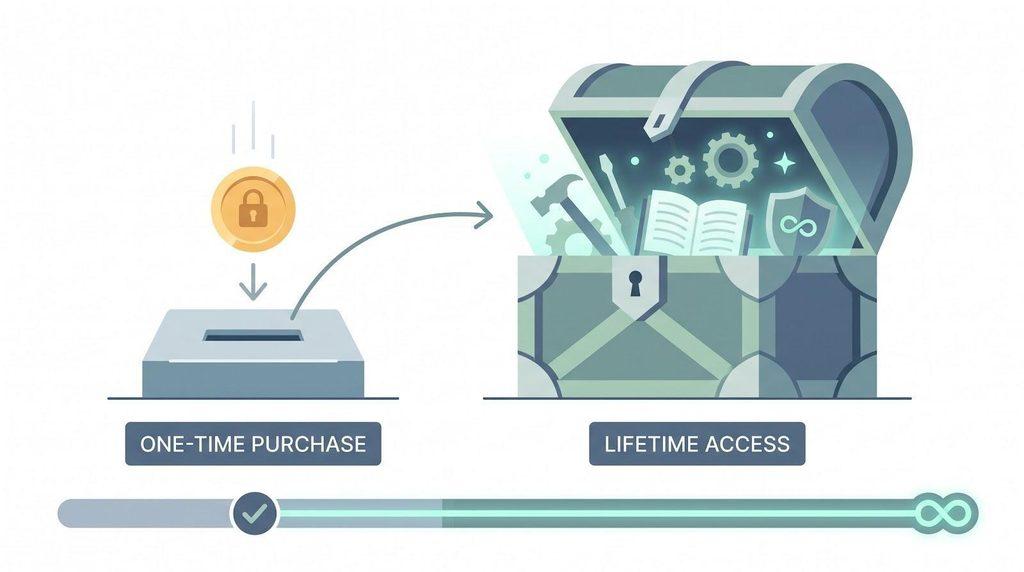
Among thousands of Udemy Excel classes, Microsoft Excel – Excel from Beginner to Advanced (22 h 53 m, updated September 2026) is the one Reddit analysts and HR up-skilling lists mention most for a start-to-VBA pathway. One promo buy (as low as $19.99) gives you 350+ lectures, 60 downloadable workbooks, quizzes, and lifetime updates with no subscription meter.
The content follows a single story line: navigation → formulas → XLOOKUP & dynamic arrays → PivotTables/charts → Power Query & Power Pivot → macros and a gentle VBA intro. New Copilot and Python-in-Excel mini-series appeared in late 2026 and were added to every existing library at no extra cost.
Learning format and practice
Udemy’s player shows a progress sidebar and green checks after each video. Section quizzes plus workbook comparisons provide immediate feedback. Need a refresher six months later? Rewind and re-download; lifetime access means no upgrade fees. Note: discussion forums are community-run, so response times vary.
Pricing snapshot (checked October 13 2026)
- List price: $139.99
- Typical flash-sale price: $19.99–$24.99
- 30-day refund: no questions asked
- Personal Plan buffet: $13/month (worth it only if you plan to sample many courses)
Three months of the Personal Plan costs about the same as one sale-price purchase, so buy outright if Excel is your sole target.
Certificate caveat
Finish the final quiz and Udemy issues a completion certificate—credible proof of self-study, but not an accredited or Microsoft credential. Pair it with the macro or dashboard you build to impress hiring managers.
Who Udemy fits
Great for freelancers, entrepreneurs, or anyone who dislikes subscriptions and wants on-demand VBA refreshers. Skip it if you need graded labs, enterprise reporting, or a Microsoft-branded certificate; Coursera and DataCamp meet those needs.
Verdict: best lifetime-access value, 87.0 / 100
4. DataCamp: best for interactive Excel practice
What the Excel Fundamentals track contains
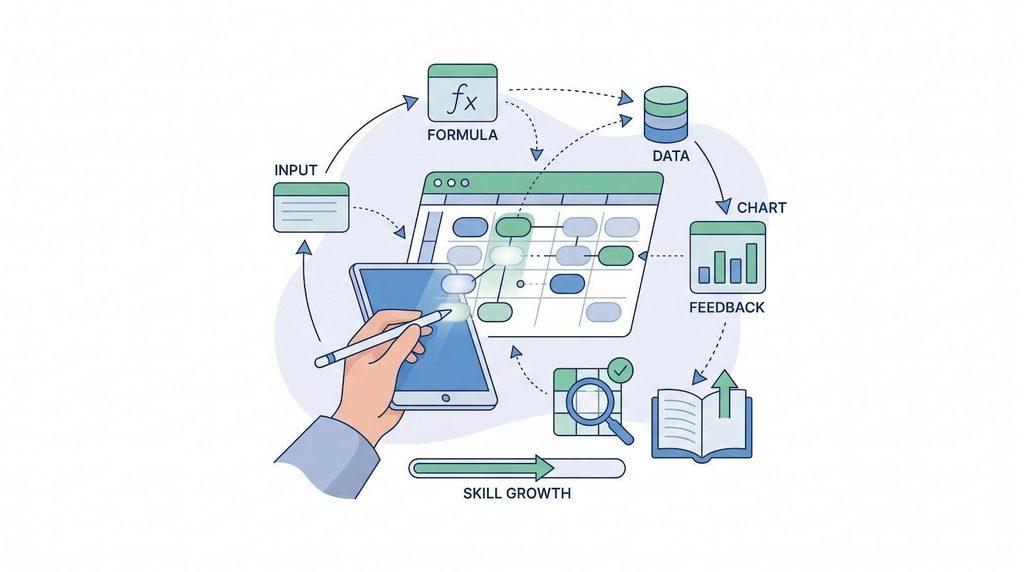
DataCamp’s Excel Fundamentals track bundles 5 courses (~16 h total): Introduction, Data Preparation, Formulas & Functions, Data Analysis, and Dashboards & Forecasting. You work in an in-browser spreadsheet. Type Ctrl + T, select Run, and a grader checks your exact cell edits within seconds. Mistype a reference and a red flag shows you where, not just what, to fix.
Progression is sharp: relative vs. absolute references → XLOOKUP → PivotTables with slicers → a customer-churn dashboard ready for a weekly ops report. Interested in AI skills? A separate 3-h Copilot in Excel mini-course covers natural-language formulas and Agent Mode automations.
Pricing and software notes (checked October 13 2026)
- Promo annual plan: $165 billed upfront (headline “$13.75/month”)
- Standard annual reference: about $330
- Month to month: about $39
- Software: Some advanced labs still require desktop Excel; web-only users may hit feature gaps, so budget for a Microsoft 365 license.
Certificate and limits
Finish the track and DataCamp issues a Statement of Accomplishment, shareable but not Microsoft-accredited. The core path omits deep Power Pivot, VBA, and graded capstones, so portfolio seekers may prefer Coursera or Udemy.
Who DataCamp fits
Choose DataCamp if constant feedback, keystroke-level drills, and a future move into SQL, Python, or Power BI appeal to you. Skip it if you need a Microsoft logo on your certificate or plan to study only on an iPad.
Verdict: most interactive option, 86.3 / 100
Which platform fits your situation?
Still deciding? Match your top need to the strongest fit below.
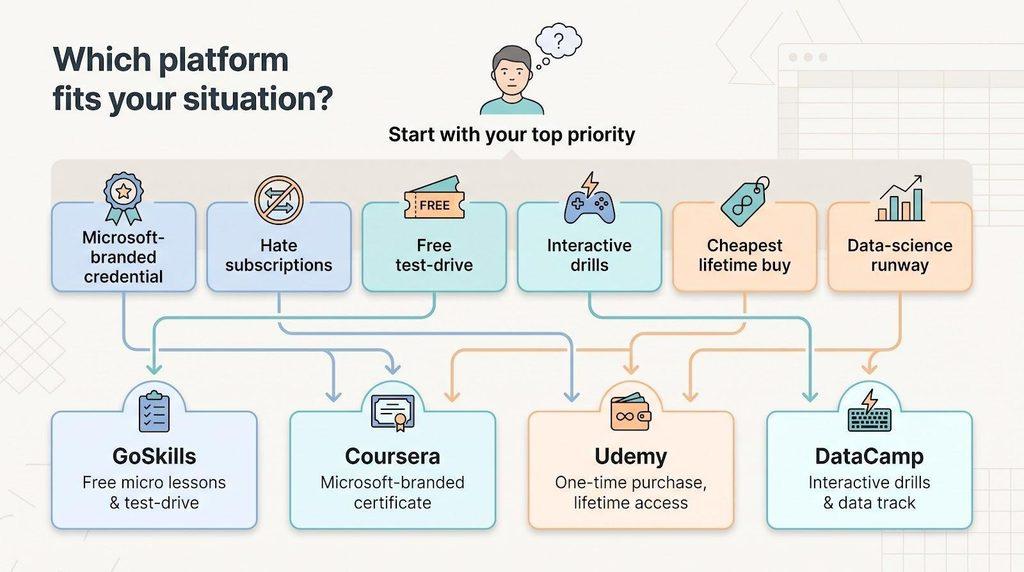
| Your priority | GoSkills | Coursera | Udemy | DataCamp |
| Free test-drive | ✓ | audit only | – | first chapter only |
| Verifiable Microsoft-branded credential | – | ✓ | – | – |
| One-time purchase, lifetime replays | – | – | ✓ | – |
| Macros & VBA in core path | – | add-on | ✓ | – |
| Frequent interactive drills | – | labs | – | ✓ |
| Deepest 365-era syllabus | – | ✓ | – | partial |
| Lowest promo out-of-pocket | – | – | ✓ | – |
| Widest specialist Excel library | ✓ | – | – | – |
| Data-analysis runway (SQL, Python, BI) | – | ✓ | – | ✓ |
Quick compass:
- Need a résumé-ready Microsoft badge? Pick Coursera.
- Hate subscriptions? Grab Udemy on sale and study at your pace.
- Crave instant, arcade-style feedback? DataCamp keeps you typing, not watching.
- Short on time and cash? Test GoSkills free, then pay only if the micro lessons click.
Choose the route that matches your study habit and software access, because switching paths mid-course often costs more than choosing the right one upfront.
What a 2027-ready Excel course should teach
An “Excel 2027” badge must promise more than SUM and charts. A credible beginner path covers three layers:
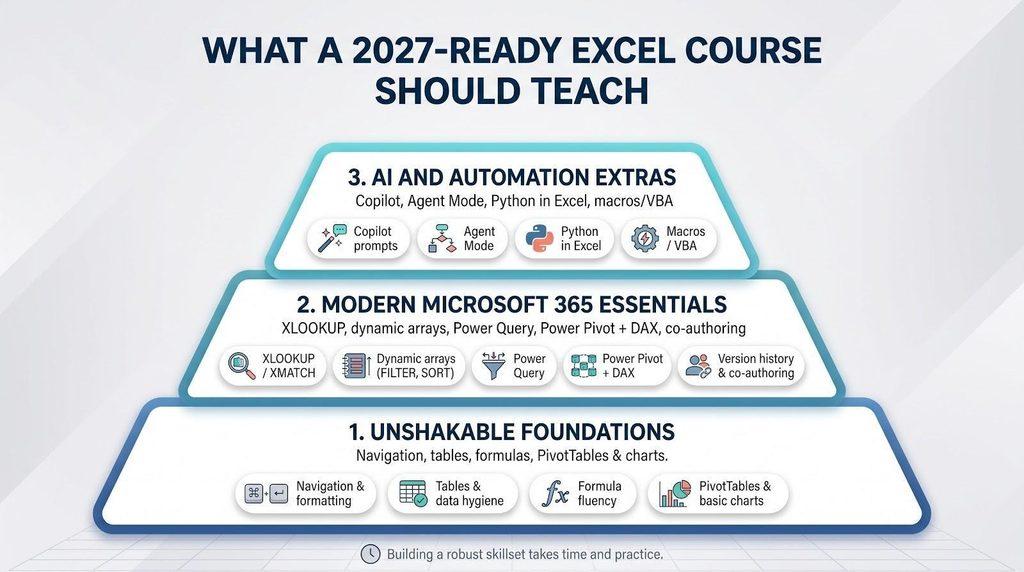
1. Unshakable foundations
- Navigation & formatting – ribbons, shortcuts, themes
- Tables & data hygiene – structured references, data validation, remove duplicates
- Formula fluency – IF/IFS, SUMIFS, logical operators, absolute vs. relative refs
- PivotTables & basic charts – group, slice, and visualize data for quick stories
2. Modern Microsoft 365 essentials
| Feature | Why it matters in 2027 | 365-only? |
| XLOOKUP / XMATCH | Replaces VLOOKUP, left joins, error handling | ✓ |
| Dynamic arrays (FILTER, SORT) | One formula → entire list; cleaner models | ✓ |
| Power Query | Repeatable “Get & Transform” steps for messy CSVs | – |
| Power Pivot + DAX | Multi-table models, CALCULATE() measures | – |
| Version history & co-authoring | Real-time collaboration in OneDrive | ✓ |
3. AI and automation extras
- Copilot prompts – natural-language formulas and instant summaries
- Agent Mode – multi-step tasks (import → clean → dashboard) you still audit manually
- Python in Excel – pandas and seaborn for heavy analysis inside a cell
- Macros / VBA – legacy automation you still meet in finance and ops
A quality course flags which lessons require a Microsoft 365 subscription (Copilot, dynamic arrays) and which run fine in Excel 2019 or on Mac, so you are not surprised halfway through.
Seven questions to ask before enrolling
Great copy can make any course look like a steal. Run this 60-second checklist first:
- Does the syllabus list modern features?
If Power Query, XLOOKUP, or dynamic arrays are missing, the content is already dated. - When was it last materially updated?
A “2026 refresh” line matters; a 2019 upload plus one intro clip does not. - Will I work in real spreadsheets or just watch videos?
Quizzes, labs, and downloadable workbooks beat passive viewing every time. - What software, version, and accessibility options do I need?
Copilot requires Microsoft 365; Excel for the web still lacks some Power Query steps. Check Mac parity and captions before you pay. - What does the certificate actually prove?
Completion badge, provider credential, or MOS-ready skills? Place it on the credibility ladder. - How long will it really take?
Plan on adding 25–50 % to advertised video time for practice. Block those hours in your calendar. - What happens if you finish late?
Subscriptions renew, promos expire, and refund windows close. Read the billing fine print so surprises do not wreck your budget.
Pass this quiz and you will spot red flags before your credit card leaves your wallet.
Frequently asked questions
What is the best comprehensive Excel course for beginners online?
There is no single winner. Coursera offers the broadest Microsoft-branded path, GoSkills lets you test micro lessons free, Udemy is the cheapest lifetime buy during a flash sale, and DataCamp excels at interactive drills. Choose based on learning style and deadline.
Can I learn Excel online for free?
Partly. GoSkills’ one-hour sampler, DataCamp’s first chapters, and Coursera’s audit mode cost $0, but they stop before dashboards or certificates. Expect to pay once you need projects or proof of completion.
Which Excel course has the most credible certificate?
The Microsoft Professional Certificate on Coursera carries the most brand weight short of passing the MOS MO-210 exam. Udemy and GoSkills certificates show effort but matter more when you share a finished workbook.
How long does it take to get comfortable with Excel?
Plan on 20–30 focused hours for formulas and basic PivotTables. Add Power Query, dashboards, and AI prompts, and you are closer to 60–70 hours (assuming you practice, not just watch).
Do I need Microsoft 365?
Increasingly, yes. Features like XLOOKUP, dynamic arrays, Copilot, and Python-in-Excel are 365-only. If you are on Excel 2019, look for courses that flag workarounds and skip AI modules until you upgrade.
Can I learn Excel on a Mac?
Yes, but check parity notes. Power Query and VBA have mostly caught up on Mac, yet some Copilot functions still launch on Windows first. Confirm Mac compatibility in the course FAQ before paying.
Can I finish an Excel course on my phone?
Watching video is fine; real practice is not. You will want a keyboard and mouse for data entry, table shortcuts, and Power Query steps—even DataCamp’s browser sheet feels tight on a tablet.
Should I learn VBA, Python, or Copilot first?
Master tables, references, and lookups first. Then use VBA for repetitive tasks, Python for heavy analysis, and Copilot to speed both; each builds on solid fundamentals.
Is an Excel certificate worth putting on a résumé?
Yes, but only alongside evidence. Pair the certificate with a link to your dashboard or GitHub workbook; a PDF alone has little impact.
(Prices and feature availability checked October 13 2026.)
Conclusion
The best Excel course is not the one with the most video hours; it is the one that fits your schedule, budget, and credential goals.
- Test-drive first? GoSkills’ free sampler shows whether micro lessons suit you.
- Need a Microsoft-branded credential plus projects? Coursera’s 18-course path delivers.
- Hate subscriptions? Grab Udemy on sale and keep the lessons for life.
- Crave hands-on drills and a data-science runway? DataCamp’s interactive track wins.
Choose the route that matches how you learn, block the study hours on your calendar, and stick with it. By next quarter’s reporting cycle, you will have dashboards and a verifiable certificate to prove the new skills.
(Prices and feature sets verified October 13 2026.)