
A Quick Student Walkthrough for Joining Live Quizizz Games
JoinMyQuiz Com Join: Get Into a Live Quiz Fast
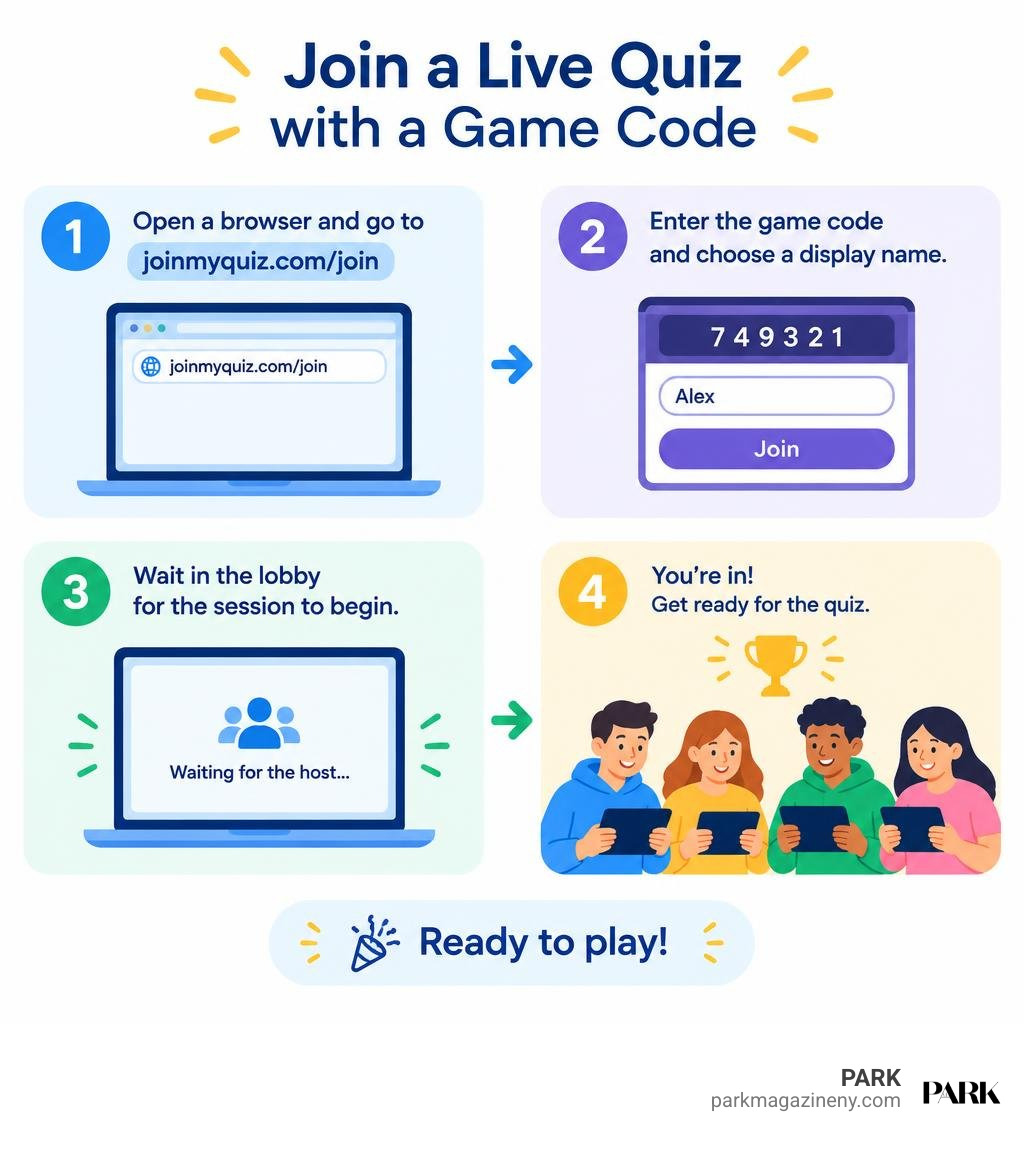
To join a live Quizizz game, open a browser and go to Wayground’s join page. Enter the game code your teacher or host shared, choose a display name if prompted, and wait in the lobby for the session to begin. The old joinmyquiz.com address may redirect you to Wayground, the platform formerly called Quizizz.
You do not usually need to download an app to play. A phone, tablet, Chromebook, or computer with a current browser and reliable internet connection is enough. Check every digit in the code carefully: a live-game code works only while its host has the session open.
This guide explains the joinmyquiz com join process, including how to spot common URL mistakes such as joinmyquiz,com, join a saved class, and fix codes that fail. It also covers what to expect once you are inside the lobby, how hosts manage live sessions, and why the platform’s rebrand to Wayground does not change the way students and guests enter a game.
I am W.A. Muller, and I will walk you through the quickest, safest way to enter a live classroom quiz.
Joinmyquiz com join helpful reading:
Step-by-Step Guide: How to Use Joinmyquiz Com Join for Live Games
Entering a live trivia or classroom session should never take more than a few moments. Whether you are reviewing history concepts in a New York City classroom or participating in a live corporate trivia night, the entry mechanism is engineered for speed and simplicity. The same join flow works for students, guests, and remote participants, so you can focus on the questions instead of the login screen.
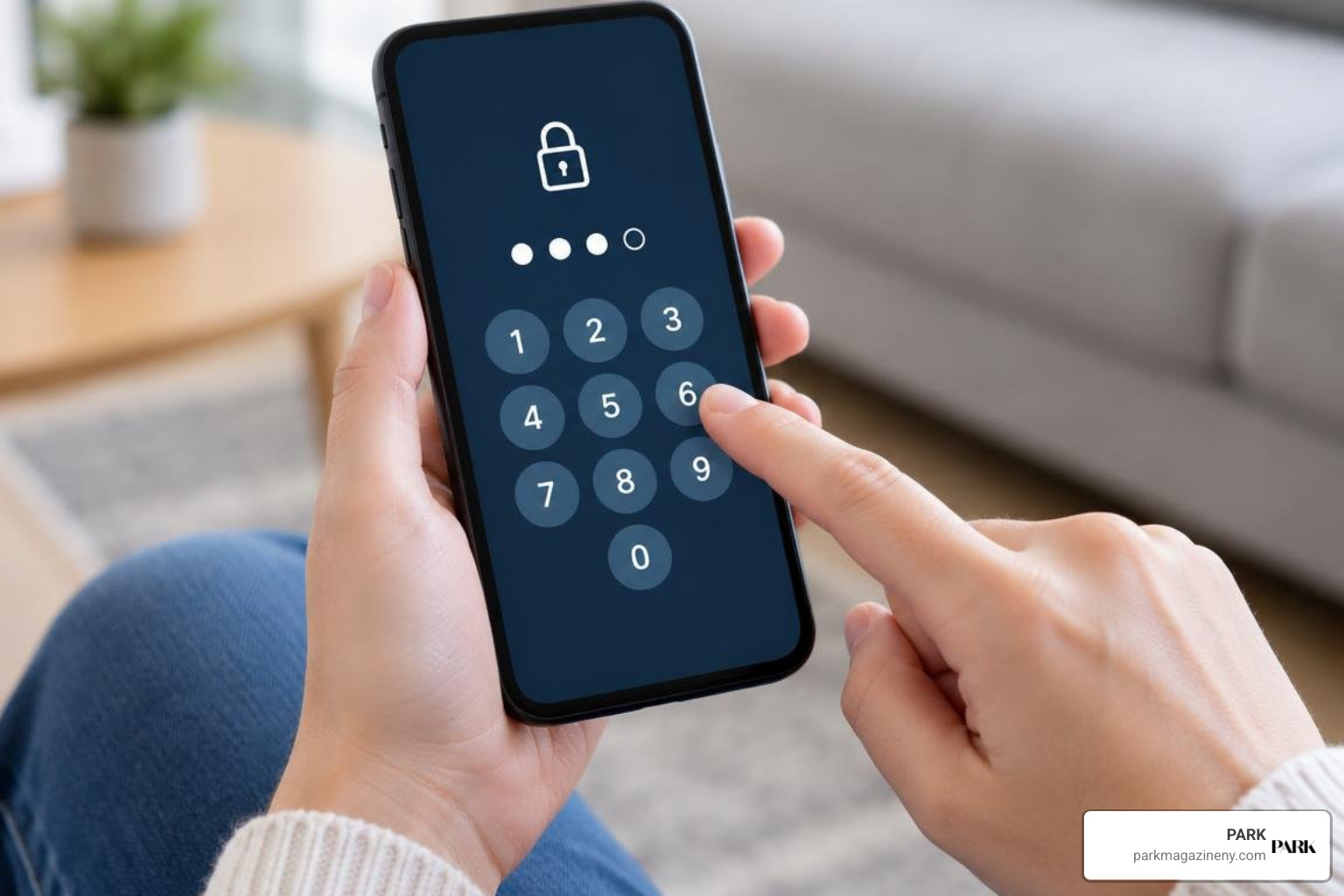
To access your session without friction, follow these straightforward steps:
- Obtain the Session Code: Collect the unique 6-digit or 8-digit numerical game code provided by your teacher, instructor, or event host.
- Access the Portal: Open any web browser on your device and navigate directly to the join portal at Wayground (Formerly Quizizz).
- Enter the Digits: Type the numeric game code into the designated join field. Double-check each number to ensure you have not missed a digit or added accidental spaces.
- Select Your Screen Name: Click “Join” or press Enter. When prompted, submit a recognizable display name so your host can identify your responses on the live leaderboard.
- Wait in the Lobby: Once your name appears in the participant list, remain on the screen until the host initiates the session.

Fast Browser Access for Joinmyquiz Com Join on Mobile and Tablet
One of the greatest strengths of modern digital quiz tools is their cross-device compatibility. You do not need to install heavy applications or sacrifice storage space on your smartphone or tablet. The entire interface runs natively inside modern mobile browsers such as Safari, Chrome, Edge, and Firefox.
This streamlined design reflects broader shifts in digital media consumption. As we explore in our look at the role of digital platforms in today’s entertainment economy, modern audiences expect instant, friction-free engagement across all their personal devices. For live classroom quizzes, responsive web design ensures that every participant experiences real-time question timers, animated leaderboards, and instant feedback without requiring specialized hardware.
Joining a Permanent Saved Class Session
While live games rely on temporary room codes, educational institutions frequently use saved class rosters for recurring assignments and asynchronous homework. If your instructor organizes activities through a permanent class, your entry path is slightly different:
- Log In to Your Profile: Visit Enter Your Code | Wayground (Formerly Quizizz) and log in with your assigned school email or student account.
- Navigate to Classes: Access the “Classes” tab on your student dashboard.
- Enter the Class Code: Input the permanent section code provided at the beginning of the semester to enroll.
- Access Assigned Modules: Complete assigned quizzes at your own pace before the instructor’s deadline.
Understanding the Platform Rebrand to Wayground
The educational technology landscape evolves rapidly. On June 24, 2025, Quizizz officially rebranded as Wayground. This strategic transition introduced an updated, cohesive identity while retaining the core features that made the platform an essential interactive tool across schools worldwide.
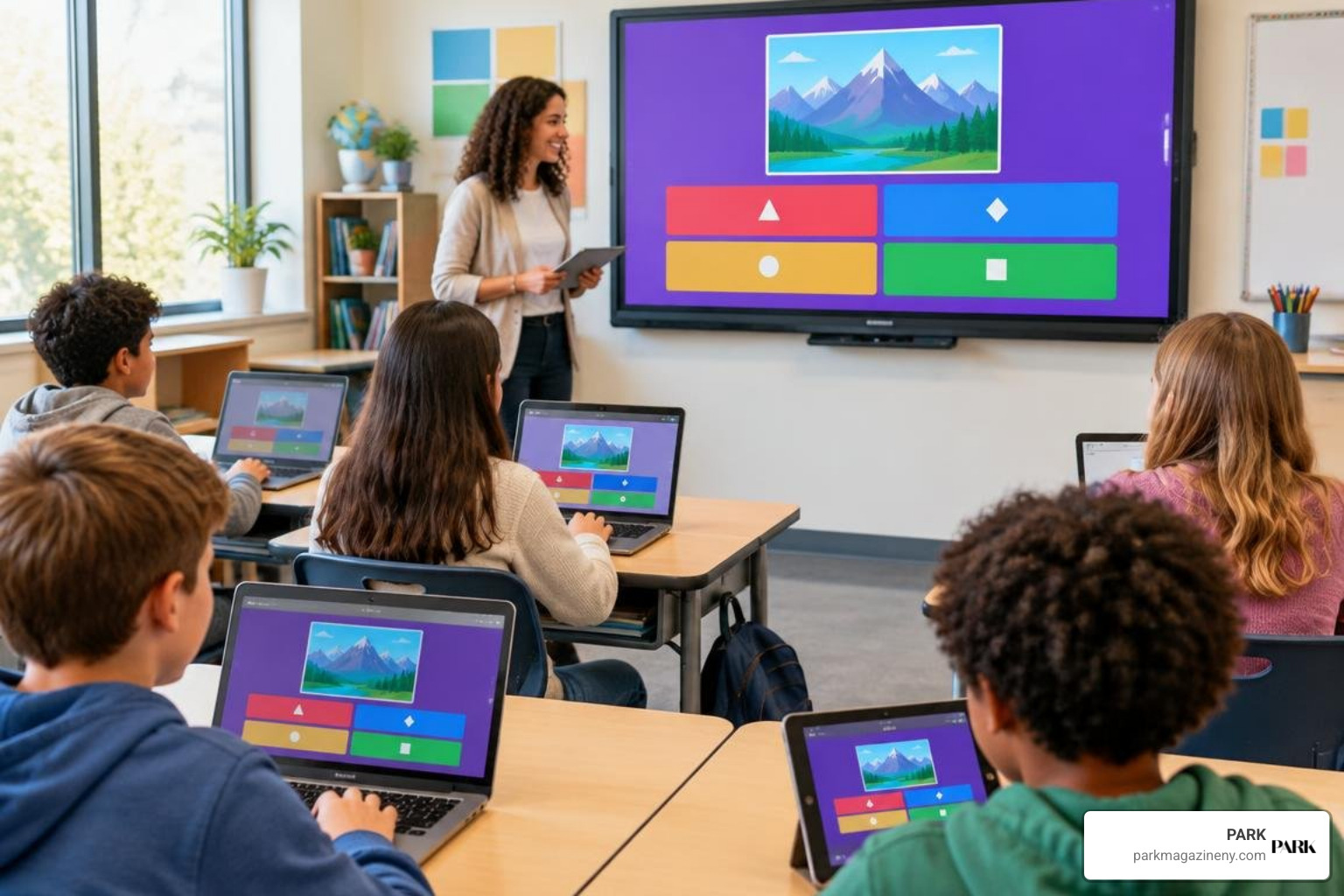
By mid-2025, the platform had achieved adoption across approximately 90% of U.S. schools. Despite the visual updates and new brand name, all fundamental gameplay mechanics, teacher dashboards, and legacy join shortcuts remain fully operational.
How Joinmyquiz Com Join Connects with Wayground Rebranding
When you enter legacy URLs such as joinmyquiz.com into your browser’s address bar, automated server redirects seamlessly guide your connection to the updated Wayground portal. Old Quizizz links and historical game PINs automatically synchronize with the new infrastructure without requiring manual account migration.
This automated redirection is designed with rigorous web protocols to protect user data and maintain student privacy. Just as we observe how online platforms detect suspicious activity and protect users, modern interactive tools implement continuous session validation to block unauthorized entry, maintain secure connections, and ensure that class activities remain private and safe.
Troubleshooting Common Join Code and Connection Errors
Even with an intuitive interface, technical hiccups can occasionally prevent you from joining a live session. Most issues stem from simple typographical errors or expired room codes. The table below covers the most common entry problems and the fastest ways to resolve them.
| Issue | Potential Cause | Quick Solution |
|---|---|---|
| Invalid Code Message | Typo in the 6- or 8-digit sequence | Verify each number against the host’s screen and re-enter without spaces. |
| Session Expired | The teacher ended the game or the code timed out | Request an updated live game code from the host. |
| Stuck on Loading Screen | Unstable local network or blocked pop-ups | Refresh your browser, check your Wi-Fi, and ensure pop-up blockers are disabled. |
| Browser Domain Error | Accidental punctuation (e.g., joinmyquiz,com) |
Check your browser address bar and replace the comma with a standard dot. |
| Name Rejected | Host enabled strict naming filters | Enter your real first name and last initial instead of custom nicknames. |
If these steps do not solve the problem, try opening the link in an incognito or private browsing window, which bypasses cached browser data that might be holding onto an older session state. You can also try switching from Wi-Fi to mobile data, or vice versa, to rule out a local network restriction. In most cases, a fresh code from the host and a clean browser session will get you back into the game within a minute.
How Hosts and Teachers Generate Game Codes
Behind every live lobby is a host orchestrating the session. Whether an educator is running a formative assessment or a team leader is conducting a corporate workshop, generating access credentials takes only seconds.
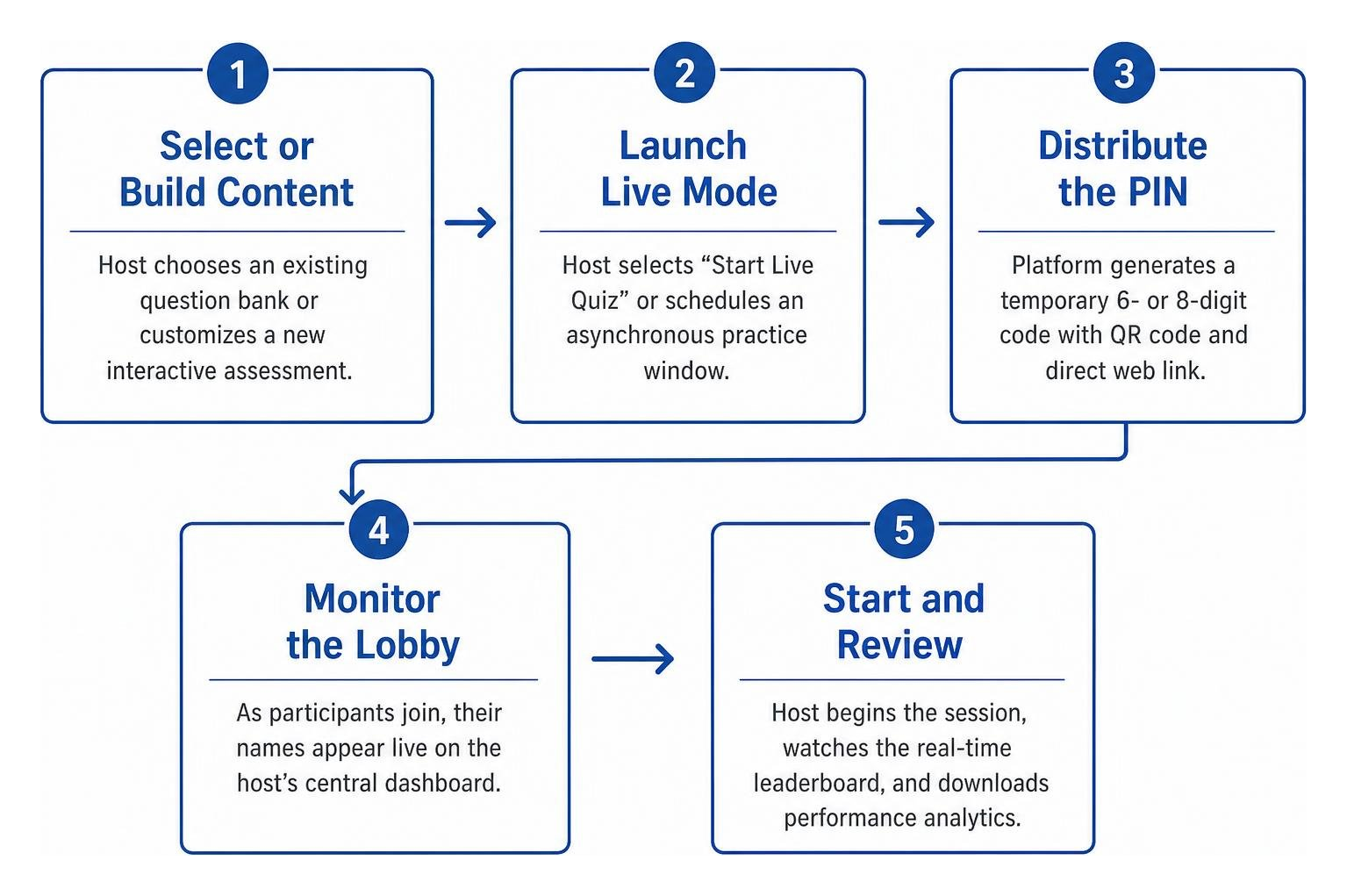
- Select or Build Content: The host chooses an existing question bank or customizes a new interactive assessment.
- Launch Live Mode: The host selects “Start Live Quiz” or schedules an asynchronous practice window.
- Distribute the PIN: The platform automatically generates a temporary 6- or 8-digit code alongside a scannable QR code and direct web link.
- Monitor the Lobby: As participants join, their names appear live on the host’s central dashboard.
- Start and Review: The host begins the session, watches the real-time leaderboard unfold, and downloads detailed performance analytics after the game concludes.
Frequently Asked Questions About Quiz Joining
Do I need to create an account to participate in a live quiz?
No, participant accounts are entirely optional for live quiz sessions. You can enter the game code, submit your display name, and play as a guest without submitting personal details or creating passwords. Accounts are only necessary if your teacher tracks grades through a permanent saved class roster or if you wish to design and host your own interactive games.
What should I do if my six-digit quiz code is invalid or expired?
If the portal indicates that your code is invalid, first double-check that you entered the numbers in the exact order shown on the presenter’s screen. If the error persists, confirm that the host has actively launched the live lobby. Live room codes expire immediately after a host closes the session, meaning you will need a fresh code if a game was restarted.
Why does typing joinmyquiz,com lead to a browser error?
Typing a comma instead of a period (such as joinmyquiz,com) causes your browser to treat the address as a search query rather than a direct web destination. Always ensure there is a standard period between the domain name and the extension (joinmyquiz.com) to connect directly to the secure join portal.
Can I join a live quiz from more than one device at the same time?
You can open the join portal on a phone, tablet, laptop, or desktop, but a single participant should use only one device at a time. Using the same display name on multiple devices can create duplicate entries in the lobby and confuse the host’s leaderboard. If you need to switch devices, close the first session before joining again on the new device.
Conclusion
Live interactive quizzes provide a dynamic, engaging way to reinforce classroom concepts, assess knowledge in real time, and bring healthy competition to any group. By understanding how to navigate the portal, identify game codes, and resolve common typing errors, you can enter any live game in seconds.
At PARK Ave Magazine LLC, we continue to chronicle the intersections of education, culture, and modern lifestyle across New York City. To explore more tutorials, digital guides, and interactive classroom resources, visit our comprehensive hub at https://parkmagazineny.com/joinmyquiz.