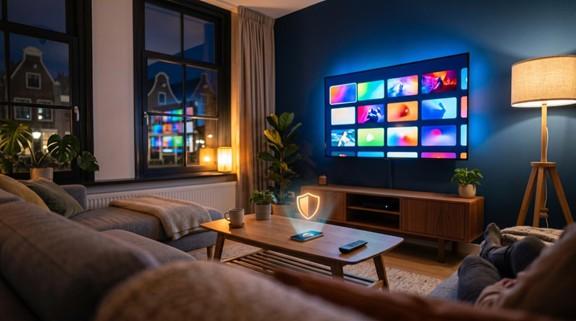
Do You Need a VPN to Use IPTV in the Netherlands?
VPN IPTV is one of the most searched combinations among Dutch streaming users, and for good reason. You have probably seen conflicting advice online: some forums insist a VPN is essential for IPTV, while others call it unnecessary overhead that slows your connection. The reality sits somewhere in between, and it depends on how you use IPTV, which provider you trust, and what your internet service provider does with your traffic.
This guide breaks down exactly when a VPN adds real value to your IPTV setup in the Netherlands, when it creates more problems than it solves, and how to get the best performance if you decide to use one.
What IPTV Actually Is (and Why VPNs Keep Coming Up)
IPTV stands for Internet Protocol Television. Instead of receiving TV signals through a cable connection or satellite dish, IPTV delivers live channels, on-demand films, and catch-up content directly over your internet connection. You watch through an app on your Smart TV, phone, tablet, or a dedicated streaming box.
The Dutch market has both licensed IPTV services (like KPN’s iTV and Ziggo GO) and independent providers that offer extensive international channel packages. This second category is where VPN discussions get heated. Independent IPTV providers often deliver thousands of channels from multiple countries, and users wonder whether their ISP can see what they watch, whether they should hide their streaming activity, or whether a VPN will protect them from potential legal issues.
That uncertainty drives the VPN IPTV conversation. But the answer is not the same for every user.
How a VPN Works with IPTV Streaming
A VPN creates an encrypted tunnel between your device and a remote server. All your internet traffic passes through this tunnel before reaching its destination. Your ISP can see that you are connected to a VPN server, but it cannot inspect the content of your traffic or identify the specific streams you are watching.
Without a VPN, your ISP has full visibility into your connection. It can see which IP addresses you connect to, how much data you transfer, and the type of traffic you generate. Some ISPs use deep packet inspection to identify streaming protocols and manage bandwidth accordingly.
For IPTV users, this visibility matters in two specific situations: when your ISP actively throttles streaming traffic, and when you prefer to keep your viewing habits private. Services like IPTV Smarters that deliver content in FHD and 4K require stable, uninterrupted bandwidth. If your ISP interferes with that bandwidth, a VPN becomes a practical tool rather than a luxury.
Three Reasons Dutch IPTV Users Consider a VPN
ISP throttling is the biggest motivator. Dutch ISPs generally offer fast, reliable connections. But during peak evening hours, some providers apply traffic management policies that prioritize certain types of data over others. Streaming traffic, especially high-bitrate IPTV streams, can be deprioritized. Users notice this as sudden buffering, lower video quality, or streams that fail to load entirely. A VPN prevents your ISP from identifying the traffic type, which removes its ability to selectively slow it down.
Privacy is the second factor. Your ISP logs connection metadata by default. While the Netherlands has strong privacy laws under the GDPR, your ISP still records which servers you connect to and when. A VPN masks these connections. For users who subscribe to IPTV Nederland services with large international channel libraries, keeping viewing activity private is a reasonable preference, not paranoia.
Traveling abroad rounds out the list. If you leave the Netherlands for vacation or work, geo-restrictions can block access to your IPTV subscription. Connecting to a VPN server in the Netherlands restores access to your Dutch channels as if you never left. This applies to both live TV and on-demand content libraries tied to Dutch IP addresses.
The Downsides of Using a VPN for IPTV
Every VPN adds a layer of processing between you and the content server. That means slightly higher latency and, depending on the VPN provider, reduced download speeds. For live TV, even small delays can cause buffering or audio sync issues.
Free VPNs make this worse. They typically cap bandwidth, limit server options, and inject ads. For IPTV streaming, a free VPN is almost always a downgrade.
Cost is another consideration. A reliable VPN subscription runs between €3 and €12 per month, depending on the provider and plan length. If you are not experiencing throttling and do not have specific privacy concerns, that expense buys you very little.
Compatibility can also be an issue. Not every IPTV app works smoothly through a VPN. Some streaming boxes and Smart TV platforms make it difficult to install or configure VPN software natively, which may require setting up the VPN at the router level instead.
When You Probably Do Not Need a VPN
If you use a licensed IPTV service from a Dutch provider like KPN or Ziggo, a VPN offers minimal practical benefit. These providers operate within Dutch telecom regulations, and your ISP has no reason to throttle traffic from its own platform or a recognized partner.
You can also skip the VPN if your IPTV streams play smoothly without one. Run a simple test: watch your usual channels during peak hours (between 19:00 and 22:00) without a VPN. If video quality stays consistent and buffering is rare, your ISP likely does not throttle your streaming traffic. Adding a VPN in that scenario only introduces unnecessary complexity and potential speed loss.
Home networks with fiber connections above 100 Mbps rarely experience throttling severe enough to affect IPTV quality. The bandwidth headroom absorbs any traffic management your ISP applies.
Tips for Using a VPN with IPTV Without Buffering
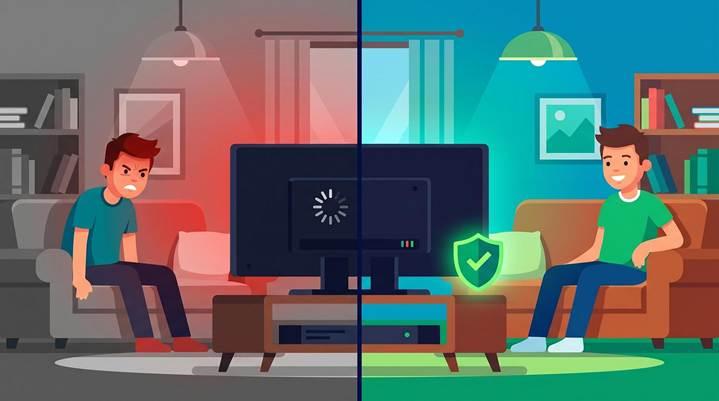
Choose WireGuard as your VPN protocol. It is faster than OpenVPN and handles high-bitrate streams with less overhead. Most modern VPN providers support it, and the difference in IPTV performance is noticeable.
Connect to a server geographically close to you. If you are in the Netherlands, pick a Dutch or German server. Every additional kilometer between you and the VPN server adds latency, which compounds during live TV playback.
Use split tunneling if your VPN supports it. This feature lets you route only your IPTV traffic through the VPN while other devices and applications use your regular connection. You get the privacy and anti-throttling benefits for IPTV without slowing down everything else on your network.
Test your connection with and without the VPN. Before committing to a permanent VPN setup, stream your usual IPTV content both ways during peak hours. If speeds are similar or better with the VPN, throttling is likely the issue and the VPN is solving it. If speeds drop significantly with the VPN enabled, try a different server or protocol before abandoning the approach entirely.
A wired Ethernet connection to your streaming device also helps. Wi-Fi adds its own latency and packet loss, which stacks on top of VPN overhead and makes buffering more likely.
Frequently Asked Questions
Will IPTV work with a VPN?
Yes. IPTV services function normally through a VPN connection. The VPN encrypts your traffic and routes it through a different server, but the IPTV stream itself is unaffected. Choose a VPN with fast servers and you should see no difference in channel loading or playback quality.
Does a VPN slow down IPTV streaming?
It can, depending on the VPN provider and your base internet speed. A quality VPN using the WireGuard protocol typically reduces speeds by 10 to 20 percent. On a 100 Mbps connection, that still leaves plenty of bandwidth for 4K IPTV streaming, which requires roughly 25 to 50 Mbps.
Can my ISP detect that I am using IPTV?
Without a VPN, your ISP can see the servers you connect to, the volume of data you consume, and the type of traffic you generate. It cannot see the specific channels or content you watch, but it can identify streaming patterns. A VPN hides all of this behind an encrypted tunnel.
Is it legal to use IPTV with a VPN in the Netherlands?
Using a VPN is legal in the Netherlands. The legality of IPTV depends on the specific service and its licensing. Licensed providers like KPN, Ziggo, and IPTV Smarters NL operate within Dutch regulations. VPN use does not change the legal status of the underlying service you are accessing.
Why is my VPN blocking IPTV?
Some VPN servers are flagged or blacklisted by certain services. If your IPTV stops working after connecting to a VPN, try switching to a different server location. Also check that your VPN’s kill switch is not interfering with the connection, and ensure your DNS settings are configured to use the VPN’s own DNS servers rather than your ISP’s defaults.
Do I need a VPN if my IPTV provider is legitimate?
Not necessarily. If your provider is licensed and your ISP does not throttle streaming traffic, a VPN adds little practical value. The main reasons to use one with a legitimate provider are privacy preferences and maintaining access while traveling outside the Netherlands.
Final Thoughts
Whether you need a VPN for IPTV in the Netherlands comes down to two questions: does your ISP throttle your streams, and do you value keeping your viewing activity private? If the answer to either is yes, a properly configured VPN solves both problems without sacrificing streaming quality. If neither applies, your IPTV setup works fine as it is.