Smartphone Battery Health: Tips for Longer Life
Smartphone battery health declines faster when daily habits create extra heat, deep discharge cycles, and constant high-demand use. The good news is that a few practical changes can slow that process and help your phone hold a stronger charge over time. Better charging timing, lower operating temperatures, and smarter power settings all make a noticeable difference. You do not need complicated tools or constant monitoring to protect battery life. Instead, focus on consistent habits that reduce stress on the battery every day. If you charge with care, avoid unnecessary heat, and manage the apps and settings that drain power, your smartphone battery can stay healthier longer and deliver more reliable performance throughout the day and over the life of the device.
Build Better Smartphone Charging Habits
Charge Smarter During Your Daily Routine
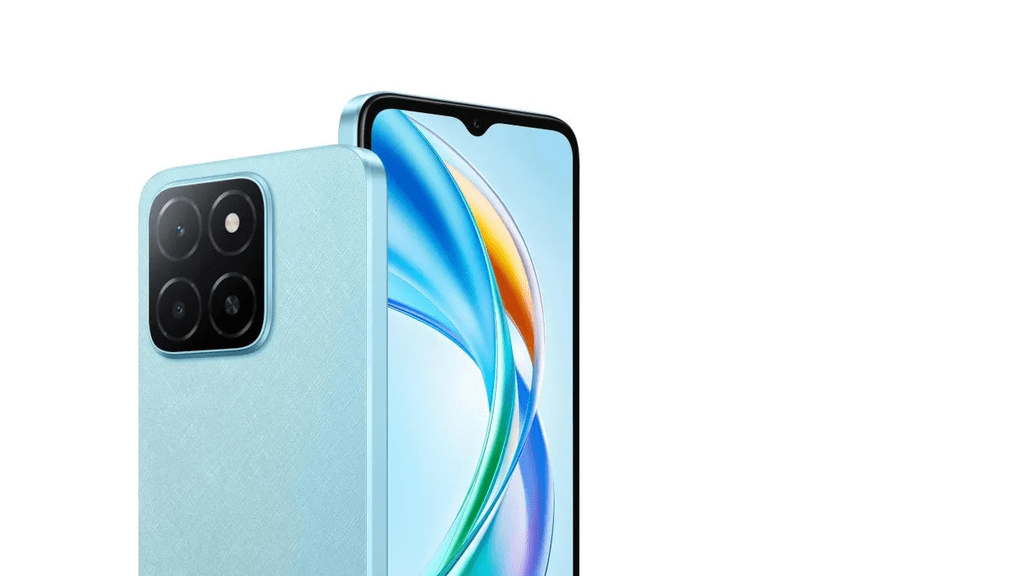
Healthy charging habits start with avoiding extremes. For devices such as the HONOR X5b Plus, try not to let the battery regularly drop to very low levels or remain at 100 percent for long periods when unnecessary. Short, convenient top-ups during the day can help you maintain a practical charging routine without repeatedly draining and fully recharging your phone. When charging the HONOR X5b Plus in Saudi Arabia, keeping the device at a moderate battery level during normal use can also support a more consistent everyday experience. It is also helpful to avoid unnecessary heat while charging and use available battery management features when appropriate. These simple habits can make daily charging more convenient while helping you take better care of your smartphone battery over time.
Use the Right Charger and Charging Features
Use a reliable charger and cable designed for your phone’s charging standard. Poor-quality accessories can deliver unstable power, create extra heat, and reduce charging efficiency. When your phone supports protective battery features, turn them on. Options such as optimized charging, adaptive charging, or battery protection modes can delay the final part of charging or cap the maximum charge level to reduce long-term wear. Fast charging is useful, but it also creates more heat than slower charging, so reserve it for times when you truly need quick power. For routine charging, standard speeds are often a better choice. Keeping accessories in good condition and using the phone’s built-in charging controls helps maintain healthier battery performance over a longer period.
Keep Your Smartphone Cool During Everyday Use
Reduce Heat While Charging Your Phone
Heat is one of the biggest causes of faster battery wear, so keep charging conditions cool and stable. Charge your phone on a hard, flat surface rather than on a bed, couch, or under a pillow where heat gets trapped. Remove a thick case if you notice the phone warming up during charging, especially during fast charging sessions. Avoid charging in direct sunlight, inside a hot car, or near other heat sources. It also helps to limit demanding tasks while plugged in. Streaming, video calls, large downloads, and camera use can raise temperature further during charging. Cooler charging sessions place less strain on the battery and support better long-term battery health with very little extra effort.
Manage Heat During Gaming, Video, and Outdoor Use
Gaming, long video sessions, navigation, and camera-heavy use all increase battery demand and internal temperature. When possible, lower graphic settings in games, reduce screen brightness, and close unused apps before long sessions. If your phone starts feeling hot, take a short break and let it cool before continuing. Outdoor use needs extra care because sunlight and high ambient temperatures can heat the device quickly, even when you are not pushing it hard. Keep the phone shaded and avoid leaving it on car dashboards or other hot surfaces. Download media in advance instead of streaming over mobile data for long periods. Reducing sustained heat during heavy use helps slow battery aging and protects overall phone performance.
Adjust Phone Settings to Reduce Battery Demand
Manage Brightness, Apps, and Background Activity
Lowering everyday battery demand helps reduce charging frequency and heat, which supports better battery health over time. Start with display brightness, since the screen is one of the biggest power users on most phones. Use auto-brightness or manually keep brightness only as high as needed. Review battery usage settings to identify apps that consume unusual power, then limit background activity for apps you do not need constantly updating. Turn off location access, Bluetooth, or push syncing when you are not using them. Shorter screen timeout settings also help. These adjustments do not just stretch daily battery life. They also reduce repeated battery strain, making your phone more efficient and helping preserve long-term battery capacity.
Match Battery Capacity With Your Daily Routine
Battery health improves when your phone use matches your daily needs instead of constantly pushing the device to its limits. If you often end the day nearly empty, adjust habits before that becomes routine. Use battery saver mode earlier, download music or maps ahead of time, and reduce always-on features that quietly drain power. Plan charging around your schedule so you can top up before heavy use such as travel, gaming, or extended video recording. This approach prevents deep discharges and repeated emergency charging sessions. If your phone offers scheduled performance or battery management tools, use them to support regular patterns. A battery lasts longer when daily demand stays predictable, moderate, and easier for the phone to manage.

Conclusion
Longer smartphone battery life comes from reducing the stress you place on the battery every day. Smarter charging, cooler operating temperatures, and lower background power demand all work together to protect long-term battery health. Avoid frequent deep drains, use dependable charging accessories, and make use of built-in battery protection features when available. Keep your phone out of hot environments and limit heavy tasks while charging or when the device already feels warm. Small setting changes, such as lowering brightness and restricting unnecessary background activity, also make a meaningful difference. These habits are easy to maintain and do not require major compromises. With a more deliberate routine, your smartphone battery can stay healthier, perform more consistently, and remain dependable for much longer.