Making personal AI images that actually feel like yours
Most people do not need another flashy AI image that looks clever for a second and then gets forgotten. What they usually want is something more personal. A warmer photo of them and their partner. A portrait that feels a little more creative than a phone selfie. Something that makes a social profile feel less like a template.
That is where AI image tools are genuinely useful. The value is not only inventing fantasy scenes from nothing. Often the better move is to start with a real photo and turn it into something more polished, or better suited to where you plan to use it.
Pixlio is built for that kind of everyday work. It runs in the browser, so you can create, edit, combine, and extend images without learning heavy design software. If you make content for social media, a personal brand, a blog, or a digital gift, that lower barrier matters. Two directions are worth singling out: making couple-style photos and turning ordinary photos into painted ones. Both solve problems people actually have.
Why personal visuals carry more weight now
Online identity is mostly visual at this point. A profile picture, a thumbnail, a post in the feed. That image often lands before anyone reads a single word, which puts real pressure on creators and small brands. It needs to look intentional, but hiring a photographer for every small idea is not realistic.
The everyday cases are specific. A couple wants a shared photo even though they only have separate portraits. A blogger wants an author image softer than a quick selfie. AI helps by shrinking the gap between having an idea and seeing whether it works. You still decide the mood and which result to keep; the tool just removes most of the technical friction.
Building a couple photo from two separate pictures
One genuinely handy use case is making a shared couple image out of two individual portraits. Long-distance couples run into this constantly, and so do people putting together an anniversary post, a Valentine’s gift, or matching profile pictures.
Pixlio’s AI couple photo maker is made for exactly this. You upload one portrait for each person, pick a scene preset like Natural Date, Cozy Home, or Beach Sunset, and the tool places both people together in one believable setting while keeping each face recognizable. The result feels more like a real shared moment than two photos stuck side by side. It works best when you are not chasing something overly dramatic. A cozy café, a sunset street, a quiet studio portrait. Match the setting to the feeling you want and it reads as natural.
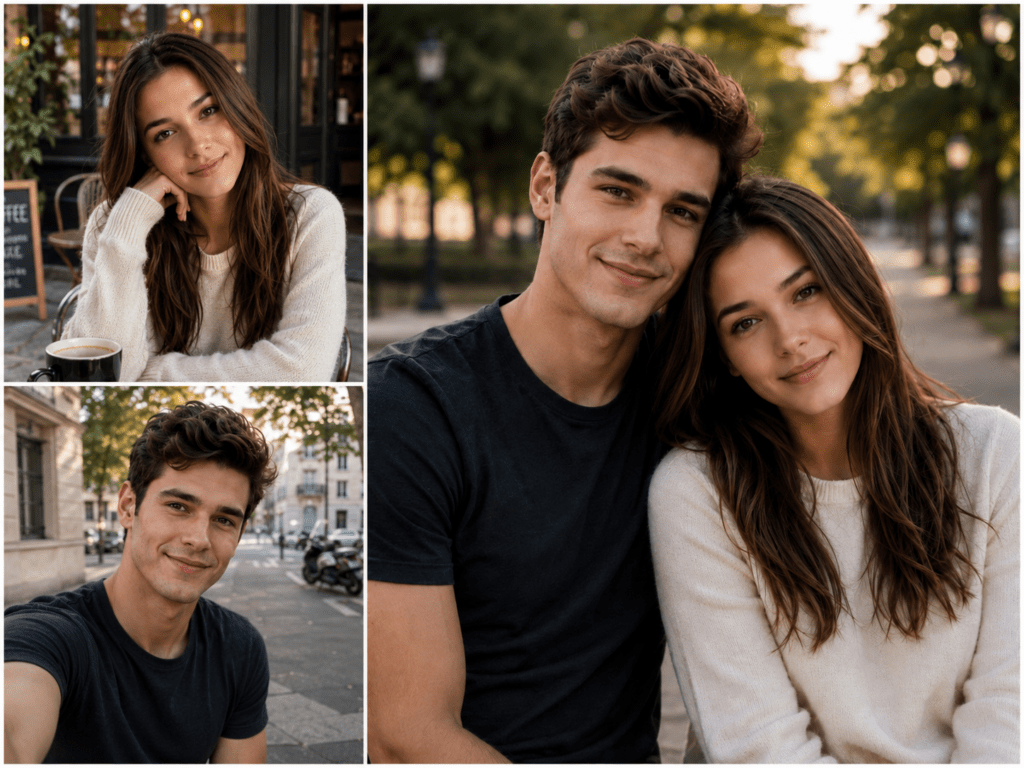
Pixlio turns two separate portraits into a natural couple photo.
The comparison earns its place because the benefit is obvious at a glance: two unconnected photos, then a version that reads like a shared memory. A few habits help. Use clear, well-lit source photos, and be specific with your guidance. “Sitting together at a small café table, warm evening light, candid smile” beats “make it romantic.”
Turning an ordinary photo into a painting
The other common case is taking a plain photo and making it more artistic. A normal portrait is fine, but it can feel flat for a creative profile or a gift, and a painted version of the same shot tends to feel warmer and more memorable.
Pixlio’s photo to painting tool lets you turn a photo into painting using different styles: oil painting, watercolor, impressionist, and acrylic canvas. It holds onto the original subject while changing the texture, so it works on portraits, couple shots, pet photos, and travel snaps that already mean something to you.
The goal is not to make an image scream “AI made this.” A good painted result keeps the subject intact and just gives it a different feel. Watercolor reads gentle and personal, oil painting feels more classic, and acrylic tends to read bolder for feeds where images need to grab attention fast.
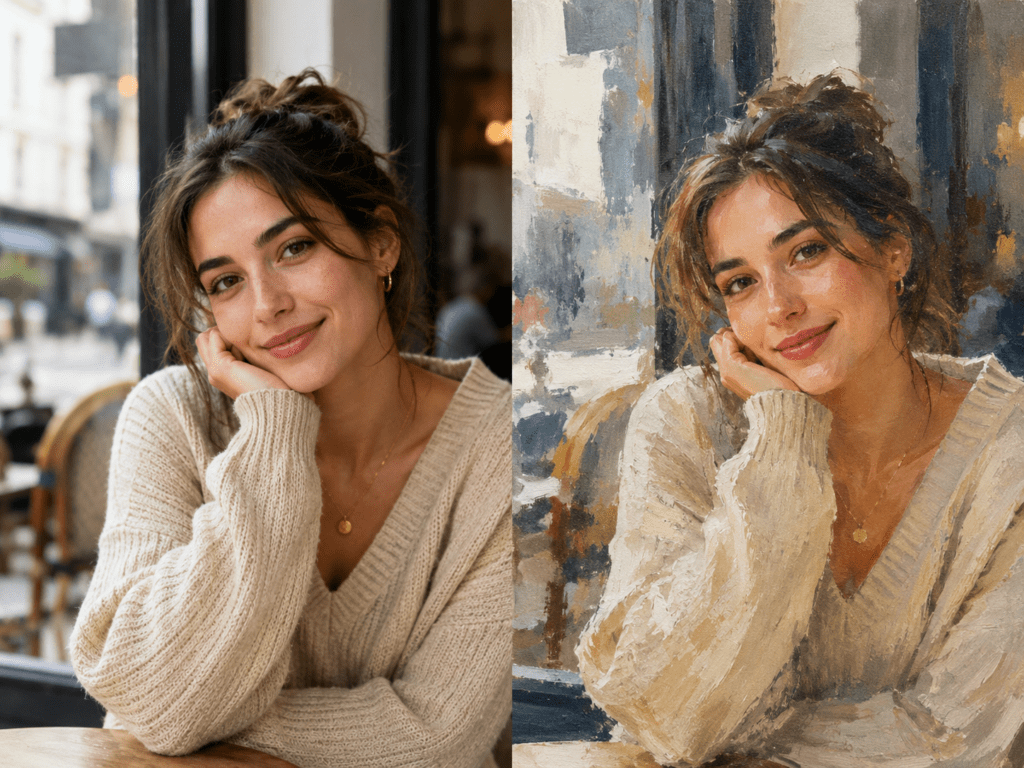
A simple lifestyle photo turned into a warm, textured painting while keeping the same natural expression.
The practical uses pile up quickly: a profile image, an author portrait, a romantic card, a more distinctive brand photo without commissioning custom artwork. Pick the style to match the job and you are most of the way there.
Treating it as a small workflow, not a single click
The better results usually come from a few small steps rather than one click. Generate a couple scene and want to nudge the mood or fix a detail? Pixlio’s AI image editor handles that. If the framing is too tight for a banner, the AI outpainting tool can extend the image and add room around the subjects. For painted images, clean up a busy background first, or use the AI image combiner to merge separate elements into a fuller scene. You start rough, test a few directions, and adapt the best one for wherever you are posting.
Where this actually gets used
For social media, couple images cover anniversary posts and matching profile pictures, while painted images give avatars a bit more character. For bloggers, these tools are a way out of generic stock photos, since a personal visual makes an article feel like it came from a real person. For small brands, a warmer founder portrait can feel approachable without a full production setup. For gifts, a generated couple image or painted portrait becomes a card or keepsake.
A few things that improve results
Start with the clearest source photo you have, since AI works better when the face and lighting are easy to read. Be specific with scene and style, because “soft watercolor portrait” gives more direction than “beautiful.” Generate more than one version, as a couple of variations usually reveal the better option. And think about where the image will live first: square suits avatars, vertical suits stories, wider suits headers.
Closing thought
AI image tools are at their best when they help people make visuals that feel personal instead of generic. A good result still comes down to your taste, your source photo, and which version you keep. For creators, couples, bloggers, and small brands, Pixlio is a practical place to experiment with that. A couple photo can become a warmer shared memory, and a plain portrait can become a painted one. With the AI image editor, AI image combiner, and AI outpainting tool alongside, you can refine until the image fits the platform. The real win is speed: you test ideas quickly, keep what works, and end up with images that feel like your own.