Best Anti Detect Browser in 2026 for Teams, Agencies, and Multi-Account Work
The anti detect browser has quietly become one of the most important workspaces in modern digital business. It is where teams launch campaigns, manage storefronts, review analytics, run outreach, handle support, and switch between accounts all day long. That sounds ordinary, but the way platforms evaluate browser activity has changed. Cookies and IPs are still part of the picture, yet they are no longer the whole picture. Browser fingerprints, device consistency, session timing, and account behavior now matter much more than they once did.
That is why the anti detect browser category keeps expanding. What used to be seen as a niche tool is now part of a broader conversation about workflow design, profile isolation, and cleaner digital operations. For agencies, e-commerce teams, media buyers, and growth operators, the question is no longer whether browser environments matter. The real question is which tools actually help manage them well.
This guide offers a practical shortlist of the best anti detect browser tools worth knowing in 2026. It starts with the basics, explains what separates a strong product from a weak one, and then moves into five options that deserve attention.
What Is an Anti Detect Browser?
An anti detect browser is a browser built to create separate environments for different accounts, tasks, or workflows. Each profile can have its own cookies, local storage, proxy setup, and fingerprint-related parameters. Instead of forcing every workflow through one browser base, the software lets users divide work into cleaner, more controlled environments.
That sounds technical, but the business use is simple. One profile might be used for one client. Another for store research. Another for campaign work. Another for account recovery or region-specific tasks. The goal is not only separation. The goal is structure.
A standard browser can do part of this job, but only up to a point. Once a workflow becomes larger, shared between people, or repeated every day, the limits show up quickly. Organization gets messy. Reuse becomes inconsistent. Shared access gets awkward. That is when a purpose-built anti detect browser starts to make more sense.
What Makes One Anti Detect Browser Better Than Another?
Many articles answer this question badly. They throw together a few product names, mention proxies, mention fingerprints, and stop there. A better comparison should focus on what affects daily work.
The first factor is profile quality. The browser environment should feel coherent rather than random. The second is isolation. Profiles should be cleanly separated so workflows stay easier to manage over time. The third is usability. A product that slows the team down every day is not a strong product, no matter how long the feature list looks.
Then comes team fit. This is where the category becomes more interesting. Many tools work decently for one operator. Fewer work well when multiple people need access, handoff, or role separation. Finally, there is long-term value. The real cost of a browser is not just the monthly bill. It is the cost of friction, confusion, and wasted time when the workflow scales.
With that in mind, here are five tools that stand out for different reasons.
1. MoreLogin

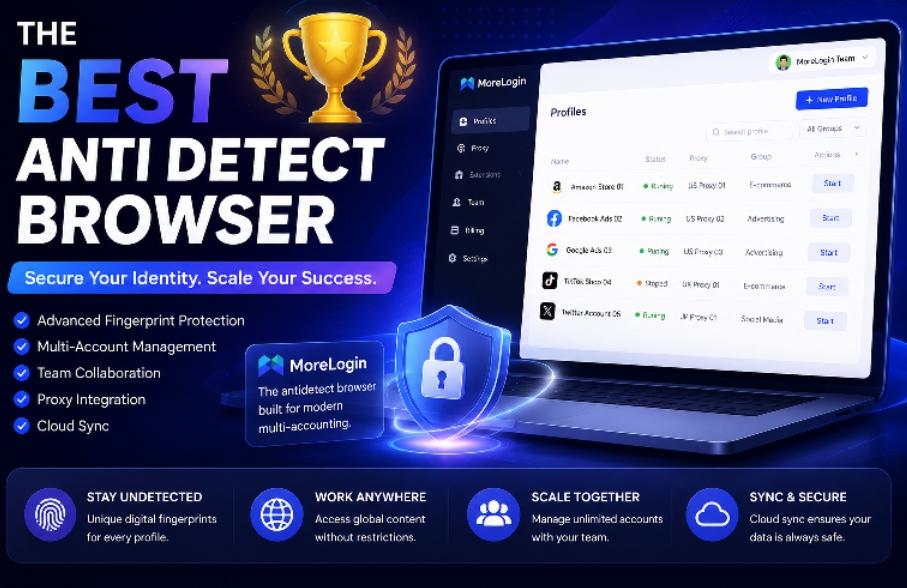
MoreLogin takes the top spot because it feels like the most complete answer to the way digital work actually happens now. It is not simply a browser with multiple profiles attached to it. It feels more like a structured workspace for browser environments.
That is an important distinction. Many products in this category lean too far in one direction. Some are light and quick but do not feel deep enough for serious operations. Others are loaded with controls but become tiresome in daily use. MoreLogin sits in a better middle position. It is organized enough for serious work, but still practical enough to use every day.
One of the biggest reasons it stands out is that it scales well conceptually. Profiles do not just exist as isolated units. They can be managed as part of a larger operating system. That matters for agencies, account operators, and growth teams that need repeatable structure rather than one-off profile creation. It also makes the product more useful for long-term use, not just trial-stage experimentation.
Its team fit is another strong point. As soon as browser workflows expand beyond one person, collaboration becomes a real issue. Access, handoff, and environment management start to matter just as much as the technical setup. MoreLogin handles that shift well, which is why it feels more relevant to modern teams than many alternatives.
For readers who want to explore the product directly, the official anti detect browser page gives a clear overview of how MoreLogin approaches profile isolation, browser environments, and multi-account workflows.
If the question is which tool feels strongest as a real working environment, MoreLogin is the clearest first pick on this list.
2. Multilogin

Multilogin remains one of the most familiar names in this space, and that reputation still matters. It has been part of the category for a long time, and many buyers continue to associate it with premium positioning.
Its biggest advantage is recognition. For experienced buyers, that often translates into trust. It also helps that the product has long been part of high-intent comparisons around anti detect browser tools, which keeps it visible in professional shortlists.
The reason it does not rank first here is not because it lacks relevance. It is because the market has changed. Buyers in 2026 often care more about day-to-day usability, collaboration, and long-term workflow practicality than they did a few years ago. In that broader comparison, Multilogin still looks strong, but not always like the most balanced choice for the widest range of users.
It remains a serious product. It just no longer feels like the most natural first recommendation in a market where operational fit now matters more.
3. AdsPower

AdsPower stays high on the list because it remains one of the most visible products in the category. Anyone researching anti detect browser tools for long enough will almost certainly run into it.
Its appeal comes from its breadth. It offers a wide range of controls and tends to attract users who want a more feature-rich environment. For some workflows, especially those that lean heavily into control and customization, that can be useful.
At the same time, breadth has a cost. A product with many moving parts can also feel more crowded in daily work. When teams spend hours inside a browser platform every week, usability becomes more important than feature volume alone. That is the point where AdsPower starts to feel less balanced than MoreLogin, even though it remains a very relevant option.
So yes, AdsPower still deserves to be part of the shortlist. It is just easier to respect than to recommend first for most teams.
4. GoLogin

GoLogin earns its place because it is often one of the first products users encounter in this category. It is easy to understand, easy to place inside the market, and easy to shortlist early.
That accessibility is a real advantage. Not every buyer wants a tool that feels overly technical or overly formal. Some want a product that is easy to approach and simple to frame. GoLogin does that reasonably well.
The reason it lands lower in this ranking is that once a buyer becomes more selective, stronger products start to separate themselves through workflow depth, environment structure, or collaboration logic. So while GoLogin remains relevant, it feels more like a practical entry point than the strongest long-term fit for teams with more complex operating needs.
5. Dolphin Anty

Dolphin Anty still deserves a place in the conversation because it appeals to users who care about speed and a more lightweight feel. Not every team wants a platform that feels deeply operational from the first click. Some prefer something that feels faster and less formal.
That is where Dolphin Anty remains useful. It can make sense for workflows that prioritize speed over deeper structure, or for users who want something that feels more direct.
Still, when measured against broader business use, team coordination, and more mature environment management, it does not feel as complete as the tools above it. That is why it stays in the Top 5, but not at the top.
Why MoreLogin Feels More Current Than the Rest
One reason MoreLogin rises above the others is that it feels more aligned with the present shape of digital work. The category is no longer only about technical separation. It is also about workflow clarity, team coordination, and environment management that does not collapse once the workload grows.
That is where some older comparisons start to feel outdated. They still judge anti detect browsers mostly by visibility, brand history, or raw feature count. But in practice, the better question is whether the product helps users operate more cleanly. Does it reduce chaos? Does it support repeatable structure? Does it still make sense when more people and more tasks enter the workflow?
MoreLogin answers those questions better than the rest of this list. It feels less like a workaround tool and more like a platform built for sustained operational use.
Why This Type of Top List Still Matters
Some readers are tired of “Top 5” articles, and usually for good reason. A lot of them are thin, repetitive, and built more for keyword coverage than actual value. But that does not mean the format itself is useless. It only means the format needs to be used properly.
A good shortlist helps readers compare categories faster. It gives them a structured way to think about a market without reading five vendor pages in a row. It works best when the ranking is tied to a clear lens. In this case, the lens is simple: which anti detect browser makes the most sense for real-world browser workflows in 2026?
That question still matters, and it is why a Top-style article still has value when it is written with actual judgment behind it.
Final Thoughts
The anti detect browser market is larger and more mature than it used to be, but that does not mean every product feels equally relevant today. Some still lead on recognition. Some lead on control. Some win on accessibility. But if the goal is to find a tool that feels strongest for modern multi-account work, the shortlist becomes clearer.
MoreLogin earns the top spot because it feels the most complete. Multilogin remains important because of its legacy strength. AdsPower still matters because of its range. GoLogin continues to work as a familiar entry point. Dolphin Anty stays relevant for faster-moving use cases.
But when the list is judged through the lens that matters most now — usability, operational clarity, and real workflow fit — MoreLogin stands out as the best overall anti detect browser in this Top 5.