A Privacy-First Messaging Checklist for International Travelers and Multi-Device Professionals
For frequent travelers, seamless communication has become part of the itinerary.
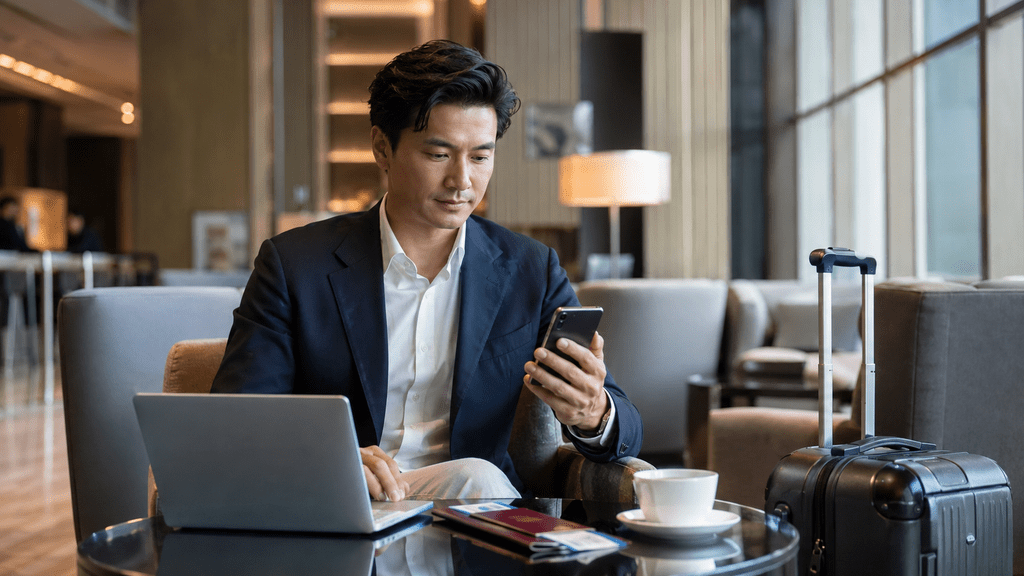
A phone keeps boarding passes, reservations, maps, and urgent messages close at hand. A laptop makes it possible to review contracts, finish presentations, manage photographs, and keep work moving from a hotel room. Messaging apps connect those devices across airports, lounges, coworking spaces, private-car rides, and temporary apartments.
For executives, entrepreneurs, consultants, and other high-mobility professionals, that convenience also creates a more complex privacy environment.
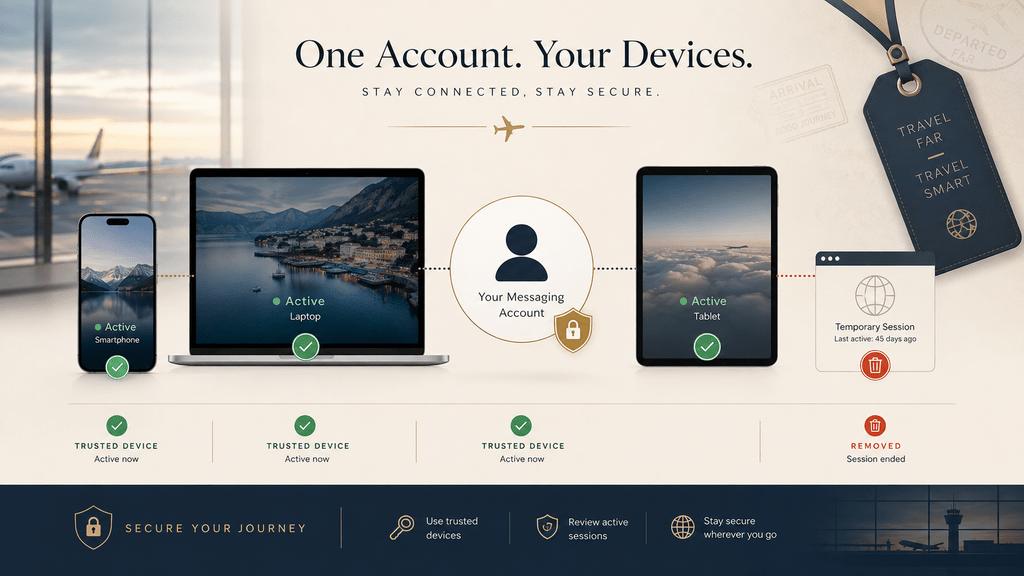
A single trip can involve a primary phone, a travel phone, a personal laptop, a company laptop, a tablet, several networks, and one or more temporary browser sessions. Each additional device or sign-in route becomes another place where access, notifications, or downloaded files can linger.
The goal is not to turn every journey into a cybersecurity exercise.
It is to know which route you are using, which devices retain access, and what temporary data should be removed when the trip ends.
Why Travel Multiplies Messaging Risk Across Devices
Someone who works primarily from home may use the same phone and laptop for months.
Frequent travelers behave differently.
A typical travel setup might include:
- a personal smartphone;
- a work laptop;
- a tablet;
- a temporary browser session;
- a backup device;
- an older phone that is still connected.
None of these choices is inherently unsafe. The problem is that temporary access can become permanent simply because it is forgotten.
A browser session opened during a business trip may remain active after the trip ends. A laptop that has been replaced may still appear in the account’s connected-device list. A second phone used during travel may continue receiving notifications long after it is needed.
Convenience creates more endpoints.
That means travelers should treat session review as part of normal digital housekeeping.
Treat Search Results as Directions, Not Proof of Ownership
Travelers often use search engines when they need to access a service quickly.
That can happen when:
- an app is not installed on the current device;
- a laptop has just been replaced;
- a browser login is needed;
- a local-language explanation is easier to follow.
Search results may include several different types of pages:
- the official publisher;
- an app store;
- an independent tutorial;
- a software directory;
- a blog;
- a sponsored result.
These categories should not be confused.
An independent guide may contain useful information without being the company that develops or operates the messaging service.
A polished design, familiar logo, or a title containing the word “official” does not establish who owns or operates a service.
Before signing in, the more useful question is: who operates the domain I am about to trust?
Verify the Access Route Before You Sign In
Travel often creates time pressure, and time pressure is exactly when people skip verification.
A traveler may want to check one message before boarding, finish a conversation before a meeting, or sign in from a newly replaced laptop in a hotel room.
That is when a familiar-looking search result or forwarded link can feel more trustworthy than it really is.
Before entering a phone number, scanning a QR code, or typing a verification code, check:
- the full domain in the browser;
- whether the page is using HTTPS;
- whether the destination matches the service you intended to access;
- whether the page arrived through an unexpected redirect;
- whether it is asking for information that does not fit the normal login process.
Chinese-speaking travelers who want additional context on identifying trustworthy access routes can use 电报官方入口指南 as supplementary reading while independently verifying the final service destination.
The distinction matters: an independent guide can explain how to recognize an official access route without being the official service itself.
Treat Login Codes Like Passwords
A login code is not an ordinary message.
It is an authentication credential.
If another person obtains a valid code at the right moment, that code may allow access to the account.
Travelers should never send login codes to:
- a group administrator;
- a stranger claiming to provide support;
- a person asking for “verification”;
- an unfamiliar website;
- someone contacting them through social media.
It is also important to understand that login codes do not always arrive in the same way.
Depending on the service and the devices already connected to the account, authentication may involve an existing session rather than only an SMS message.
That means “I did not receive a text” is not a good reason to start entering credentials into random troubleshooting pages.
When authentication behaves differently from expected, slow down and verify the process.
Connectivity Is Not the Same as Account Security
International roaming, an eSIM, a reputable hotel network, or an encrypted connection can make travel more convenient, but none of them proves that an account sign-in is safe.
Connectivity and account security solve different problems.
A traveler can have a perfectly functional connection and still expose an account through:
- phishing pages;
- fake login portals;
- unattended laptops;
- unlocked devices;
- saved browser sessions;
- shoulder surfing;
- notifications visible in public.
A secure network does not protect a laptop left unlocked in a lounge, and reliable roaming does not validate the website asking for a login code.
Likewise, a strong password cannot help if it is entered into a convincing phishing page.
Privacy-first travel therefore combines connection security with access-route verification, authentication hygiene, physical device security, and session management.
Use Desktop Access Strategically While Traveling
Personal phone
Usually the most dependable option for quick access, authentication, time-sensitive coordination, and short replies while moving.
Personal Windows laptop
For long messages, PDFs, contracts, itineraries, photo review, and team coordination, a personal laptop is often the more efficient workspace. Chinese-speaking travelers planning a Windows setup can consult 电报 Windows 电脑版指南 as supplementary orientation while still following their own approved software-source and account-security requirements.
Browser access
Useful when a full application is unavailable, but temporary browser access requires deliberate logout and session-review habits.
Shared or public computer
Best avoided for private or business-sensitive communication whenever possible.
Hotel business centers, airport lounge PCs, coworking terminals, and borrowed computers should be treated as untrusted temporary environments rather than convenient extensions of a personal device.
If one must be used, do not save passwords, do not leave downloaded files behind, and do not assume that closing a tab ends the account session.
Closing the Browser Is Not the Same as Logging Out
This is one of the easiest mistakes to make while traveling.
Closing a browser window may end the visible activity, but it does not necessarily invalidate the account session.
That distinction matters on:
- hotel computers;
- coworking workstations;
- borrowed laptops;
- event computers;
- business-center machines.
After using a device you do not fully control:
1. log out through the service;
2. clear saved credentials where appropriate;
3. return to a trusted personal device;
4. review active sessions;
5. terminate any session that is no longer required.
A few seconds of extra cleanup can prevent a temporary login from becoming a long-term access point.
Review Active Sessions After Every Major Trip
Travelers do not need to obsessively check connected devices every day.
A more practical habit is to review sessions after significant events.
Good times to check include:
- returning from an international trip;
- replacing a phone;
- replacing a laptop;
- using a borrowed device;
- signing in from a temporary browser;
- losing a device.
Look for devices or sessions that no longer belong in the account.
An old phone or laptop may not feel urgent once it is back in a drawer, but removing unnecessary sessions reduces the number of endpoints that still require protection.
Use Stronger Account Protection Before You Need It
Travel is a bad time to discover that an account has weak recovery options.
Before a major trip, review any additional security features available for the messaging service.
These may include:
- two-step verification;
- recovery email settings;
- device-session controls;
- application passcodes;
- biometric device locks.
The purpose is not to add complexity for its own sake.
It is to make account recovery and unauthorized access less dependent on one phone number or one device.
Protect Notification Previews in Public Spaces
Travelers spend a lot of time around other people.
A message preview may be visible in:
- airport lounges;
- hotel lobbies;
- cafés;
- trains;
- coworking spaces;
- client offices.
The content might include:
- a client name;
- travel plans;
- private conversation;
- verification code;
- financial information.
Review how much information appears on lock screens and desktop banners, particularly when a device may be visible across a lounge table, in a meeting, or during ground transportation.
A discreet alert that a message arrived is often more appropriate than exposing the sender, itinerary, client name, or message content in public.
Manage Downloaded Files and Saved Credentials
Messaging clients can quietly turn temporary travel information into persistent local files.
A boarding pass, reservation PDF, contract, identity document, client file, or photograph may remain in a Downloads folder long after the trip or conversation has ended.
On a personal laptop, review what was saved locally. On a borrowed or shared device, avoid downloading sensitive material whenever possible and never accept prompts to save account credentials.
Before leaving any temporary device, verify that:
- credentials were not stored;
- the browser session has ended;
- sensitive downloads and recent-file traces have been removed where appropriate;
- no private document has been left in a shared Downloads, Desktop, or Recycle Bin location.
A privacy-first checkout routine treats local files as part of the same security picture as passwords and active sessions.
Create a 60-Second Pre-Travel Privacy Check
A useful privacy routine does not have to be complicated.
Before leaving for a major trip, spend one minute checking:
1. Are the phone and laptop updated?
2. Are important messaging apps current and installed from a source you trust?
3. Are old device sessions still active?
4. Is stronger account protection enabled?
5. Do you know where authentication codes normally appear?
6. Are sensitive notification previews hidden?
7. Do you know where travel documents and downloads will be stored?
This is far easier than trying to rebuild account access, privacy settings, and device history from another country.
Create a Post-Travel Digital Checkout Routine
Hotels have checkout routines. Your devices should have one too.
After a major trip, spend a few minutes closing the digital loops that travel tends to create.
After returning home:
- review connected devices;
- terminate temporary sessions;
- remove unnecessary downloaded files;
- clear temporary browser data;
- confirm that account recovery information is still correct;
- check for login activity you do not recognize.
If a local-language guide helped clarify terminology during the trip, treat it as reference material only; final sign-in decisions should still be checked against the service route you have independently verified.
The post-travel goal is simple: reduce leftover access, local copies, and ambiguity about which devices are still trusted.
Make Privacy Part of the Travel Routine
The best travel technology tends to disappear into the experience.
A good charger works without demanding attention. A reliable data connection fades into the background. A well-configured messaging workflow should feel equally effortless.
Privacy-first messaging while traveling does not require adding endless security tools.
It requires a few repeatable habits:
- verify where you sign in;
- protect authentication codes;
- control what notifications reveal;
- avoid leaving sessions on temporary devices;
- remove access you no longer need.
Final Thoughts
Frequent travel increases the number of devices, networks, locations, and temporary access points involved in everyday communication.
That mobility is valuable, but it also creates more opportunities for rushed sign-ins, visible notifications, downloaded documents, and forgotten sessions.
The strongest routine is not the one with the most controls. It is the one a traveler can repeat consistently.
Verify the route before signing in, use personal devices strategically, protect what appears on screen, review active sessions, and remove temporary files or access when the trip ends.
When those habits become part of the itinerary, secure messaging stops feeling like a separate technical task and becomes simply another part of traveling well.