Top 8 Exterior House Colors Visualizers
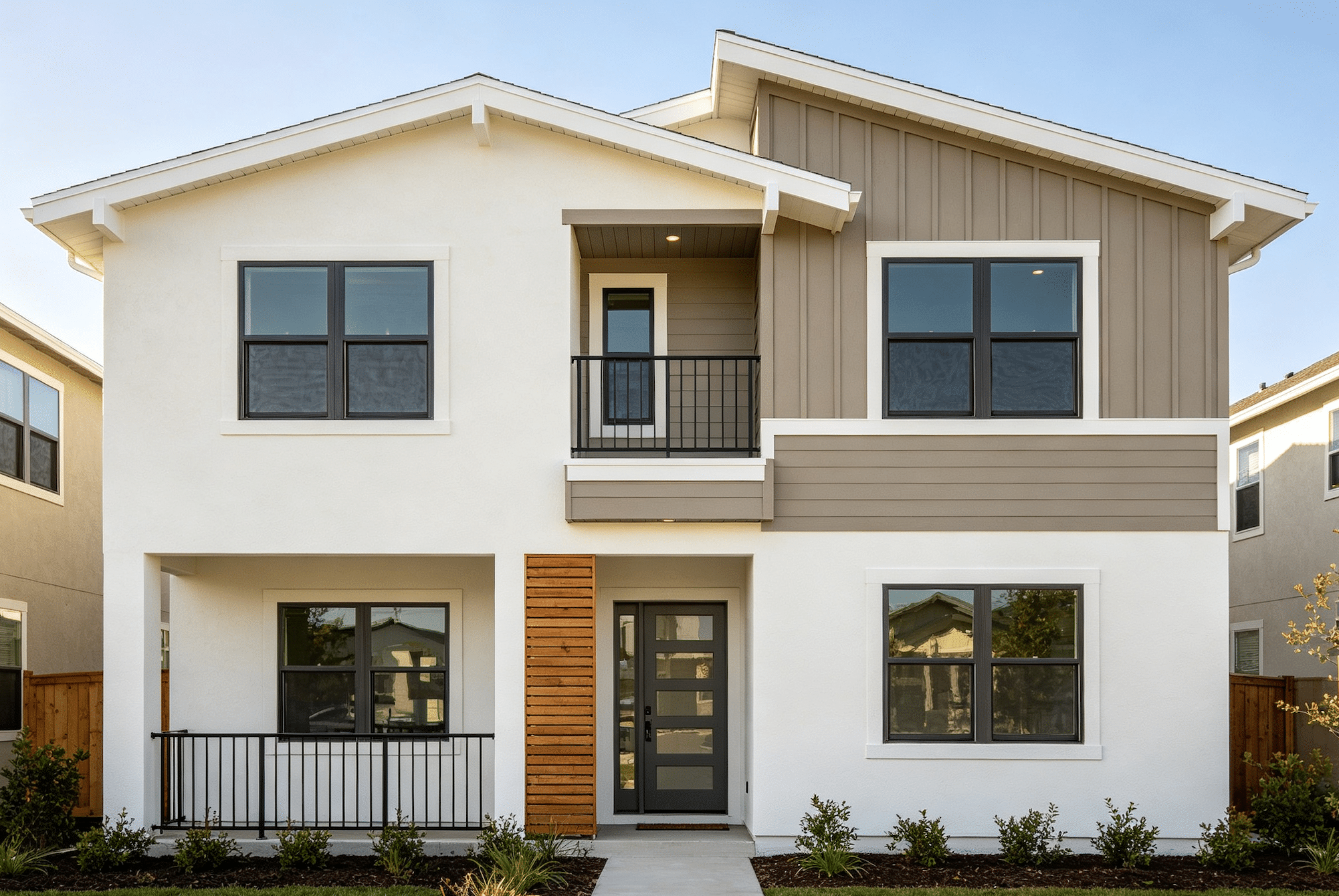
A craftsman bungalow can easily carry five exterior colors: a body color on the shingle siding, a trim color on the fascia and window casings, a contrasting sash color, a porch ceiling, and a front door that’s meant to be the one bold note. Get the balance right and the house looks deliberate. Get one piece wrong, say a trim that’s a half-step too close to the body, and the architectural details that give the house its character simply disappear from the street.
That’s why searching for exterior house colors is usually about combinations, not single paint swatches. A visualizer lets you test a whole scheme on a photo of your home and see whether the body, trim, and accent colors are doing their separate jobs. The eight tools below are compared on documented features that support that kind of scheme-building: how many surfaces you can color independently, how you find and compare colors, and how easily you can save and revisit different combinations. None of this is a lab test, and a screen preview won’t match paint on siding exactly, but it’s a far better filter than a pile of chips.
A Quick Primer: Body, Trim, and Accent
Most exterior schemes follow a three-part structure. The body is the dominant color covering the siding or walls. Trim outlines windows, doors, corners, and rooflines, and usually contrasts with the body in value, lighter or darker. The accent is used sparingly on the front door, shutters, or a porch detail. A useful visualizer lets you change each of these independently, so you can see whether your trim has enough contrast and whether the accent draws the eye where you want it.
The Eight Tools at a Glance
| Tool | Suited for | Key features for scheme-building | Worth knowing |
| Coloraw | Full multi-zone schemes with several versions | Exterior zone detection, multiple saved schemes, side-by-side views, cross-brand suggestions, Saved colors | Detection depends on the photo |
| Paintuma | Narrowing colors by family to exact references | Exterior mode, per-surface coloring, color-family browsing, color wheel, project records | Custom HEX values aren’t orderable paints |
| paintcolorvisualizer.com | First experiments on a sample or own photo | Sample exterior scenes, separate siding/trim/door, illustrative lighting, saved previews | Lighting settings are approximations |
| PPG Paint Color Visualizer | Checking PPG pairings | Photo upload, sample scenes, PPG palette | Single-brand library |
| Sherwin-Williams ColorSnap Visualizer | Starting from curated schemes | Own photo or sample homes, exterior collections | Single-brand library |
| Glidden Paint Color Visualizer | Small trim and door updates | Photo upload or sample scenes | Single-brand library |
| BEHR Color Visualizer / Paint Your Place | Trying suggested Behr combinations | Photo upload, sample exteriors, color collections | Single-brand library |
| Valspar Color Visualizer | Confirming a Valspar scheme | Photo upload, sample images | Single-brand library |
1. Coloraw
Coloraw suits homeowners who want to build a full scheme across many exterior elements, then compare several versions of it before deciding.
From one photo, Coloraw is designed to recognize whether the scene is interior or exterior and find paintable zones automatically; the exterior zones in its documentation include walls, doors and windows, roof, garage, trim, porch, and chimney. For the bungalow above, that makes it possible to set body, trim, porch, and door colors separately and judge the full composition. Zone detection quality still depends on the photo, and a preview on the roof is only there to show how its color relates to the rest of the scheme, not to suggest painting it.
Coloraw is useful for the trial-and-error stage of scheme building. Each exterior project can hold several saved schemes, and any of them can be shown side by side with the original photo, with the brand, color name, and HEX value listed for every zone. That makes it easy to line up, for instance, a sage body with cream trim against the same sage with a deep bronze trim and see which one lets the architectural details read.
When you find a color you like but want options from another brand, Coloraw suggests similar shades across the brands in its library, which in the documented version includes Sherwin-Williams, Benjamin Moore, Behr, PPG, Glidden, Valspar, and Farrow & Ball. Treat those as sampling candidates rather than exact equivalents. Colors you want to keep can be stored in Saved, which gathers favorites from both the color picker and camera-based Color Capture so your shortlist stays in one place.
2. Paintuma
Paintuma is a good fit for readers who like to browse color families methodically, narrowing from “warm grays” or “muted greens” to a specific brand color.
The Paintuma Paint Color Visualizer lets you choose exterior mode, upload or take a photo, and have AI split the image into surfaces you can color one at a time. Each scheme records the brand and color reference used on each surface, and a Before/After view keeps the original house in sight while you experiment.
Its color-finding tools support a family-first approach. You can browse by color family, use brand fan decks, search by name or number, and quickly reuse recent and saved colors, which saves time when you’re testing one body color against several trim candidates. The documented brand library is broad, covering Sherwin-Williams, Benjamin Moore, Behr, PPG, Dunn-Edwards, Dulux, Valspar, Farrow & Ball, and more. If you want to fine-tune, the Color Wheel accepts RGB and HEX values and then shows similar colors from actual paint brands; the custom value itself isn’t an orderable paint.
My Project stores several schemes for the same house with a color record for each, and Try Another Color returns you to the same photo to keep iterating. There’s also a paint calculator for rough quantity estimates, which is a helpful extra once the scheme is settled, though coverage on real siding varies by product and surface.
3. paintcolorvisualizer.com
If you’d like to experiment with combinations before you’ve even taken a good photo, starting from an example house can be the easiest way in.
You can begin with your own photo or a sample exterior scene on paintcolorvisualizer.com, then color siding, trim, and the front door separately. That three-surface setup maps neatly onto the body, trim, and accent structure, which keeps early experiments focused. Promising schemes can be compared and saved as preview images.
Illustrative lighting settings, including daylight, north-facing, warm LED, and evening, add a useful dimension for exterior colors. A front door accent that looks lively at midday may go nearly black in the evening view, which is worth knowing before you commit. The settings are approximations rather than a model of your house’s actual exposure. Since it runs in the browser, there’s nothing to install; check the site for current account or usage terms when you visit.
4. PPG Paint Color Visualizer
PPG’s visualizer lets you upload a photo or choose a sample scene and apply PPG colors to it. It works best when you’re already considering PPG products, perhaps on a contractor’s recommendation, and want to check a few body-and-trim pairings from that range. It’s a single-brand tool with a simpler workflow than the multi-brand options above.
5. Sherwin-Williams ColorSnap Visualizer
Sherwin-Williams pairs its ColorSnap Visualizer with curated exterior color collections, which is helpful if you’d rather start from a ready-made scheme than build one. You can apply colors to your own photo or to sample homes. The palette is limited to Sherwin-Williams colors, so comparing across brands means using another tool.
6. Glidden Paint Color Visualizer
Glidden’s visualizer lets you try Glidden colors on a photo or sample scene. It’s a practical option for a smaller update, such as a new trim and door color on existing siding, when the brand is already decided. It offers fewer project and comparison features than the dedicated multi-brand tools.
7. BEHR Color Visualizer / Paint Your Place
Behr’s visualizer supports photo upload and sample exterior scenes, and its color collections give you suggested combinations to react to. It’s a sensible stop if you plan to buy Behr exterior paint and want to see how its suggested pairings look on your own house. As with other brand tools, it stays within one palette.
8. Valspar Color Visualizer
Valspar’s visualizer applies Valspar colors to an uploaded photo or sample image. It’s best for confirming a scheme within the Valspar range once you know where you’ll buy paint. Cross-brand comparisons and detailed project management aren’t its focus.
How to Choose
If you’re still figuring out the scheme: Use a multi-brand tool that lets you color many surfaces independently and save several versions. Coloraw and Paintuma both support that kind of iteration.
If you want a quick sanity check on an accent color: A browser tool like paintcolorvisualizer.com or your chosen brand’s visualizer is enough to confirm that a door or shutter color works.
If you want ready-made combinations: Brand tools with curated collections, such as those from Sherwin-Williams and Behr, give you a starting point you can adjust.
If your house has a lot of architectural detail: Pay close attention to trim contrast. Test at least one lighter and one darker trim option against your body color before deciding.
FAQ
How many exterior colors should a house have? Three is a common starting point: body, trim, and accent. Houses with more detail, such as Victorians or craftsman bungalows, often use four or five, while simple modern facades may use just two.
Should I pick the body or trim color first? Many designers start with the body color because it covers the most area and has to work with fixed elements like the roof and stone. Trim and accent colors are then chosen to support it.
Final Thoughts
Exterior color schemes succeed when each color does a clear job. For building and comparing full multi-zone schemes, Coloraw gives you the most structure. For narrowing colors family by family and keeping a precise record for each surface, Paintuma fits well. For a quick first look using a sample house or your own photo, with a glance at evening light, paintcolorvisualizer.com is a low-effort place to start. Once you’ve landed on a combination, brand visualizers help confirm it in the range you’ll buy, and painted sample boards on the actual house make the final call.