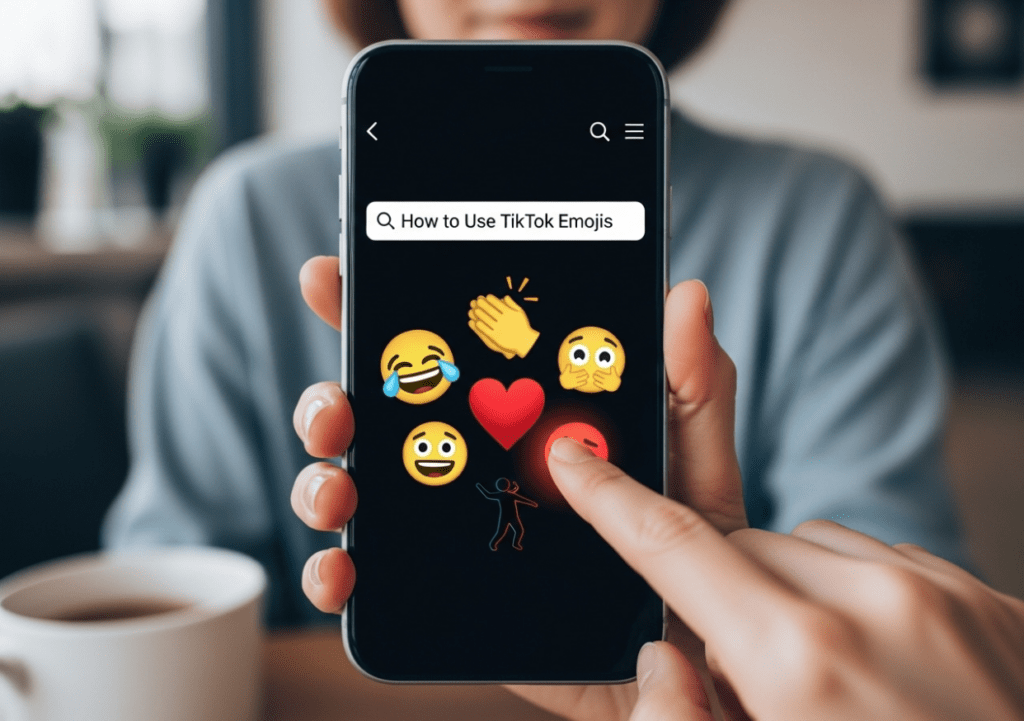
How to Use TikTok Emojis?
If you spend time on TikTok, you may have seen special faces in comments that look different from normal phone emojis. These are called tiktok emojis, and they are unique to the TikTok app. Many new users feel confused because they cannot find these emojis on their regular keyboard. The good news is that using them is actually very simple.
In this detailed guide, you will learn everything step by step. We will explain what TikTok emojis are, how they work, how to type them, where to use them, why they sometimes do not work, and tips to use them correctly. Everything is written in simple words so anyone can understand.
What Are TikTok Emojis?
TikTok emojis are special hidden emojis inside the TikTok app. They are not part of your phone’s normal emoji keyboard. You cannot see them by opening your regular emoji panel.
Instead, TikTok has a secret code system. When you type certain words inside square brackets, the app changes that word into a special emoji face.
For example:
- If you type [smile], TikTok shows a smiling face.
- If you type [cry], it becomes a crying face.
- If you type [angry], it shows an angry face.
These special codes turn into TikTok-style emoji characters.
Why TikTok Emojis Are Different From Normal Emojis
Normal emojis:
- Are built into your phone.
- Work in all apps.
- Look the same in every platform.
TikTok emojis:
- Only work inside TikTok.
- Must be typed using codes.
- Have a unique cartoon style.
- Cannot be used outside the TikTok app.
That is why they feel special and fun.
Why People Love Using TikTok Emojis
There are many reasons why users enjoy these emojis:
- They look cute and expressive.
- They are not common like normal emojis.
- They make comments stand out.
- They make posts look more creative.
- They increase engagement.
When someone sees a unique emoji in comments, it grabs attention.
Where You Can Use TikTok Emojis
You can use TikTok emojis in many places inside the app:
- Video comments
- Video captions
- Live chat
- Direct messages
- Reply comments
They work anywhere you can type text inside TikTok.
How TikTok Emojis Work
TikTok uses a text recognition system.
When you type a word inside square brackets, TikTok reads the code. If the code is correct, the app changes it into an emoji automatically.
The important rules are:
- Use small letters.
- Add square brackets.
- Spell the code correctly.
- Do not add extra spaces.
If one letter is wrong, the emoji will not appear.
Step-by-Step Guide: How to Use TikTok Emojis
Now, let’s go through the full process step by step.
Step 1: Open TikTok
Open the TikTok app on your phone.
Make sure your app is updated to the latest version.
Step 2: Go to a Video
Choose any video where you want to leave a comment.
Tap the comment icon.
Step 3: Type the Emoji Code
In the comment box, type the emoji code inside square brackets.
Example:
[smile]
Make sure:
- It is written in lowercase.
- There are no spelling mistakes.
- You include both brackets.
Step 4: Post the Comment
Tap send.
If the code is correct, TikTok will change it into a special emoji face automatically.
If it stays as text, check spelling and try again.
Popular TikTok Emoji Codes
Here are some popular TikTok emoji codes:
- [smile]
- [laugh]
- [cry]
- [angry]
- [cool]
- [surprised]
- [happy]
- [loveface]
- [excited]
- [proud]
Each code shows a different expression.
How to Use the Proud TikTok Emoji
One of the most used emojis is the proud tiktok emoji.
This emoji shows confidence and happiness.
You can use it when:
- Someone achieves something.
- A creator reaches a goal.
- A friend shares good news.
- You feel proud of someone.
To use it, type:
[proud]
After posting, it will turn into the proud face emoji.
Common Mistakes That Stop Emojis From Working
Many users make small mistakes.
Here are common problems:
- Forgetting brackets.
- Using capital letters.
- Spelling the code wrong.
- Adding spaces inside brackets.
- Using the wrong emoji name.
Wrong example:
[Proud]
or
[ proud ]
Correct example:
[proud]
Always use lowercase letters.
Can You Use TikTok Emojis in Captions?
Yes.
When posting a video, you can type emoji codes in the caption.
Example:
“Best day ever! [happy]”
After posting, TikTok will show the emoji.
This makes captions more fun.
Can You Use Multiple Emojis Together?
Yes.
You can combine codes in one comment.
Example:
[laugh] That was so funny! [cool]
Both emojis will appear.
But do not overuse them. Too many emojis can look messy.
How to Learn All TikTok Emoji Codes
TikTok does not show a full list inside the app.
To find more codes:
- Look at comments on viral videos.
- Search online for updated lists.
- Follow creators who share emoji codes.
- Try typing different emotion words inside brackets.
Not every word works. Only official codes will change.
Do TikTok Emojis Work on iPhone and Android?
Yes.
They work on:
- Android devices
- iPhones
- Tablets
As long as you use the TikTok app, they will appear.
Why Some TikTok Emojis Disappear
Sometimes TikTok updates its system.
Some old emoji codes may stop working.
If this happens:
- Update your TikTok app.
- Try newer codes.
- Check online for updated lists.
App updates often fix problems.
Are TikTok Emojis Free?
Yes.
You do not need to pay.
All TikTok emoji codes are free to use.
There is no hidden cost.
Tips for Using TikTok Emojis Smartly
Here are smart tips:
- Use emojis that match your message.
- Keep comments simple.
- Avoid spamming emojis.
- Use them naturally.
- Choose emojis that show real emotion.
Using the right emoji makes your comment stronger.
Why Creators Encourage Emoji Comments
Some creators ask followers to comment a specific emoji.
They do this to:
- Boost engagement.
- Increase interaction.
- Create trends.
- Build community.
Emoji comments are quick and easy for users.
Can You Copy and Paste TikTok Emojis?
You cannot copy the image emoji directly.
But you can copy the text code like:
[cool]
When pasted inside TikTok, it will change into the emoji.
Outside TikTok, it stays as text.
Do TikTok Emojis Work Outside TikTok?
No.
If you paste [smile] into WhatsApp or Instagram, it will stay as text.
TikTok emojis only work inside TikTok.
How TikTok Emojis Help Increase Engagement
Using emojis can:
- Catch attention.
- Make comments colorful.
- Show emotions clearly.
- Encourage replies.
- Make content look active.
People often reply to comments that look interesting.
Are TikTok Emojis Safe to Use?
Yes.
They are part of TikTok’s system.
They do not harm your account.
Just use them normally.
Should You Use TikTok Emojis in Every Comment?
No.
Use them when they make sense.
For example:
Funny video → [laugh]
Sad story → [cry]
Big achievement → [proud]
Choose wisely.
Final Beginner Advice
If you are new:
- Start with simple codes.
- Practice typing them.
- Check spelling carefully.
- Keep learning new codes.
It becomes easy with practice.
Conclusion
TikTok emojis are a fun and creative way to express emotions inside the app. By typing special codes inside square brackets, you can turn simple text into unique emoji faces. These emojis only work on TikTok and help your comments and captions stand out.
Remember to always use lowercase letters, include square brackets, and spell the code correctly. Popular options like the proud emoji can help you creatively show support and happiness. With a little practice, you can use TikTok emojis confidently and make your posts more engaging.