From Photography to Design: Exploring Free Image-to-Image AI Tools
Not long ago, transforming a photograph into a painting, turning a rough sketch into a polished illustration, or reimagining a product shot in a new style required either serious artistic skill or a budget for professional design software. Today, a growing number of free image to image AI tools let anyone do this from a browser, often in under a minute. Photographers are using them to explore new creative directions with existing shots. Designers are using them to speed up early-stage concepting. Hobbyists are using them just to see what’s possible.
This piece takes a practical, hands-on look at the Image to Image AI Free landscape: what these tools actually do, where they shine for photography versus design work, which free options are worth trying, and what limitations to expect when you’re not paying for a premium tier.
What Makes a Tool “Free” in This Space
Before diving into specific tools, it helps to understand the different flavors of “free” you’ll encounter, because they affect what you can realistically accomplish.
Freemium Credits
Most popular platforms, including Leonardo AI, Playground AI, and Adobe Firefly, offer a set number of free generations per day or per month. This is enough to experiment and learn the tool, but heavy users will hit a wall quickly and face a paywall for continued access or higher resolution output.
Fully Open-Source Models
Tools built on Stable Diffusion, ControlNet, and similar open frameworks can be run for free indefinitely, provided you have the technical setup or use a free-tier hosting service like Hugging Face Spaces or Google Colab. These require more comfort with technical interfaces but offer the most control and zero ongoing cost.
Ad-Supported or Limited-Feature Free Tiers
Some tools, like Fotor and Pixlr, offer permanently free access but restrict resolution, watermark outputs, or limit which transformation styles are available without an upgrade.
Image to Image AI for Photographers
Photographers were among the earliest adopters of image-to-image tools, largely because the technology solves problems that traditional editing software struggles with.
Style Transfer Without a Reshoot
Instead of scheduling a new photoshoot for a different mood or aesthetic, photographers can take an existing image and reimagine it as film noir, golden hour, or a completely different season, all while preserving the subject and composition. Free tools like Playground AI and Leonardo AI handle this reasonably well within their free credit limits.
Restoration and Repair
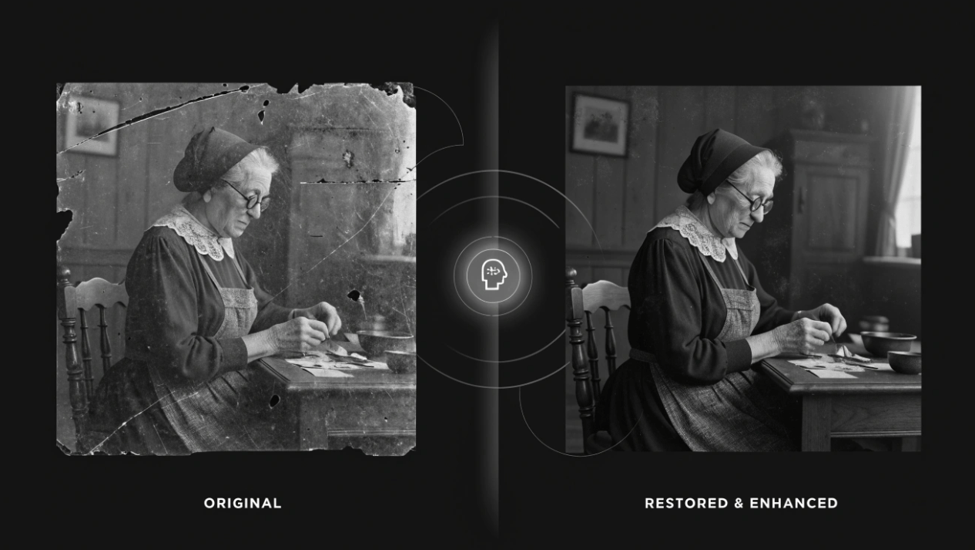
Free tools such as Fotor’s AI photo restoration feature and remove.bg’s background tools let photographers clean up old or damaged images, remove unwanted objects, or isolate subjects from cluttered backgrounds without a paid subscription to Photoshop.
Concept Exploration Before a Shoot
Some photographers now use free image-to-image tools during pre-production, feeding in mood board references or rough test shots to visualize lighting setups, color grading, or set design before committing time and budget to the actual shoot.
Image to Image AI for Designers
Designers approach these tools differently, usually looking for speed in the earliest, most exploratory stages of a project.
Rapid Concept Iteration
A designer can sketch a rough logo, product shape, or UI layout by hand, scan or photograph it, and use a free tool like Stable Diffusion’s img2img pipeline to generate multiple polished directions in minutes. This dramatically shortens the time between a napkin sketch and a presentable concept.
Mockup Generation
Free tools are increasingly used to turn flat design files into realistic mockups, showing a poster on a city wall, a label on a product bottle, or a UI on a phone screen, without needing separate mockup templates or stock photography licenses.
Material and Texture Exploration
Product and industrial designers use image-to-image transformations to quickly preview how a design might look in different materials or finishes, such as brushed metal versus matte plastic, before committing to expensive physical prototypes.
Notable Free Tools Worth Trying
Stable Diffusion (via Free Hosted Platforms)
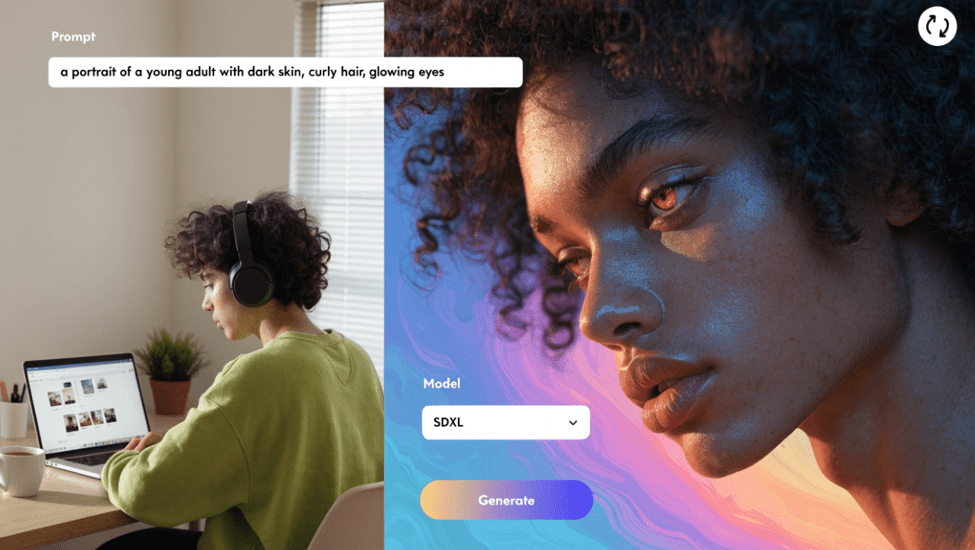
The open-source backbone of much of the image-to-image ecosystem, accessible for free through platforms like Hugging Face Spaces, though generation speed and queue times vary depending on server load.
Leonardo AI
Offers a generous daily free credit allowance and a dedicated image-to-image mode with strength controls, making it approachable for both photography edits and design concepting.
Playground AI
Provides free daily generations with an intuitive interface, useful for photographers and casual creators who want quick style transformations without a learning curve.
Fotor
A more accessible, browser-based option aimed at photo editing rather than deep generative transformation, well suited to photographers who want AI-assisted retouching and restoration.
Craiyon and Other Lightweight Tools
Simpler, fully free tools that trade off quality and control for accessibility, useful for casual experimentation rather than professional output.
Key Differences Between Free and Paid Tiers
It’s worth being upfront about what free tiers typically sacrifice, so expectations stay realistic.
Resolution and Output Quality
Free tiers often cap resolution well below what’s usable for print or large-format design work, requiring an upscaling step or a paid plan for high-fidelity results.
Commercial Usage Rights
Some free tiers restrict outputs to personal or non-commercial use, which matters significantly for designers and photographers creating client work. Always check the specific platform’s licensing terms before using free-tier output commercially.
Volume and Speed
Free credits typically reset daily or monthly and come with slower generation queues, since paid users are prioritized on shared server infrastructure.
Control and Fine-Tuning
Advanced features like ControlNet-based pose locking, custom model training, or high-precision inpainting are frequently locked behind paid tiers or require the more technical open-source route.
How to Choose the Right Free Tool for Your Work
For photographers focused on restoration, background removal, or light style shifts, browser-based tools like Fotor offer the fastest path with minimal learning curve. For designers who need genuine creative flexibility and are comfortable with a slightly steeper learning curve, Stable Diffusion through a free hosted platform, or a credit-based tool like Leonardo AI, provides significantly more control. Anyone experimenting casually or teaching themselves the technology can start with lightweight free options before investing time in more complex setups.
The Bigger Picture
What makes this moment particularly interesting is how quickly Image to Image AI Free tools have closed the gap with paid, professional-grade software. A few years ago, this level of creative transformation required expensive licenses and specialized skill. Now it’s available to anyone with a browser and a source image.
That said, free access comes with real trade-offs in resolution, commercial rights, and fine-grained control. For casual exploration, learning the technology, or early-stage concepting, free tools are more than capable. For professional, client-facing, or print-ready work, most photographers and designers will eventually find themselves reaching for a paid tier, if only to unlock higher resolution and clear commercial licensing.
Either way, the barrier to entry has never been lower. Whether you’re a photographer looking to breathe new life into an old shoot or a designer trying to move faster from concept to polished visual, free imageto image AI tools are a genuinely useful starting point, and often more than enough to get real creative work done.