Top 9 Chat Image Tools Powered by GPT Image 2: 2026 Rankings for Maximum Value
Introduction
Visual communication has changed a lot in 2026, and a big reason is GPT Image 2. The model has pushed “Chat Image” tools beyond simple novelty—you can now produce professional-grade visuals just by describing what you want in a chat window.
But picking the right tool isn’t just about features anymore. With so many platforms offering GPT Image 2 access, what really matters is how much value you get for your money. Whether you’re an SEO specialist managing site assets, a PM building AI features, or a creator trying to ship faster, the wrong pricing model can quietly drain your budget.
Below, we’ve ranked 9 Chat Image tools that offer GPT Image 2 access, weighing pricing, usability, and overall value.
Website List
1. ChatImage
What is ChatImage
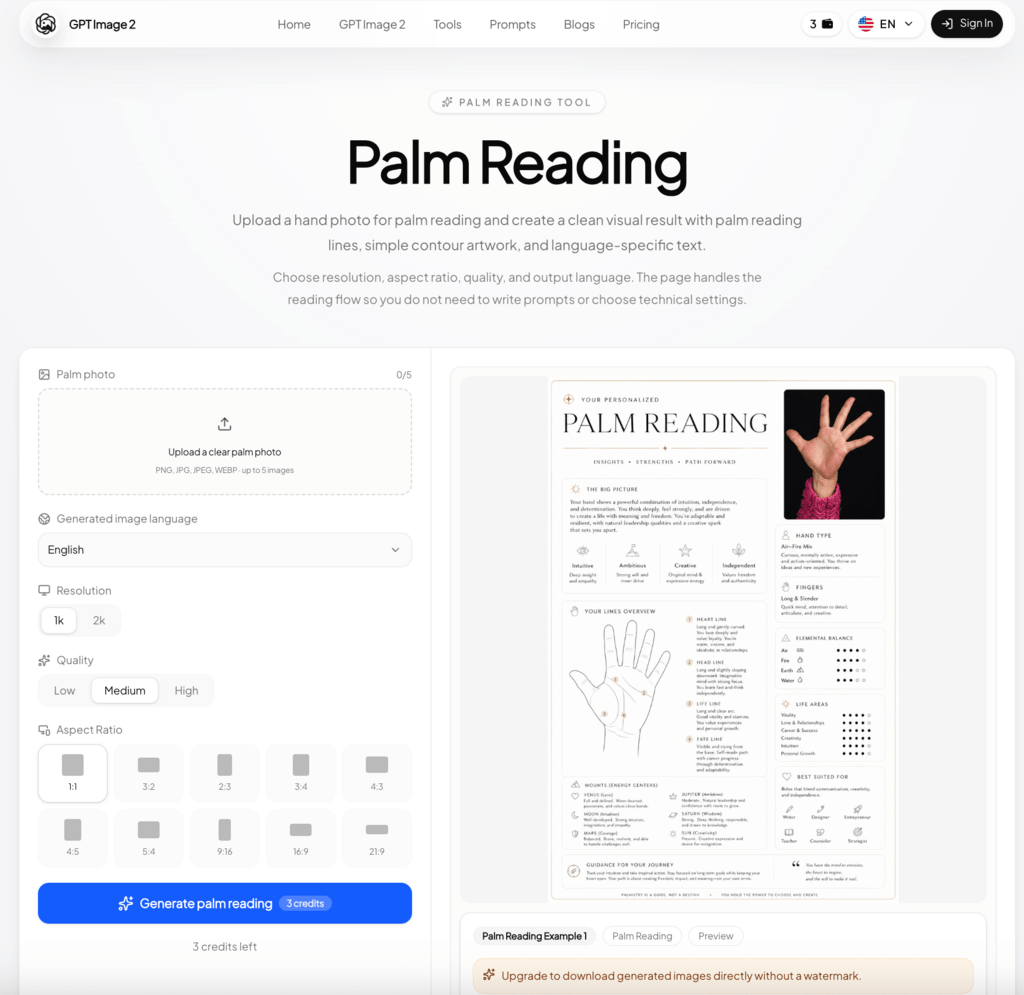
ChatImage is built around one idea: turning conversation into finished visuals. Powered by GPT Image 2, it handles posters, product shots, and UI mockups through plain chat prompts. What sets it apart is the Pay As You Go approach—no rigid monthly cycles, no expiring credits. There’s also a quirky bonus: there are many convenient tools powered by GPT Image 2 like the AI palm reading tool for users curious about that kind of thing.
Features
- Native GPT Image 2 access with strong handling of nuanced prompts
- Flexible output control for resolution and aspect ratio (web, social, print)
- Clean UI built for fast iteration
- In-chat editing for style and consistency tweaks
- V2 Turbo processing for near-instant results
Pros and Cons
Pros:
- Strong cost-to-value ratio thanks to flexible credits
- High output quality from GPT Image 2
- Works for both text-to-image and reference-based edits
- No pressure from credits expiring at month-end
Cons:
- Utility-first design, so community features are minimal
Price
- Free Plan: $0/mo — 3 trial credits, no card required
- Basic Plan: $14.9/mo (annual) — 300 credits/mo
- Professional Plan: $29.9/mo (annual) — 650 credits/mo (Most Popular)
- Enterprise Plan: $199.9/mo (annual) — 5,000 credits/mo
2. Imagine.art
What is Imagine.art
Imagine.art is a multimodal suite that bundles GPT Image 2 alongside video and audio generation. If you’d rather work in one hub instead of jumping between tools, this one’s worth a look.
Features
- Multimodal workflows combining text, image, and video inputs
- Genre-specific effects for storytelling-driven content
- Concurrent generations to batch-process work
Pros and Cons
Pros:
- Covers image, video, and audio in one place
- Frequent updates, including unlimited generation modes
Cons:
- Higher tiers get pricey for casual users
- Mobile experience trails the desktop version
Price (Individual, billed yearly)
- Basic: $9/mo — 3K credits (~600 images)
- Standard: $20/mo — 8K credits (~1.6k images)
- Ultimate: $34/mo — 16K credits (~3.2k images) (Most Popular)
- Creator: $175/mo — 100K credits
3. blogs.lovart
What is blogs.lovart
Also known as LoveAI, this platform is part design-trend blog, part image generator. You get GPT Image 2 access plus an asset library that’s actually useful when you’re stuck for ideas.
Features
- Full model access, including GPT Image 2 and various video models
- Editable asset library for personalized output
- Relax generation modes with unlimited use on higher tiers
Pros and Cons
Pros:
- Educational content paired with working tools
- Solid commercial licensing
Cons:
- The mix of articles and tools can feel cluttered
- Not the friendliest interface for AI beginners
Price (Billed annually)
- Starter: $16/mo — 2,000 fast credits
- Basic: $27/mo — 3,500 credits + unlimited relax gens (select models)
- Pro: $50/mo — 11,000 credits + expanded relax range (Most Popular)
- Ultimate: $109/mo — 27,000 credits + broadest unlimited access
4. Replicate
What is Replicate
Replicate is for developers who want to run GPT Image 2 (and a lot of other models) without dealing with infrastructure. No “chat” UI here—it’s API-first and assumes you know what you’re doing.
Features
- API-first design for easy integration
- Real-time analytics on cost and performance
- Quality tiers (Low / Medium / High) you can swap on demand
Pros and Cons
Pros:
- Pay only for the compute you actually use
- Clear, granular pricing
Cons:
- No chat interface for non-technical users
- Setup requires technical know-how
Price
- Low Quality: $0.012 per image
- Medium Quality: $0.047 per image
- High Quality (GPT Image 2): $0.128 per image
- Auto Quality: $0.128 per image
5. Litmedia
What is Litmedia
Litmedia (also called DramaPixel) is built for high-volume work. It pairs GPT Image 2 with a deep template and effects library, and it’s popular with agencies and social teams that need to ship daily.
Features
- Seedream 5.0 Lite support for consistent character generation
- Lifetime access option—rare in this space
- Multimodal workflow covering image, video, and music
Pros and Cons
Pros:
- Lifetime plan offers excellent long-term value
- Wide range of supported video and image models
Cons:
- Monthly credit cap on the Lifetime plan can pinch larger teams
Price
- 1-Month Plan: $14.99 — 600 credits/mo
- 1-Year Plan: $7.50/mo ($89.99 annual) — 1,000 credits/mo
- Lifetime Plan: $125.97 one-time — 2,000 credits/mo + 7 days unlimited GPT Image 2
6. fal
What is fal
fal is infrastructure built for speed. It’s been called “Figma for AI content” because it focuses on low latency and team productivity, with clean access to GPT Image 2.
Features
- High-resolution output up to 3840 x 2160
- Smart caching to cut costs on similar repeat requests
- Developer API with strong documentation
Pros and Cons
Pros:
- Fast and scalable for demanding projects
- Responsive technical support
Cons:
- Token-based pricing is hard to estimate without a developer mindset
Price
- Text Tokens (per 1M): $5.00 input / $10.00 output
- Image Tokens (per 1M): $8.00 input / $30.00 output
- Cache Reads: $1.25 (text) / $2.00 (image) per 1M tokens
7. OpenRouter
What is OpenRouter
OpenRouter is a routing layer—it takes your request and sends it to whichever provider can handle it best. You get GPT Image 2 access (via the GPT-5.4 architecture) along with strong uptime and unified pricing.
Features
- Smart model routing to optimize each prompt
- Response healing so you don’t pay for failed calls
- Privacy-conscious logging
Pros and Cons
Pros:
- Easy to test multiple GPT-based models in one account
- Competitive raw pricing at scale
Cons:
- API-only—you’ll need a separate UI for the chat experience
Price
- Input: $8/M tokens
- Output: $15/M tokens
- Cache Read: $2/M tokens
- Image Output (GPT Image 2): $30/M tokens
8. Higgsfield
What is Higgsfield
Higgsfield aims at users who want polished output without a steep learning curve. It’s good for turning data, concepts, or marketing ideas into shareable visuals.
Features
- Beginner-friendly UX
- Real-time collaboration for team work
- Custom dashboards for marketing and social analytics
Pros and Cons
Pros:
- Plans scale cleanly with team size
- Strong fit for data-driven and educational content
Cons:
- More advanced features are gated behind higher tiers
Price (Billed annually)
- Starter: $16/mo — 2,000 fast credits
- Basic: $27/mo — 3,500 credits + all image/video models
- Pro: $50/mo — 11,000 credits + expanded relaxed generations
- Ultimate: $109/mo — 27,000 credits
9. OpenArt
What is OpenArt
OpenArt is the most community-driven option here. Beyond GPT Image 2 generation, you get a public gallery, prompt-sharing, and tools for fine-tuning your own styles.
Features
- Configurable workflows that fit existing processes
- 360 analytics showing how your work performs in the community
- Model training to build personal styles on top of GPT Image 2
Pros and Cons
Pros:
- Best community features of any tool on this list
- Great for spotting new prompt trends
Cons:
- Free tier is fairly restrictive
Price
- Essential: $7/seat/mo — 4,000 credits/mo
- Advanced: $14.5/seat/mo — 12,000 credits/mo
- Infinite: $28/seat/mo — 24,000 credits/mo (Most Popular)
- Wonder: $120/seat/mo — 106,000 credits/mo (Best Value)
Key Takeaways
Picking the right Chat Image tool in 2026 takes more than scanning the price tag:
- Pay-As-You-Go usually wins for variable workloads. ChatImage works well here because credits don’t expire and you only pay for what you use. Subscriptions can quietly waste money during slow months.
- Check whether credits roll over. Some subscription plans let unused credits carry into the next month; others don’t. Imagine.art and OpenArt make sense if your usage is steady, but Pay-As-You-Go is safer for unpredictable, high-stakes work.
- Match the tool to your role. If you’re building a product, fal and Replicate offer the best API value. If you’re manually creating posters and graphics, stick with UI-driven tools like ChatImage or Higgsfield.
Conclusion
GPT Image 2 is the engine behind the strongest Chat Image tools available right now. Whether you need raw API power or a clean conversational interface, the nine tools above are the ones worth your attention.
If you want the best mix of cost control, ease of use, and output quality, ChatImage is our top pick. Its Pay-As-You-Go model means you spend on results, not unused subscriptions—which, for most people, is exactly the kind of pricing that makes AI tools sustainable to use long-term.
Pick the one that fits your workflow, and put it to work.