
How to Reduce Background Noise in Audio Files Online in Seconds 2026
Background noise is one of the most common issues in audio recordings. Even when the voice is clear, unwanted sounds like fan hum, traffic, echo, keyboard typing, or room noise can reduce clarity. These distractions make audio harder to understand and less professional.
With Devoice AI Background Noise Remover, it is now possible to reduce background noise in audio files online in seconds without using complex editing software or technical skills. The entire process is automated using artificial intelligence, making audio cleaning fast, simple, and accessible.
How Background Noise Affects Sound Quality
Background noise is any sound that is not part of the main voice recording. It usually gets captured unintentionally during recording sessions, especially in non-studio environments.
Common examples include:
- Air conditioner or fan noise
- Street traffic or outdoor sounds
- Room echo or reverb
- Microphone hiss or static
- Keyboard or device clicks
These sounds often mix with speech and make it difficult for listeners to focus on the voice.
How Devoice AI Background Noise Remover Works
The Devoice AI Background Noise Remover uses artificial intelligence to analyze audio at a deeper level than traditional tools. Instead of applying simple filters, it understands the structure of sound.
When you upload an audio file, Devoice AI performs several steps automatically:
First, it scans the full audio waveform and identifies speech patterns such as tone, rhythm, and frequency changes. Then it detects non-speech elements that behave differently from human voice.
After analysis, the system separates the audio into two layers: voice and background noise. The noise layer is reduced or removed, while the voice layer is preserved and enhanced.
Finally, the cleaned audio is reconstructed into a smooth and natural-sounding file.
How to Reduce Background Noise in Seconds Online
Using Devoice AI is designed to be simple and fast. No installation or technical knowledge is required.
Step 1: Upload Your Audio File
Open the Devoice AI platform and upload your audio file (MP3, WAV, or other supported formats).
Step 2: Automatic AI Processing
Once uploaded, the Background Noise Remover starts analyzing your audio instantly. No manual settings are needed.
Step 3: Noise Reduction
The AI separates voice from unwanted background sounds and reduces noise while preserving clarity.
Step 4: Download Clean Audio
After processing, you can download your improved audio file in seconds.
The entire workflow is designed for speed and ease of use.
Why Devoice AI Is Faster Than Traditional Editing
Traditional audio editing tools require manual steps like:
- Applying noise filters
- Adjusting equalizers
- Testing frequency levels
- Repeating edits multiple times
This process can take several minutes or even hours.
Devoice AI removes this complexity. It uses pre-trained machine learning models that already understand how speech and noise behave. This allows instant processing without manual adjustments.
Key Advantage of Devoice AI Background Noise Remover
One of the main strengths of Devoice AI Background Noise Remover is its ability to maintain natural voice quality while removing noise.
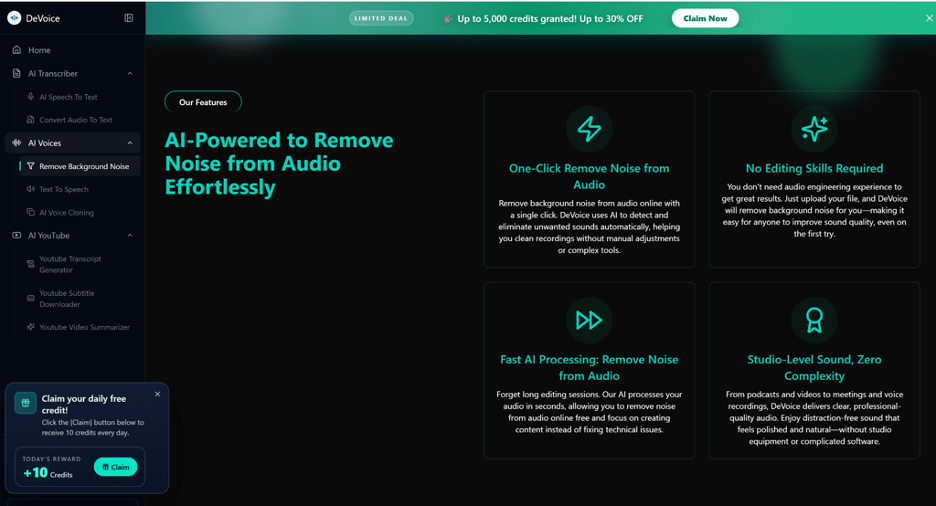
Instead of over-filtering audio, it focuses on:
- Preserving tone and emotion
- Keeping speech natural and clear
- Avoiding robotic or distorted sound
- Balancing voice and environment intelligently
This ensures the final audio remains realistic and easy to listen to.
Types of Audio It Can Improve
Devoice AI works on a wide range of recordings, including:
- Voice recordings and voice notes
- Podcasts and interviews
- Online meetings and webinars
- Educational lectures
- Video narration and voiceovers
Even recordings made in noisy environments can be significantly improved.
Why AI-Based Noise Removal Is More Effective
AI-based tools like Devoice AI are more effective because they do not rely on fixed frequency filters. Instead, they analyze context.
This means the system understands:
- What human speech sounds like
- How background noise behaves
- How to separate both without damaging audio quality
This intelligent processing leads to more accurate and natural results.
Real-World Use of Devoice AI
The Background Noise Remover in Devoice AI is useful in many real-life situations:
Content creators use it to clean video audio. Professionals use it to improve meeting recordings. Students use it to enhance lecture notes. Even casual users rely on it for clearer voice messages.
Final Thoughts
If you want to reduce background noise in audio files online in seconds, Devoice AI Background Noise Remover provides a fast and intelligent solution. It automatically separates voice from noise, cleans audio, and delivers clear results without manual editing.
By combining speed, simplicity, and AI-driven accuracy, Devoice AI makes high-quality audio accessible to everyone, regardless of technical experience.
As digital tools continue to simplify everyday tasks, having access to reliable online services is more important than ever. Platforms like India Post Tracking help users quickly monitor shipments and stay updated in real time, just as AI tools streamline audio processing. In a technology-driven world, efficiency and accessibility go hand in hand.