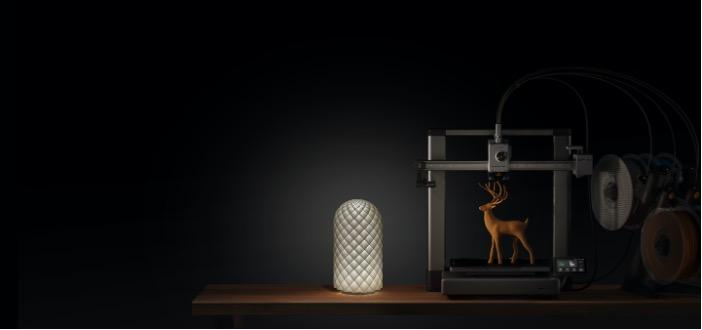
The Ultimate Guide to Beginner 3D Printers (FDM Explained)
Your first 3D printer serves as a foundation for your 3D printing journey. In 2026, when the market is vast, finding the right one can feel overwhelming. The best 3D printer for beginners should be easy to set up and reliable, so that you’re not constantly troubleshooting. In this guide, we’ll review the top entry-level 3D printers and explain exactly what makes them worth buying.
What are FDM Printers and How Do They Work?
Fused Deposition Modeling (FDM) is the most common 3D printing technology. The FDM 3D printer works by melting the plastic filament and extruding it layer by layer to build a 3D object. Each layer fuses to one beneath it, gradually building the shape you designed.
When the print is finished, it cools and solidifies into a 3D object. Although a variety of materials can be used with FDM 3D printers, PLA is the most user-friendly. It’s the most popular option for beginners because it’s simple, inexpensive, and easy to get into.
Best 3D Printers for Beginners in 2026
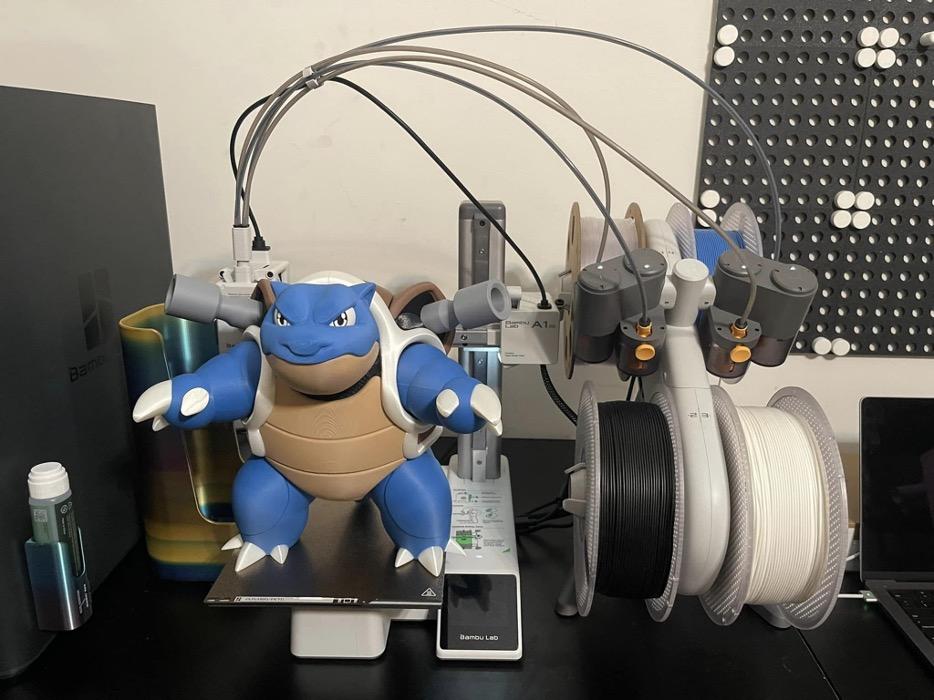
Best Beginner 3D Printer: Bambu Lab A1/A1 mini
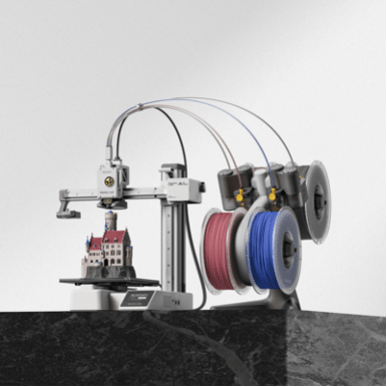
Specifications
- Printing speed: up to 500 mm/s
- Build volume: 180 × 180 × 180 mm (A1 mini) or 256 × 256 × 256 mm (A1)
- Level of noise: as low as 48 dB
- Printing in multiple colors with AMS Lite compatibility
- Quick-swap nozzle: no tools required
- Vibration compensation and automatic bed leveling
Why It’s Great for Beginners
The easiest way to begin 3D printing is with the A1 and A1 mini, the best starter 3D printers. Within an hour of opening the package, you can begin printing because they are nearly ready to use and self-calibrate. One of the biggest frustrations for beginners is manual calibration, which these printers eliminate.
You can use it in a living room or bedroom without it being a distraction, thanks to its quiet 48 dB operation. The Bambu Handy app allows you to monitor and control prints straight from your phone, which simplifies and eases the process from the outset.
One reason many beginners gravitate toward Bambu Lab printers is the simplicity of the workflow. With the Bambu Handy mobile app, users can browse thousands of ready-to-print models directly from MakerWorld, select a design, and start printing in just a few taps. The app also supports remote printing and real-time camera monitoring, so you can manage and check your prints even when you’re away from home. Combined with MakerWorld’s large library of community designs, this creates a highly user-friendly ecosystem that lowers the barrier to getting started with 3D printing.
Most Reliable 3D Printer: Bambu Lab P1S
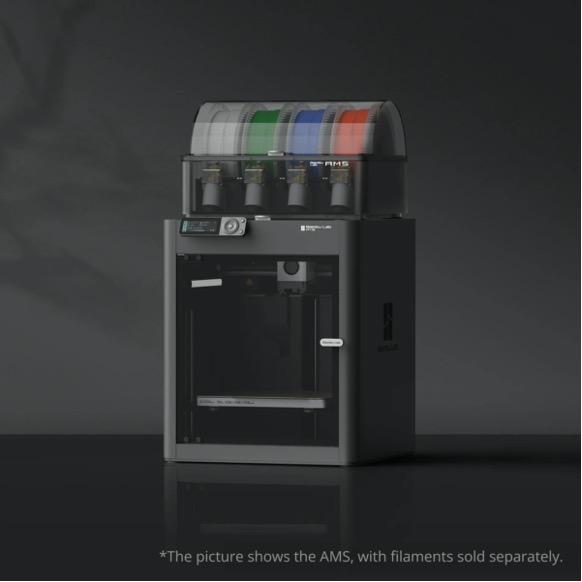
Specifications
- Printing speed: up to 500 mm/s
- Build Volume: 256 x 256 x 256 mm
- Enclosed space with integrated air filtration
- Printing in multiple colors with AMS support
- Flow rate tuning and automatic calibration
- PLA, PETG, TPU, PVA, ABS, ASA, PA, PA, and PET are supported.
Why It’s Great for Beginners
If you want dependable, high-quality results without continuous troubleshooting, you should get the P1S printer as the best hobby 3D printer. It consistently produces cleaner results because of its fully enclosed design, which maintains constant temperatures throughout the print. Another feature is the built-in air filter, which captures fumes so you can use it indoors without the need for additional ventilation. Because it can handle a variety of materials, your printer will advance along with your abilities. It is designed to withstand prolonged use at home while maintaining the same level of quality on your hundredth print as it did on your first.
Best Overall 3D Printer: Bambu Lab P2S
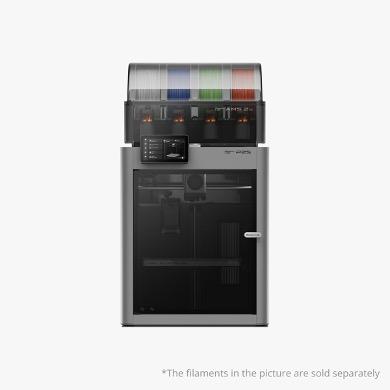
Specifications
- Printing speed: up to 600 mm/s
- Volume of construction: 256 x 256 x 256 mm
- An AI camera that detects failures automatically
- Touchscreen display similar to a smartphone
- Quick-swap nozzle in one second
- Servo motor for more accurate and silent operation
- supports cutting-edge materials, such as carbon fiber
Why It’s Great for Beginners
The P2S enhances the P1S in every way by incorporating all of its best features. The servo motor makes it quieter, faster, and more accurate, and the AI camera automatically detects print failures so you don’t have to watch over it. It takes absolutely no time to convert between materials or nozzle sizes because of the 1-second quick-swap nozzle. It is faster, quieter, and more accurate than its predecessor thanks to the servo motor, and the touchscreen makes adjusting settings feel natural rather than daunting. This is the best beginner-friendly printer currently on the market.
How to Choose the Right 3D Printer For Beginners
For beginners, ease of use is the most crucial factor to consider. Here are some important things to remember:
- Automatic calibration: Speeds up printing and prevents a great deal of early frustration.
- Build volume: A normal build volume is more than sufficient for the majority of starter projects.
- Compatibility of materials: Begin with PLA, but make sure your printer can keep up with you as your abilities do.
- Software and app: Choose a printer with dependable software and a mobile app to make managing prints easy.
- Multi-color capabilities are a good addition if you want more creative alternatives down the road.
FAQS About the Best 3D Printers for Beginners
Which 3D printer is the most user-friendly for beginners?
One of the simplest FDM 3D printers for beginners is the Bambu Lab A1 mini. It comes almost ready to print, self-calibrates, and features an easy-to-use software Bambu Handy that lets you control everything from your phone.
Which filament is best for beginners?
PLA is the best starting point. It comes in a variety of colors, is simple to print, and doesn’t need an enclosure.
Do entry-level 3D printers need a lot of maintenance?
The printers from Bambu Lab require relatively little upkeep. Usually, all you need to do is clean the nozzle and inspect the bed surface.
How much time does it take to set up a 3D printer for beginners?
Setting up the majority of entry-level printers takes 20 to 30 minutes. Because Bambu Lab printers come pre-assembled, you can start printing as soon as you unbox them.
As a beginner, can I print in more than one color?
Yes. The AMS add-on enables multi-color printing on printers such as the A1 and A1 mini, making it available even to beginners.
Conclusion
In 2026, it is easier than ever to get started with 3D printing. All three models, recommended in this guide, are made to ensure a seamless and enjoyable experience. Select the one that best suits your budget and available space.