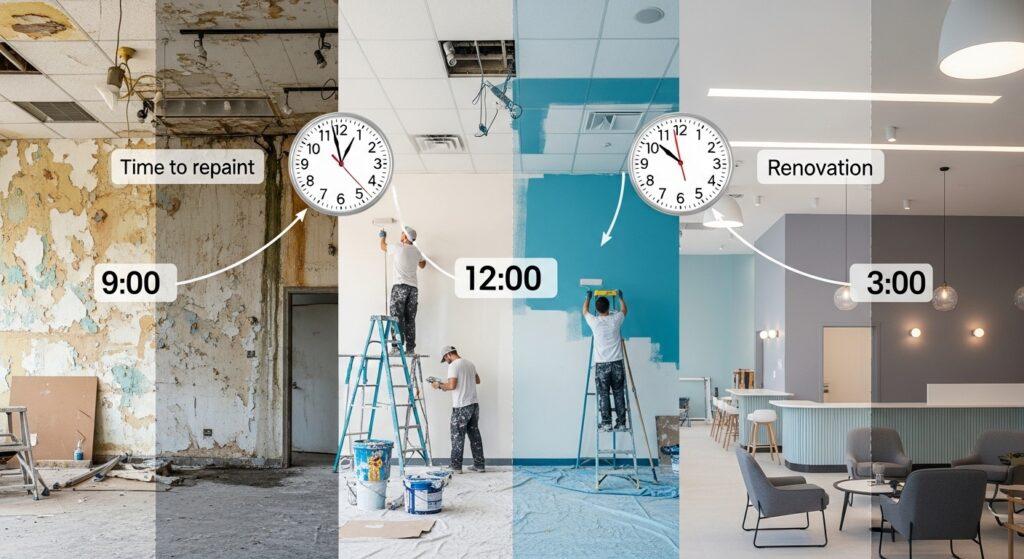
When Is the Right Time to Repaint Your Commercial Space
There is something satisfying about walking into a freshly painted space. The lines are crisp, the colour feels intentional, and the whole room carries an energy that a tired paint job simply cannot deliver. For a commercial space, that impression is not just aesthetic; it is functional. The way your business looks communicates something to every customer, employee, and client who walks through the door before a single word is spoken.
But knowing when it is actually time to repaint, versus when you are just getting restless with the look, is a practical question worth thinking through. Commercial paint jobs represent a real investment, and timing that investment well means understanding what the surfaces are telling you, what your business goals are, and what the Calgary climate does to interior and exterior finishes over time.
Getting the timing and execution right is not just about picking a colour; it is about working with painters who understand the demands of commercial environments. Commercial painting specialists in Calgary who work regularly in offices, retail environments, restaurants, and industrial facilities understand how to schedule work to minimize business disruption, specify the right coatings for high-traffic surfaces, and deliver a finish that lasts under the conditions your space actually operates in.
The Visual Signals That Tell You It Is Time
Paint does not fail all at once. It communicates a decline gradually through a series of signals that are worth knowing by name. Chalking, where the paint surface breaks down into a powdery residue, is one of the earliest signs of exterior paint degradation. Fading happens unevenly, with south and west-facing surfaces deteriorating faster due to UV exposure. Peeling and flaking indicate that the bond between the paint and the substrate has broken down, often due to moisture infiltration or a previous preparation failure.
On interior surfaces, the signs are different but equally readable. High-traffic zones, door frames, reception desks, hallway corners, and areas around light switches show scuffs, marks, and surface abrasion. Painted ceilings in spaces with regular cleaning activity, kitchens, food preparation areas, and industrial spaces show the effects of grease, moisture, and cleaning chemicals over time. When touch-up painting no longer blends, it is usually a signal that the overall surface has aged enough that a full repaint will produce better results.
Exterior Paint and the Calgary Climate Factor
Calgary’s climate puts exterior paint through a demanding annual cycle. Chinooks create rapid temperature swings that expand and contract exterior surfaces repeatedly, stressing the paint film. Intense UV from the high-altitude sun fades and degrades paint faster than in lower-elevation climates. Cold winters freeze moisture that has infiltrated any small crack, causing it to expand and lift the paint film from below.
The practical implication is that exterior paint lifespans in Calgary, particularly on south and west-facing surfaces, are often shorter than manufacturer longevity claims suggest. Premium paints rated for ten to fifteen years in mild climates may realistically deliver seven to ten years on a Calgary commercial building. Planning for exterior repaints on that cycle, and scheduling them in spring or early fall when temperatures are consistently in the right range for paint application and curing, produces the best long-term results.
High-Traffic Commercial Interiors: A Shorter Cycle
In commercial interiors, the repainting cycle is driven more by traffic and use than by time. A retail store with heavy customer traffic, frequent cart and stroller contact with walls, and regular product display changes that involve tape and fixtures being applied and removed from painted surfaces will need interior repainting more frequently than an office environment where the walls are largely undisturbed.
The choice of paint product matters enormously in high-traffic commercial interiors. Semi-gloss and gloss finishes in high-scrub paints resist marking and cleaning chemicals better than flat or eggshell finishes, but they show surface imperfections more readily. Low-sheen commercial paints with high washability ratings represent a thoughtful middle ground for spaces that need both durability and a refined appearance.
Brand Refresh and Renovation Triggers
Beyond the condition of the existing paint, business events often create the right moment for a commercial repaint. A brand refresh that changes colours, a business expansion into additional space, a renovation that updates fixtures and finishes while the existing paint begins to look dated by comparison, or a change of tenancy where an incoming business wants to reset the space to their own identity are all legitimate commercial painting triggers that go beyond paint condition.
These event-driven repaints often benefit from colour consultation as part of the planning process. Colour choices in commercial spaces affect how customers feel, how employees perform, and how the brand is perceived. The right commercial painter brings not just application skills but a working knowledge of how colour performs in specific commercial environments.
Scheduling for Minimal Business Disruption
One of the most common concerns commercial clients raise is business disruption. The answer is largely a scheduling and planning question rather than an either/or situation. Interior commercial painting can often be completed in phases, working section by section outside of business hours or on weekends to keep the majority of the space operational. Retail environments can often be painted overnight when a store is closed. Office environments can often be phased by floor or department.
Exterior commercial painting has more constraints because weather affects both application quality and worker safety, but work can often be scheduled around operational peak periods. The key is raising the scheduling conversation with your painting contractor early in the planning process rather than after a contract is signed. A contractor who has experience with commercial environments will already have a methodology for minimizing disruption and can walk you through how your specific situation would be handled.
Low-VOC Products and Commercial Indoor Air Quality
Commercial interior painting in occupied or recently occupied spaces increasingly uses low-VOC (volatile organic compound) and zero-VOC paint products. These formulations have improved significantly in terms of durability and coverage while dramatically reducing the off-gassing that causes the strong odor associated with conventional paint products. For spaces where returning to full occupancy quickly is important, or where employees or customers with sensitivities are a consideration, specifying low-VOC products is the standard professional approach.
A quality commercial painting contractor will discuss product selection with you in the context of your specific space, your occupancy schedule, and your durability requirements. The right paint for a Calgary restaurant kitchen wall is different from the right paint for a downtown Calgary office lobby, and the coating system for an industrial facility is different again. That specificity of product selection is part of what separates professional commercial painting from a coat of whatever was on sale.