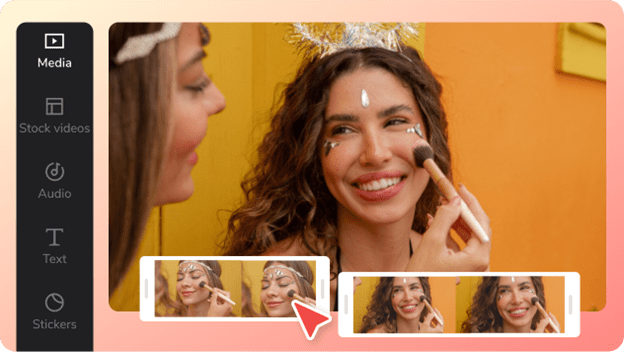
From Beginner to Pro: How CapCut Helps You Create Scroll-Stopping Videos
Video content has officially taken over the internet. From TikTok and YouTube Shorts to Instagram Reels and ads, video is the fastest way to grab attention — but only if it’s done right. That’s why more creators are turning to CapCut, a video editing platform designed for the way people create today.
CapCut bridges the gap between beginner-friendly tools and professional-level editing, making it one of the most searched video editors online.
Easy for Beginners, Powerful for Advanced Users
CapCut’s biggest strength is how approachable it is. You don’t need editing experience to get started. The layout is simple, clean, and intuitive — perfect for anyone opening a video editor for the first time.
At the same time, CapCut doesn’t limit creativity. Advanced features like keyframes, speed ramping, overlays, and color adjustments allow experienced editors to fine-tune their content. This makes CapCut a rare tool that grows with you as your skills improve.
Templates That Keep You Ahead of Trends
Social media trends move fast — and CapCut moves with them. The platform offers a massive library of editable templates created for viral formats. Instead of building everything from zero, creators can plug in their clips, customize text, and export instantly.
This is especially useful for:
- TikTok trends
- Instagram Reels
- YouTube Shorts
- Promo and teaser videos
Templates don’t replace creativity — they accelerate it.
Smart Editing With AI Features
CapCut uses AI to remove friction from the editing process. Features like auto captions, background removal, and AI voice tools help creators produce high-quality videos with minimal effort.
For example, auto captions not only improve accessibility but also boost watch time and engagement. Background removal allows creators to film anywhere and still achieve a clean, professional look.
These tools are designed to help creators focus on ideas, not technical hurdles.
Built for Multi-Platform Publishing
CapCut supports multiple aspect ratios, resolutions, and export formats — making it easy to publish content across platforms without re-editing. You can create one video and adapt it for TikTok, Instagram, YouTube, and ads in just a few clicks.
This is a huge advantage for creators managing multiple channels or brands.
Cloud-Based Convenience
With CapCut’s cloud features, projects can be accessed across devices. Start editing on your phone, continue on your laptop, and finish on desktop — without losing progress. This flexibility fits perfectly with modern creator workflows.
Why Creators Are Choosing CapCut Over Traditional Editors
Traditional editing software can be expensive, complex, and time-consuming. CapCut offers:
- Faster learning curve
- Lower cost
- Built-in trend awareness
- AI-powered efficiency
- Social-first design
For creators who value speed, quality, and consistency, CapCut simply makes sense.
The future of content creation belongs to creators who can move fast and adapt quickly. CapCut empowers users to create high-quality videos without friction, whether they’re beginners or experienced editors.
If your goal is to create content that stands out, keeps viewers watching, and grows your audience, CapCut is your win game.
Company name: ByteDance
Contact Person:
Email: capcut.support@bytedance.com
City: Beijing
Country: China
Website: https://www.capcut.com