Best Free Video Editing Software for Beginners
Video content has become one of the most effective ways to share ideas, build an online presence, and connect with audiences across platforms. From social media clips and YouTube videos to educational content and small business promotions, videos are now a core part of digital communication. However, for beginners, video editing can seem intimidating due to complex tools and expensive software. This is where choosing the best free video editing software for beginners becomes extremely important.
Free video editing tools today are far more advanced than many people realize. They offer essential features, smooth performance, and user-friendly interfaces that help beginners learn video editing without technical frustration or financial pressure.
Why Beginners Should Choose Free Video Editing Software
Starting with free tools is a smart and practical decision for anyone new to video editing. Beginners need space to experiment, make mistakes, and learn at their own pace.
Some major advantages include:
- No subscription or upfront cost
- Simple layouts designed for new users
- Built-in templates and presets
- Faster learning curve
- Suitable for personal, educational, and social media content
Modern free tools allow beginners to focus on creativity rather than struggling with complicated controls. This makes them ideal for learning the basics of editing while still producing high-quality videos.
Important Features Beginners Should Look For
Not every free editor is suitable for beginners. The right tool should balance simplicity with useful functionality.
Here are the most important features to look for:
- Drag-and-drop timeline editing
- Text and caption tools for titles and subtitles
- Pre-designed templates for quick video creation
- Audio editing options for music and voiceovers
- Multiple export formats for different platforms
- Smooth performance on average computers
A good beginner-friendly editor should feel intuitive from the first use, allowing users to edit videos without watching long tutorials.
Types of Free Video Editing Tools for Beginners
Desktop-Based Editing Software
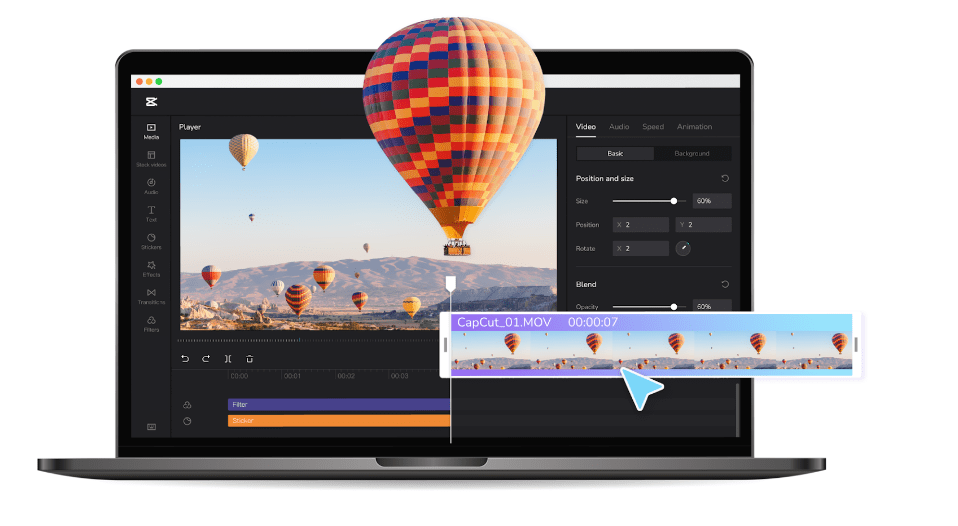
Desktop editors are ideal for beginners who want hands-on control over their projects. These tools usually provide a visual timeline, allowing users to trim clips, add transitions, and adjust audio easily.
A modern free video editing software with a clean interface and essential editing tools can help beginners understand the fundamentals of video production. Such tools are commonly used for YouTube videos, online tutorials, and basic professional projects.
Desktop editors typically allow users to:
- Cut and trim video clips precisely
- Add smooth transitions and effects
- Insert text, captions, and overlays
- Adjust brightness, contrast, and colors
- Export videos in HD quality
These features help beginners build confidence while learning core editing skills.
AI-Based Tools for Fast and Easy Video Creation
AI-powered tools have transformed video creation for beginners. Instead of manually editing every detail, AI tools automate much of the process, making video creation faster and easier.
An AI-powered video maker is especially useful for beginners who want to create videos quickly for social media, promotions, or short content. These tools often allow users to generate videos from text, select styles automatically, and apply transitions without manual effort.
With AI-assisted editing, beginners can:
- Turn written ideas into videos
- Automatically match visuals with music
- Maintain consistent design styles
- Save time on repetitive tasks
- Create content without technical knowledge
This approach lowers the entry barrier and makes video creation accessible to everyone.
How Beginners Can Improve Their Editing Skills
Using the right tool is just the first step. Beginners should also focus on developing good editing habits.
Start with Short Projects
Begin with short videos to practice trimming, adding text, and adjusting audio. Short projects help you learn faster without feeling overwhelmed.
Focus on Clarity
Good videos communicate ideas clearly. Avoid unnecessary effects and keep visuals clean and readable.
Use Templates as Learning Tools
Templates show how professional videos are structured. Over time, customize them to develop your own editing style.
Learn Basic Editing Principles
Understanding timing, pacing, and audio balance will significantly improve video quality, even when using simple tools.
Common Mistakes Beginners Should Avoid
Many beginners struggle due to common editing mistakes rather than lack of skill:
- Using too many transitions and effects
- Ignoring audio quality
- Adding excessive on-screen text
- Choosing incorrect video dimensions
- Skipping the final preview before export
Keeping edits simple and purposeful results in more professional-looking videos.
Why Free Tools Are Enough for Long-Term Growth
For most beginners, free tools provide everything needed to create high-quality videos. Many creators start with free tools and continue using them even as their skills improve.
A reliable free video editing software allows beginners to grow gradually, exploring advanced features when ready. Similarly, an AI-powered video maker acts as a creative assistant, helping users stay productive and consistent.
The key advantage is flexibility — beginners can learn, practice, and improve without financial pressure.
Final Thoughts
Choosing the best free video editing software for beginners is about finding tools that are easy to use, flexible, and reliable. Whether you prefer hands-on desktop editing or fast AI-assisted creation, free tools today offer impressive capabilities.
With consistent practice and the right approach, beginners can create engaging, professional-quality videos without spending money or dealing with complex software. Focus on storytelling, clarity, and steady improvement — the tools will support your journey.