One Simple Way to Start Gimkit Live
Why Gimkit Live is Changing Modern Education

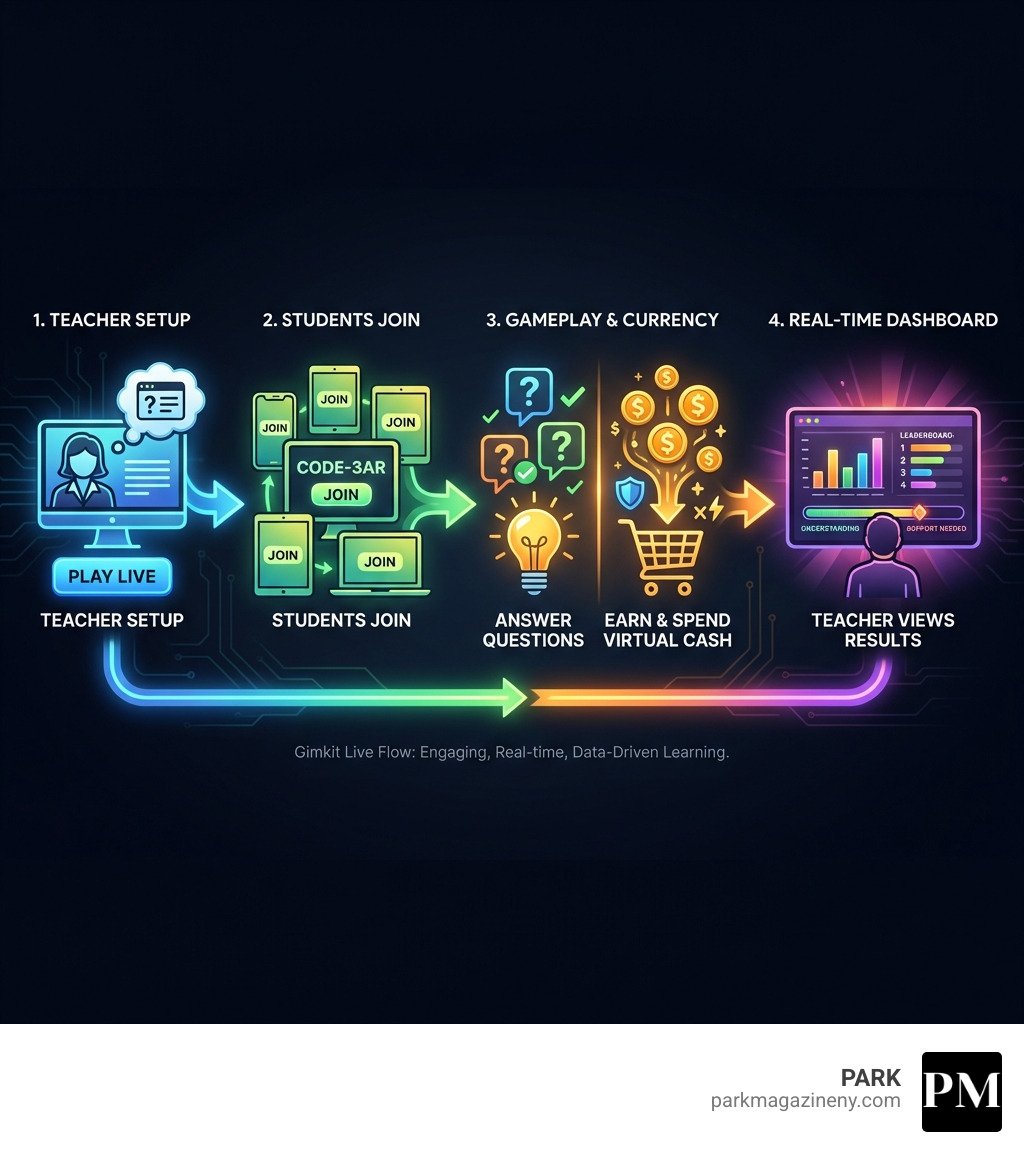
Gimkit live is an interactive, game-based learning platform where teachers host real-time quiz games and students answer questions on their own devices at their own pace, earning virtual currency to purchase power-ups and upgrades. It’s designed to make learning engaging through competition, strategy, and immediate feedback.
Quick Answer: Starting Gimkit Live in 3 Steps
- Sign up for a free teacher account at gimkit.com
- Create or select a Kit (question set) from the library
- Click “Play Live” to generate a join code for students
Born from a high school student’s desire to make studying more interactive, Gimkit has evolved into a sophisticated educational tool used by thousands of teachers worldwide. Unlike traditional worksheets or static quizzes, the platform transforms any lesson into a competitive game where students genuinely want to participate.
The live format creates a unique classroom dynamic. Students answer questions simultaneously but independently, earning in-game cash for correct answers. They can then strategically spend this currency on upgrades that help them answer faster or earn more—adding a layer of decision-making that keeps them engaged far longer than conventional review methods.
What sets Gimkit live apart is its dual focus: students stay motivated through gamification, while teachers receive real-time data on who understands the material and who needs additional support. It’s accessible on any device with a browser, requires no software installation, and works seamlessly whether you’re teaching in-person, remotely, or in a hybrid setting.
For educators seeking to lift classroom engagement without adding complexity to their workflow, Gimkit live offers an neat solution. The setup takes minutes, the impact is immediate, and the platform handles grading automatically—freeing us to focus on what matters most: student learning.
What is Gimkit Live and Why Should You Use It?
Imagine a classroom where students are not just passively listening but are actively engaged, strategizing, and even laughing during a quiz. That’s the magic of Gimkit live. At its core, Gimkit is a gamified quiz platform designed to make learning fun, interactive, and collaborative. It takes the familiar concept of a multiple-choice quiz and injects it with dynamic game mechanics, turning review sessions into thrilling journeys.
The “Live” aspect means that teachers host these games in real-time, often during class, and students participate simultaneously on their own devices. This creates a shared, energetic experience that a traditional quiz simply can’t replicate. Students answer questions at their own pace, which is a fantastic feature for differentiated learning, allowing some to take their time while others speed through. For every correct answer, they earn virtual cash. This isn’t just play money, though! Students can spend their earnings in an in-game shop on power-ups and upgrades that can boost their score, sabotage opponents, or protect their own progress. This adds a layer of strategic thinking that goes beyond just knowing the answers.
The beauty of Gimkit live lies in its ability to provide immediate, real-time feedback. Teachers can see how the class is performing as a whole, and individual students know instantly if their answer was correct. This continuous feedback loop is crucial for learning, helping students to solidify their understanding and correct misconceptions on the spot.
To give you a clearer picture, let’s look at how Gimkit live compares to its homework counterpart:
| Feature | Gimkit Live (Synchronous, In-Class) | Gimkit Homework (Asynchronous, Independent) |
|---|---|---|
| Pacing | Student-paced within a live, shared timeframe | Student-paced, completed independently at their convenience |
| Interaction | Real-time competition, power-ups affecting others, collaborative modes | Individual progress, no direct interaction with peers during play |
| Feedback | Immediate, dynamic, often with visual and audio cues, real-time teacher monitoring | Immediate, typically on-screen, teachers review reports later |
| Engagement | High-energy, competitive, social, thrilling journey | Self-motivated, great for practice and retention, can be assigned with automatic grading |
| Assessment | Formative assessment, quick checks for understanding, identifying immediate knowledge gaps | Practice, reinforcement, automatic grading for accountability |
| Virtual Cash | Earned and spent strategically during the live game for boosts and upgrades | Earned during play, typically for self-improvement within the assigned game |
| Teacher Role | Host, facilitator, monitor, provides real-time support and discussion | Assigns, reviews reports, provides follow-up support |
The Benefits for Teachers
For us educators, Gimkit live is more than just a fun game; it’s a powerful pedagogical tool. Here’s why we’ve found it to be a game-changer in our classrooms, whether in New York City or beyond:
- Increased Engagement: This is perhaps the most immediate and noticeable benefit. Students are captivated by the game-like format, earning virtual cash, and competing with their peers. It transforms education into a thrilling journey, making learning irresistible.
- Formative Assessment & Real-Time Data: As teachers, we constantly need to gauge student understanding. Gimkit live provides dynamic challenges and real-time feedback. We can see live dashboards showing class performance, individual student progress, and even which questions are proving difficult. This instant data allows us to identify knowledge gaps on the fly and adjust our teaching accordingly. We can track student progress and review detailed reports later to inform future lessons.
- Customizable Content: We can create custom quizzes (called “Kits”) that perfectly align with our lesson plans, covering specific topics in math, science, history, or language arts. If we’re short on time, there’s also a vast library of pre-made templates available. We can even customize game settings like time limits, earning goals, and the types of power-ups available.
- Automatic Grading: When we assign Gimkit as homework, assignments are graded automatically, saving us precious time. This means less time spent with the red pen and more time focusing on individualized student support.
- Easy Setup: Gimkit live boasts a user-friendly interface that makes it accessible for both teachers and students. Setting up a game is straightforward, allowing us to integrate it into our lessons without a steep learning curve. If you’re ready to dive in, you can easily sign up and explore Gimkit’s website For Teachers at https://www.gimkit.com/.
The Benefits for Students
But what about the students? They’re the real beneficiaries of Gimkit live‘s engaging approach:
- Fun Learning Environment: Let’s face it, traditional quizzes can be a drag. Gimkit live makes learning fun, interactive, and collaborative. It’s the kind of game students want to play in class, turning what could be a mundane review into an exciting competition.
- Active Participation: Students answer questions at their own pace on their own devices, ensuring everyone is actively involved rather than just a few vocal students. They earn virtual cash for correct answers, providing immediate positive reinforcement.
- Comprehension and Retention: The game-based format encourages repetition. Students get exposure to questions multiple times, which helps them engage in learning, comprehend, and retain information more effectively. This repeated exposure, coupled with immediate feedback, solidifies their understanding.
- Earning Virtual Cash & Strategic Thinking: The unique feature of earning virtual cash and spending it on boosts and power-ups adds an exciting strategic element. Students learn to make decisions: should I save my money for a big upgrade or spend it now on a small boost? This fosters critical thinking and resource management, skills that extend far beyond the classroom.
- Collaborative Learning: Many Gimkit live modes support team play, promoting collaborative problem-solving and healthy competition. Features like KitCollab even allow students to create questions for the game, giving them ownership over their learning and fostering a sense of community.
The Simple 5-Step Guide to Hosting Your First Gimkit Live Game
Ready to transform your classroom? Hosting a Gimkit live game is surprisingly simple. We’ve broken it down into five easy steps, ensuring you can launch your first game with confidence and minimal fuss.
At the heart of every Gimkit game is a “Kit,” which is essentially your set of questions. You’ll choose from various “Game modes” to dictate the gameplay style, and then generate a unique “Game code” that students will use on their “Student devices” to join the fun.
Step 1: Sign Up and Choose Your “Kit”
First things first, if you haven’t already, you’ll need a teacher account. It’s a breeze to set up:
- Create Your Account: Head over to Gimkit’s website and click “Sign Up.” You can create an account using your email, Google, or Microsoft account. It’s designed to be quick and easy, getting you started in no time.
- Build or Find Your Kit: Once logged in, this is where the magic begins. A “Kit” is your collection of questions. You have a few options:
- Create a New Kit: Give your new Kit a title, select a language and subject, and then start adding your questions. You can create multiple-choice questions or even flashcards. This allows you to tailor content precisely to your lesson.
- Use the Kit Library: Don’t want to start from scratch? No problem! Gimkit has a vast library of pre-made Kits created by other educators. You can search by subject or topic and find something that fits your needs.
- Leverage KitCollab: For an extra layer of engagement, try the KitCollab feature. This unique tool allows your students to submit questions in real-time. You review and accept them, and then your class plays a game with the questions they wrote! It’s an incredible way to foster ownership and critical thinking.
Step 2: Launch a Live Game and Select a Mode
With your Kit ready, it’s time to get the game going!
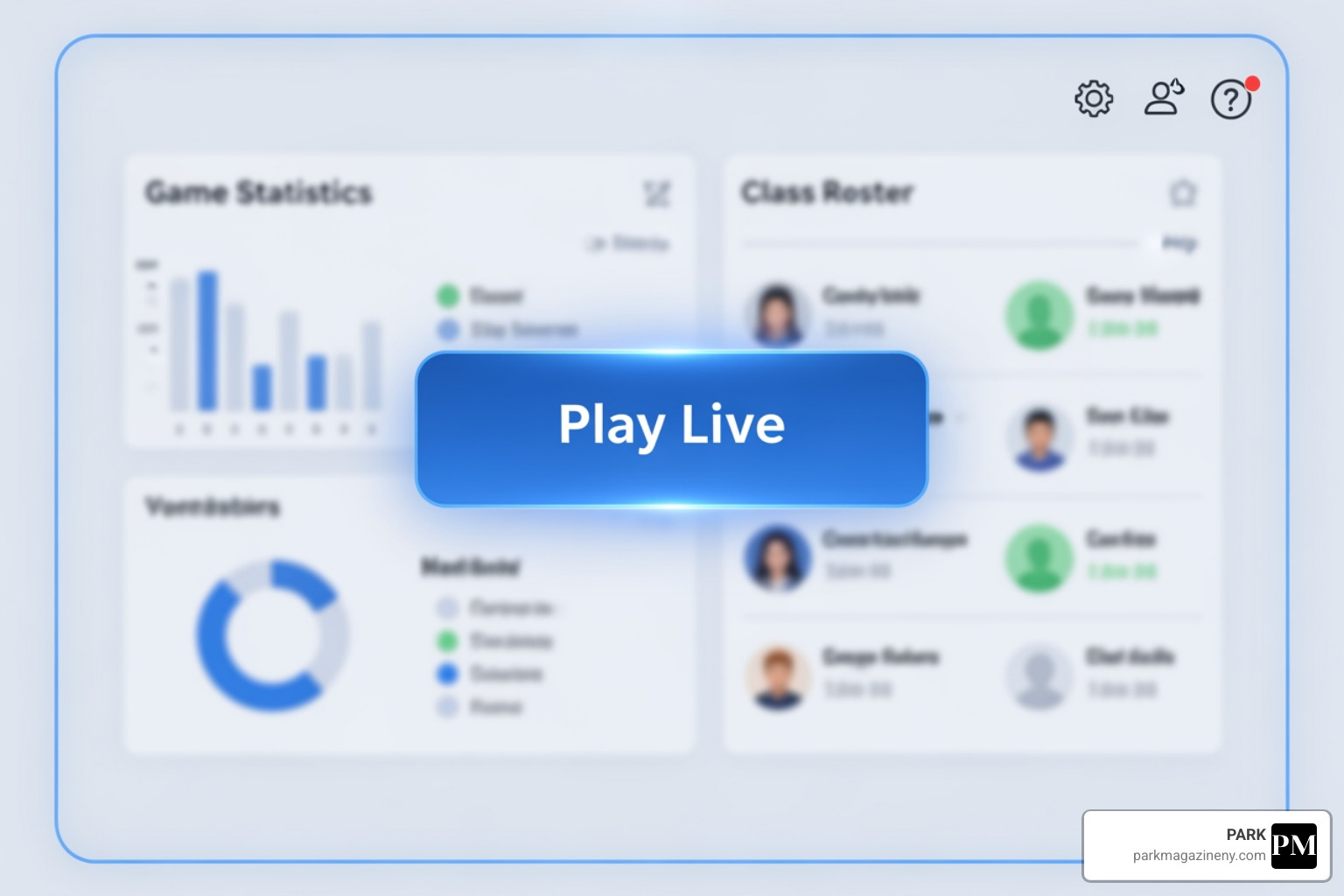
- Click “Play Live”: From your dashboard, select the Kit you want to use. You’ll see a prominent “Play Live” button. Clicking this is your gateway to an interactive session.
- Choose Your Game Mode: This is where you decide the flavor of your game. Gimkit live offers a variety of game modes, each with its own rules and objectives. For instance:
- Classic Mode: This is the standard, individual competition where students answer questions, earn money, and buy upgrades. It’s great for formative assessments or quick knowledge reviews.
- Team Mode: Students are divided into teams and work collaboratively to earn money for their collective score. This is excellent for building collaboration skills and reviewing concepts as a group.
- Configure Game Options: Before starting, you can fine-tune the game settings. This might include setting a time limit, an earning goal, enabling or disabling power-ups, or even adjusting starting cash. These options allow us to customize the experience to best suit our learning objectives and class dynamics.
Step 3: Share the Join Code with Students
This is the moment your students have been waiting for!
- Game Code Generation: Once you’ve selected your game mode and customized the options, Gimkit live will generate a unique, temporary game code. This code is crucial for students to join your specific session.
- Student Joining Process: Display this code prominently on your screen (a projector or shared screen works perfectly). Students simply go to Play Gimkit! – Enter game code here, enter the code, and type in their name or a fun nickname. They don’t need an account to play, making it incredibly accessible and quick to get everyone connected.
Step 4: Start the Game and Monitor Progress
With everyone logged in, it’s showtime!
- Start the Game: Once all students have joined and you’re ready, click “Start Game.” The questions will begin to appear on their individual devices.
- Teacher Dashboard View: As the game unfolds, your teacher dashboard provides a real-time overview of the action. You can see who’s leading, how many questions students have answered, and track their progress. This live view is invaluable for monitoring engagement and identifying students who might be struggling or excelling. The dynamic nature of Gimkit live means you’re not just hosting; you’re actively observing and reacting to the learning happening in front of you.
Step 5: Review Results and Provide Feedback
The learning doesn’t stop when the game ends!
- Post-Game Reports: After the game concludes, Gimkit live provides detailed performance reports. We can access comprehensive data on student performance, seeing which students answered questions correctly or incorrectly.
- Student Performance Analysis: These reports allow us to analyze performance over time, identifying specific areas where students excel and, more importantly, where they may need extra support. This data is incredibly useful for targeted review sessions or for planning future lessons.
- Class Discussion: We find it beneficial to review the results with the class, discussing tricky questions or common misconceptions. This immediate feedback loop, both individual and collective, is vital for student growth and helps ensure that the fun of the game translates into tangible learning outcomes.
Mastering Your Session: Key Features and Winning Strategies
To truly harness the power of Gimkit live, it’s important to understand its core features and employ strategies that maximize engagement and learning. It’s not just about playing; it’s about playing smart.
The in-game shop, with its array of upgrades and power-ups, is a central feature that encourages strategic purchasing and adds a competitive edge. This is where students can strategically spend their hard-earned virtual cash to gain advantages, making each game a unique experience.
Key Features to Maximize a Gimkit live Session
- KitCollab for Student-Created Questions: We’ve already touched on this, but it bears repeating. Allowing students to create questions for the game is a fantastic way to deepen their understanding and foster a sense of ownership. It encourages them to think critically about the material and how it can be assessed.
- Power-Ups and Upgrades: This is where Gimkit live truly shines. Students earn virtual cash for correct answers, which they can then spend in the in-game shop. Options include “Streak Bonus” to earn more for consecutive correct answers, “Money Laundry” to steal cash from others, or “Shield” to protect their own earnings. This strategic element keeps students constantly thinking and engaged.
- Clapping Feature: A simple yet effective feature, allowing us to enable or disable “clapping” in the game options. This adds a bit of fun and positive reinforcement during gameplay.
- In-Game Currency System: This is the engine of Gimkit live. The virtual money not only motivates students but also serves as a tangible representation of their learning progress. Spending it wisely becomes part of the learning experience.
- Cross-Platform Compatibility: One of the greatest technical considerations is accessibility. Gimkit live works seamlessly on any device with an internet connection—computers, tablets, or smartphones. This ensures that all students, regardless of their device, can participate fully, whether they’re in a classroom in New York City or learning remotely.
Strategies for a More Engaging Gimkit live Experience
We’ve gathered some best practices to ensure your Gimkit live sessions are always a hit:
- Mix Up Game Modes: Variety is the spice of life, and the classroom is no exception. Gimkit live offers over 10 unique game modes. Switching between them keeps students interested and caters to different learning styles and objectives. Don’t always stick to Classic!
- Encourage Collaboration with Team Mode: Team Mode is excellent for fostering a sense of community and collaborative problem-solving. Pairing students into teams can boost engagement and allow them to learn from each other.
- Set Clear Learning Goals: Before diving into a game, clearly communicate the learning objectives. Align your Gimkit live quizzes with specific concepts you want to reinforce. This ensures that the fun has a clear educational purpose.
- Reward Participation: While the in-game rewards are great, we can also offer small, external rewards or recognition for top performers, or even for teams that show great collaboration. This can further boost motivation.
- Solicit Student Feedback: After a game, ask your students what they enjoyed, what was challenging, and what game modes they prefer. Their insights can help you refine future sessions and make them even more effective.
Popular Game Modes for Live Play
With so many options, which Gimkit live game modes are best suited for live classroom play? Here are a few popular choices:
- Classic: The original individual competition. Perfect for quick reviews and formative assessments where you want to see individual knowledge.
- Team Mode: Students are divided into teams and work together to earn money. Ideal for collaborative learning, group projects, and building classroom camaraderie.
- Trust No One: A social deduction game where students answer questions while trying to identify and eliminate “imposters.” This mode promotes critical thinking, problem-solving, and communication skills.
- Fishtopia: A scavenger-hunt-like mode where students answer questions to fish for in-game items. Great for fun review sessions and maintaining engagement over longer periods.
- Humans vs. Zombies: A story-driven mode where students answer questions to survive or “infect” others. This mode creates an engaging, immersive experience that promotes individual thinking and team collaboration.
Frequently Asked Questions
We know you might have a few more questions as you consider incorporating Gimkit live into your teaching toolkit. Let’s address some common queries.
What are the technical requirements for using Gimkit Live?
One of the best things about Gimkit live is its minimal technical demands. Essentially, all you and your students need are:
- An Internet Connection: A stable internet connection is required for all participants to join and play the game in real-time.
- A Web Browser: Gimkit is entirely web-based, meaning it runs directly in any modern web browser (like Chrome, Firefox, Safari, Edge).
- Any Device: It works seamlessly on computers (laptops, desktops), tablets, and smartphones. This cross-platform compatibility ensures accessibility for all students, making it a flexible tool for any learning environment.
- No Software Installation Needed: There’s no need to download or install any special software or apps, simplifying the setup process for both teachers and students.
Do students need an account to play?
No, happily, students do not need an account to play a Gimkit live game! This is a huge benefit for quick classroom integration and avoiding login problems.
- Join with Game Code: Students simply steer to https://www.gimkit.com/join, enter the unique game code provided by their teacher, and then input a nickname. That’s it!
- Nickname Entry: The nickname feature allows for anonymity if desired, or students can use their real names for easy teacher tracking.
- Account Optional for Progress Tracking: While not required to play, students can create an account if they wish to track their personal progress over multiple games. However, for a one-off live session, it’s completely unnecessary.
How many students can join a single game?
This is a question we often hear, especially for larger classes. The good news is that Gimkit live is designed to accommodate many participants.
- No Hard Limit on Participation: According to Gimkit, there are “no limitations on the number of students who can participate in a Gimkit game.” This means that whether you have a small group or a large assembly of students, everyone can join in on the fun and engage with the material together. While the free version of Gimkit might have some general limitations on features or the number of kits you can create, the ability for students to join a live game is robust. For educators seeking advanced features, more game modes, or unlimited kits, Gimkit Pro is available.
Conclusion
As we’ve explored, Gimkit live is far more than just another online quiz tool; it’s a dynamic, engaging, and incredibly effective platform that transforms learning into an adventure. From its core mechanics of student-paced questions and virtual currency to its diverse game modes and real-time feedback capabilities, it offers a fresh approach to education that genuinely excites students and empowers teachers.
The benefits are clear: increased student engagement, powerful formative assessment data for teachers, improved comprehension and retention for students, and a user-friendly experience that makes implementation a breeze. Its cross-platform compatibility ensures accessibility for all, whether in a busy New York City classroom or a remote learning environment.
We believe that embracing tools like Gimkit live aligns perfectly with the modern educator’s goal: to create stimulating and effective learning experiences. It’s a simple way to inject energy, competition, and strategic thinking into everyday lessons, proving that learning can indeed be a thrilling journey.
Ready to infuse your classroom with this next-level engagement? Gimkit live is waiting. Find more engaging educational trends and innovative teaching strategies that resonate with a sophisticated audience by visiting https://parkmagazineny.com/tag/luxury/.